Micros RES IFS Error after Update or Installation
Reported Issue
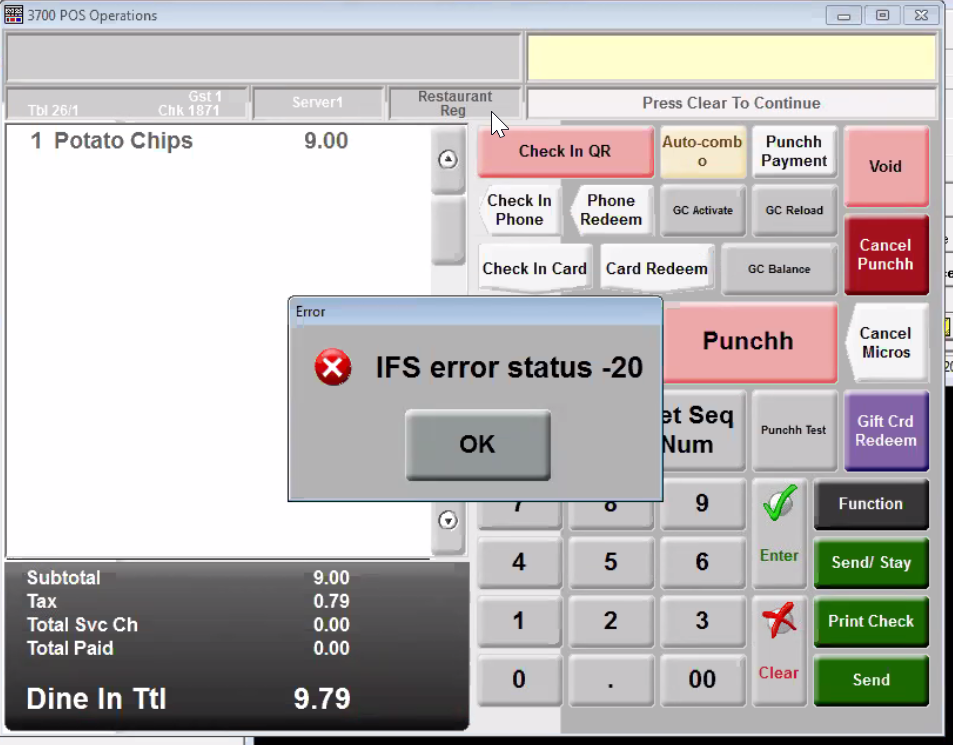
An IFS error occurred on POS after Micros POS Punchh Agent application is installed or updated.
Explanation
This type of error shows when the Punchh interface ISL file which contains the Punchh Integration settings (Ex. pms90.isl file ) is referenced as available @ the designated Network Node but cannot be loaded
It may be:
- Misconfigured
- Offline
If the the Micros RES Server is running and online to the POS, then the Punchh interface network node is likely misconfigured
Verification
If the Micros RES Server is up and running, then the value of the Punchh interface needs to be validated
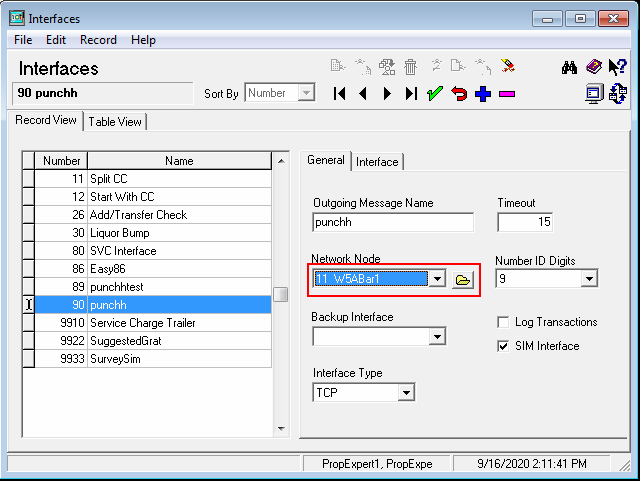
The field value entered in POS Configurator>Devices >Interfaces >"Network Node" must be set to the correct, Micros Server NodeIFS errors indicate that Micros interface can't talk to assigned network node endpoint.
Resolution
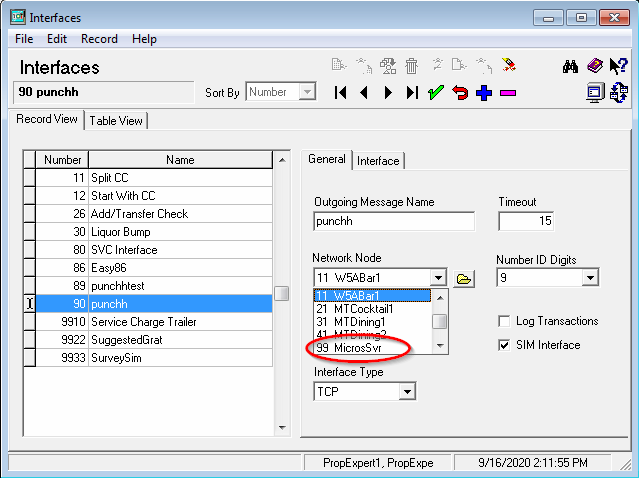
The MICROS server should be/will be the name of the Windows Machine where the Back Office is running:
To resolve this issue set the correct "Network Node" for the Micros punchh interface
-
POS Configurator>Devices >Interfaces >Network Node
-
Select the node that refers to your Micros RES Server:
-
Save the changes
