Printer Setup Epson TM-T88VI
The Printer is using Epson's Server Direct Print-feature. SDP allows the Printer to directly connect to a specific API URL to receive print jobs. For more Information you can see the SDP User Manual.
Login to the WEB-Interface
- Connect the printer to your network. Note: The printer is set to DHCP (default) and will automatically print its IP address
- Open this URL in your WEB-browser: http://{IP-ADDRESS}/webconfig/
- Login: (default)
- Username: epson
- Password:
(for older printers the PW is: epson)
Configure Server Direct Print
-
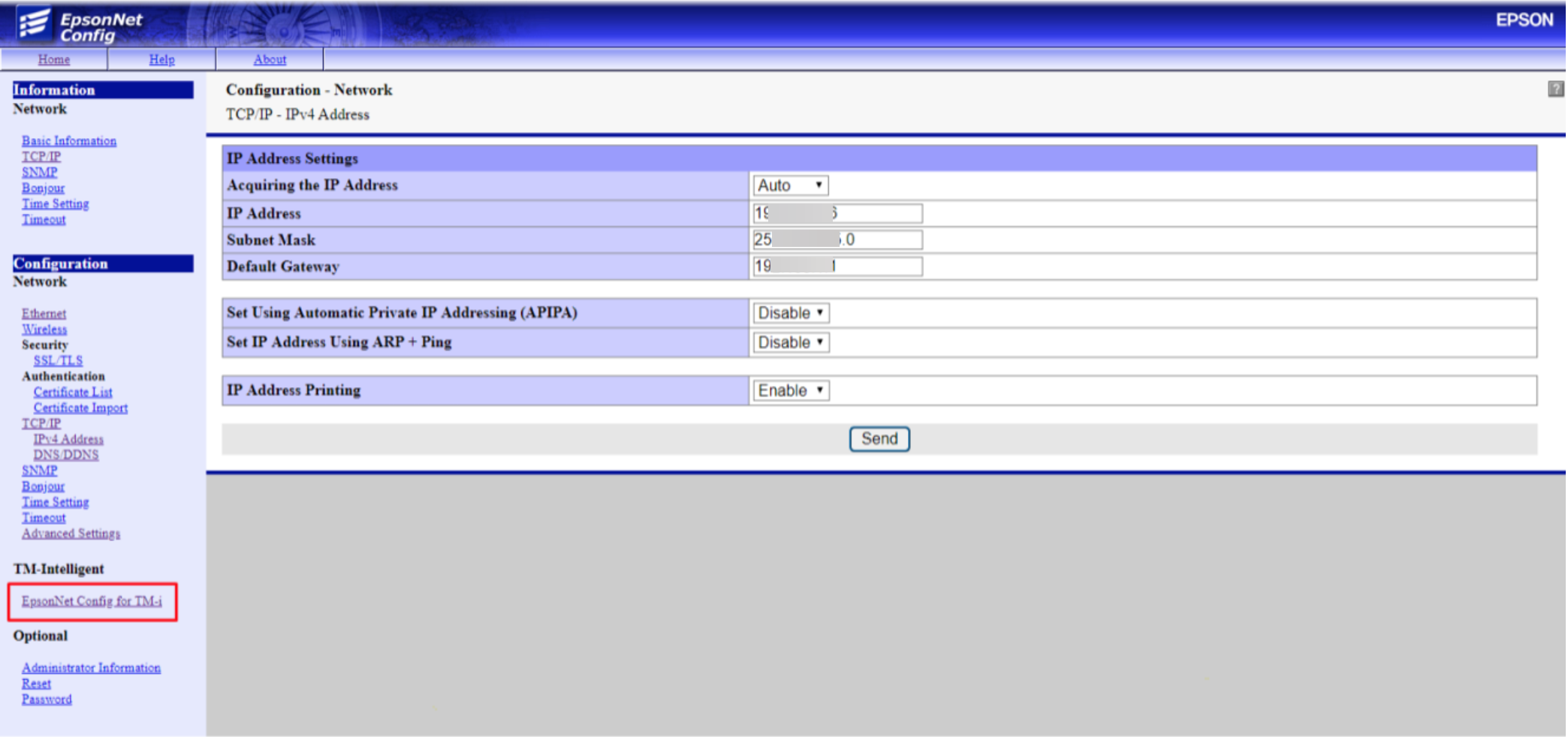
Navigate to TM-Intelligent / EpsonNet Config for TM-i
-
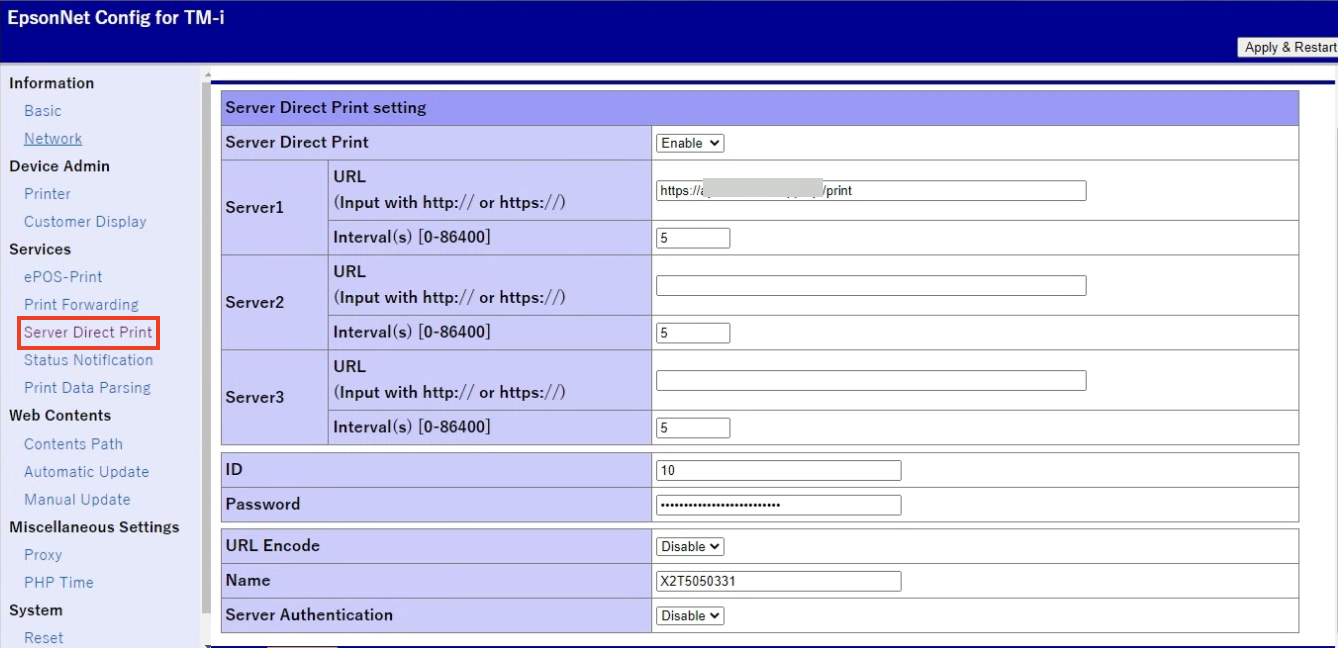
Navigate to Services / Server Direct Print
-
Enter the following informations
- Server Direct Print: Enable
- URL: Provided by PAR Ordering
- Interval(s): 5
- ID: Provided by PAR Ordering
- Password: Provided by PAR Ordering
- URL Encode: Disable
- Name: (leave as is)
- ServerAuthentication: Disable
-
Click on 'Apply & Restart'
Setup Complete!
