mParticle for Web App
Given that your brand has mParticle account
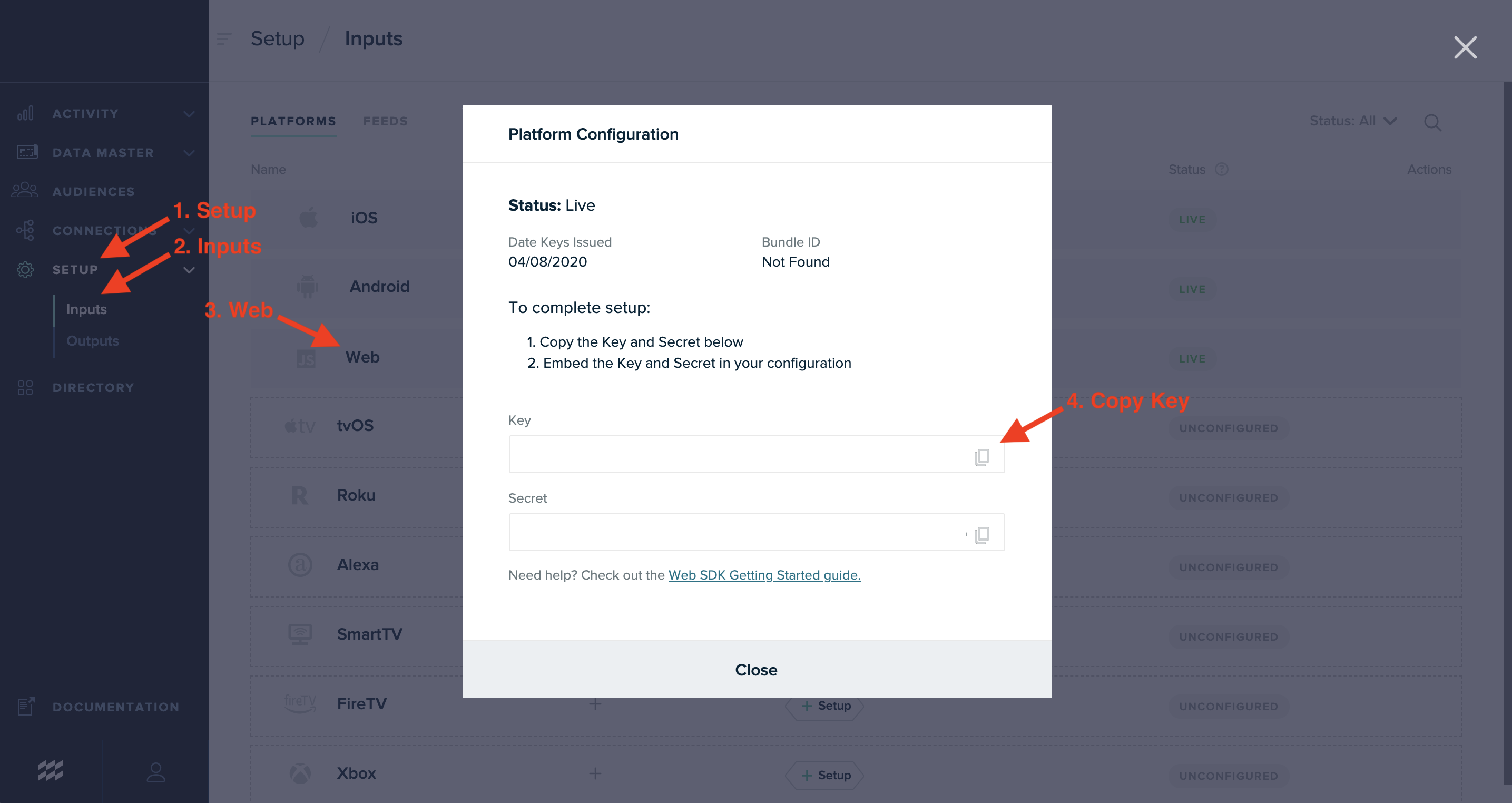
Follow these simple steps and send the Key to your Account Manager in order to enable mParticle for your Web App:
-
Select Setup
-
Select Inputs
-
Select Web
-
Copy Key by pressing the icon in the end of the input
-
Send the key to your Success Manager
For more details you can visit mParticle Web SDK Guide
