Creating Credentials for Saferpay
In order to connect your PAR Ordering Ecosystem to your Saferpay account for payment processing, you need to provide your Account Manager with certain credentials out of the Saferpay account. This article will take you through the steps of creating these credentials.
The following credentials need to be provided to your Account Manager:
- Customer ID
- JSON API Username
- JSON API Password
To create the credentials:
- Sign in to your Saferpay account at https://www.saferpay.com/BO/Login
- From the top navigation bar choose Settings -> JSON API basic authentication
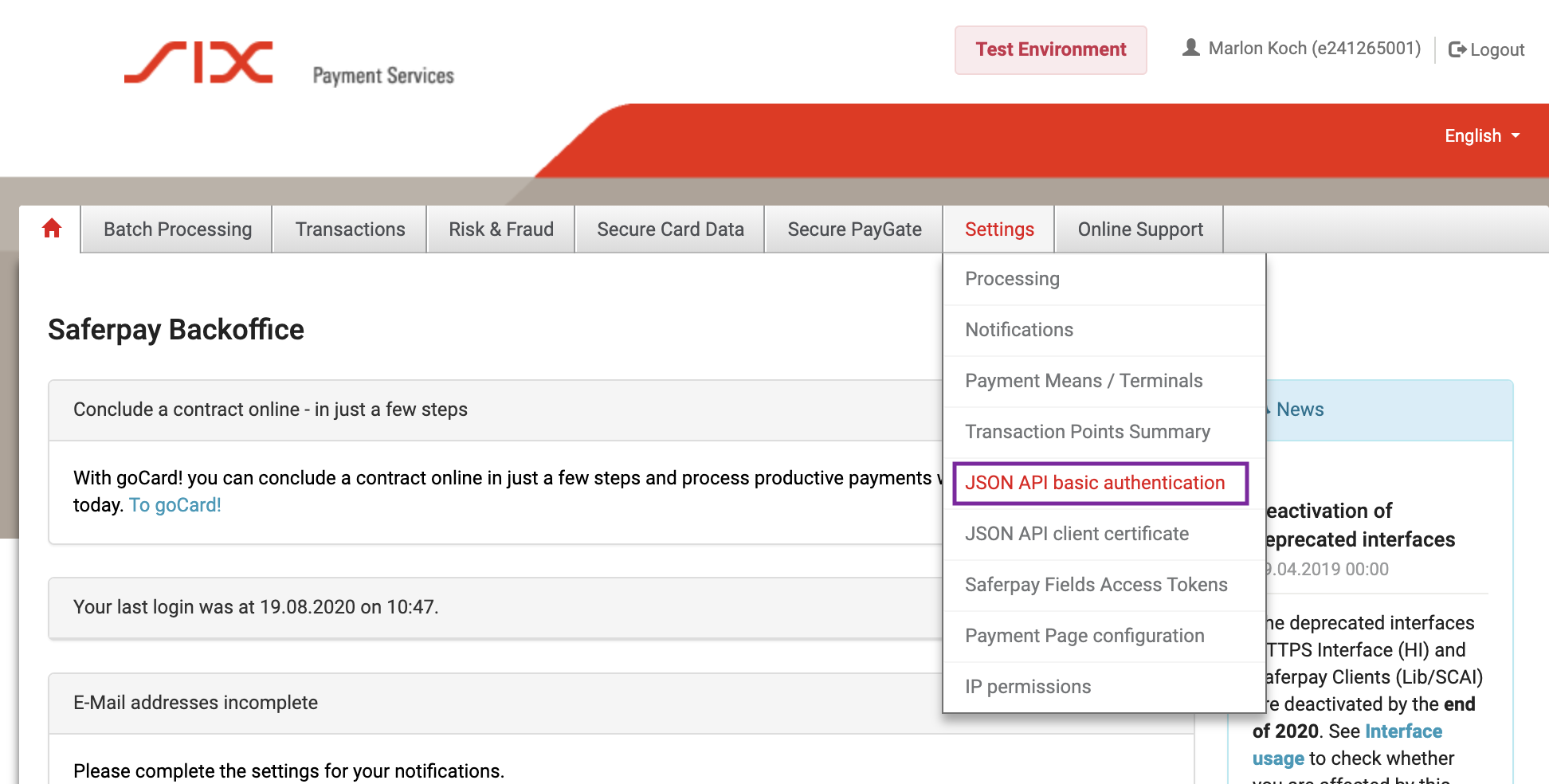
- Click on Create new JSON API login
- Enter a strong password and make note of it (this is the JSON API Password that you will need to provide to your Account Manager). Make sure to follow the password instructions. We recommend to include lowercase letters, uppercase letters, numbers & special characters in your password.
- Enter "MENU" as the Description
- Click Create to create your credentials
- On the following page, you will find your Customer ID and the JSON API Username for the credentials you just created. Make note of those as well to pass them on to your Account Manager.
To send your credentials to your Account Manager, paste them in a text-file and create a compressed ZIP file with a strong password. Please make sure to share the ZIP file and the password on two separate channels, for example Freedcamp and E-Mail.
So your Account Manager can map your stores to the right terminals in Saferpay, you also need to provide them with a list of all the terminals configured in your Saferpay account. See Viewing Terminals in Saferpay
