Viewing Change History
| User Role | Access |
|---|---|
| Administrator | ✅ |
| Customizer who can invite | ✅ |
| Customizer | ✅ |
Overview
The History of changing Strings shows all the changes made to the String. On hover, the History tile also shows date/time and the editor, as displayed below.
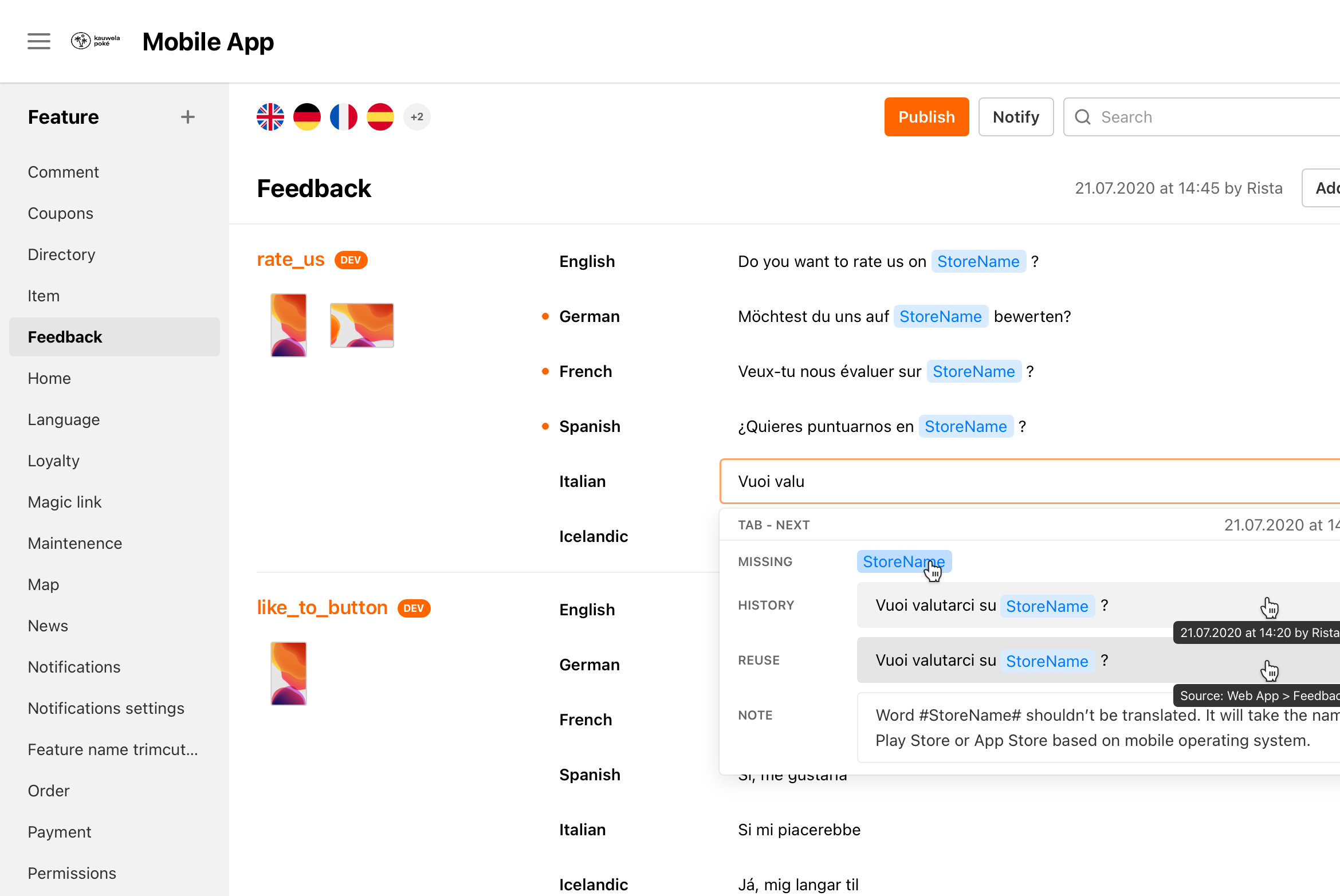
How to view change History
- Select String
- History of all String changes (if there are any) is displayed below
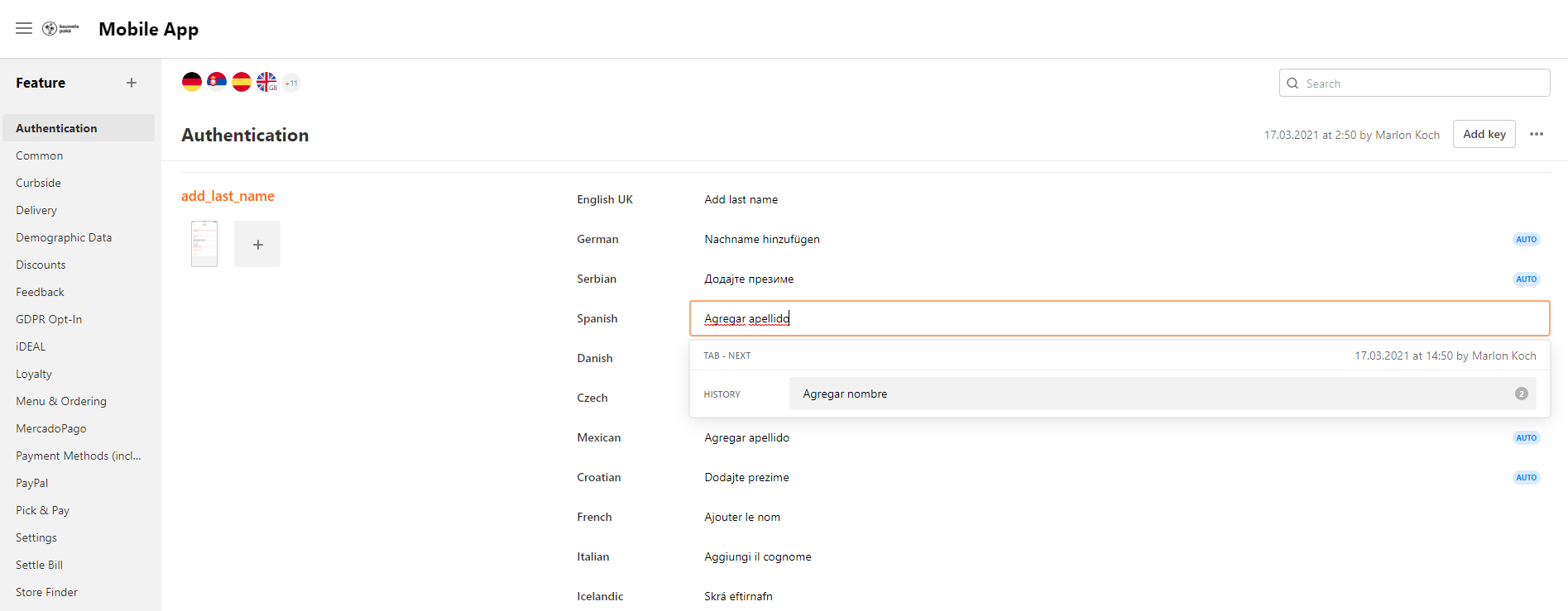
- If there are multiple changes to the Strings, multiple histories will be collapsed indicating the number of Strings
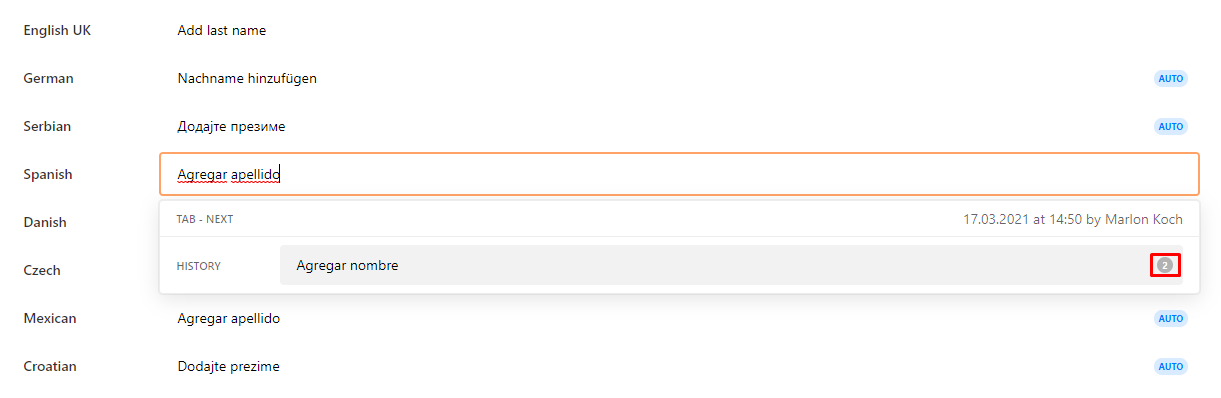
- Click on the number to display history
Replacing a String with an earlier version
To replace the currently used String, click on any String in the displayed history. That String will be used and the previous one will be moved into history.
