Store URL in Order Confirmation Email
Context
Adding a URL per Store that would be included in the Order Confirmation Email that is sent to your Customers.
Where do I set it up?
The field to configure it, called Email Receipt URL, can be found in the Venue Settings page in the Management Center:
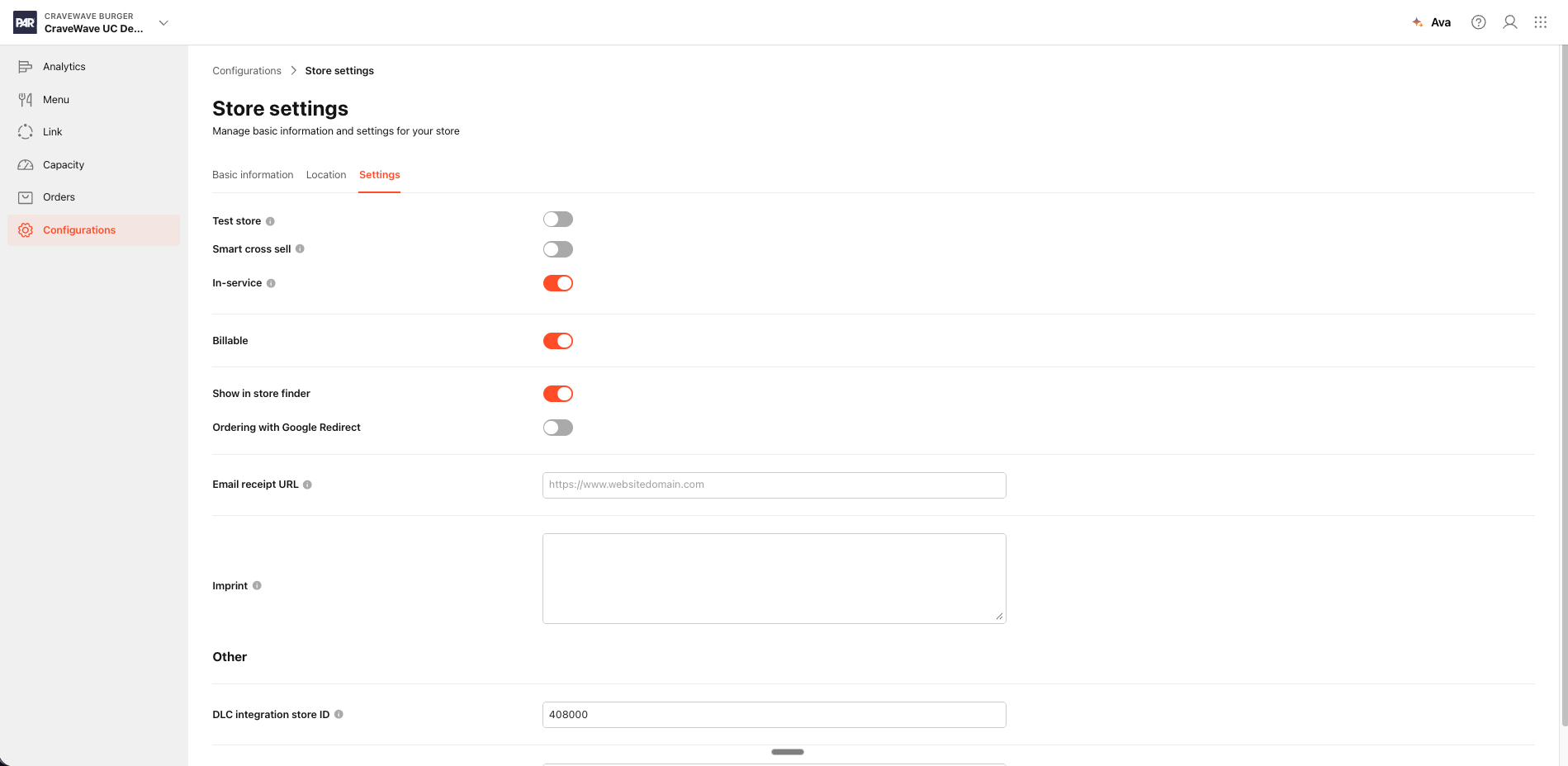
What are the conditions for this to work?
There are two things you should consider:
- If there is a URL added to the Store URL field, Order Confirmation Emails for Orders placed in that Store should have an additional section in the email, that focus on this purpose
- If the field is empty, this section of the Order Receipt will not not exist at all
What can I put there?
Every Brand can customize the title, description and link title of the Store URL section in the confirmation email using the Customization Center.
These are the strings to be used for customization:
- notifications.order_receipt.email_url_heading
- notifications.order_receipt.email_url_paragraph
- notifications.order_receipt.email_url_link
Why is it useful?
Because you have the freedom to push the information/destination of your choice to your Customers. Be that an ask for a rating in Google or TripAdvisor, or maybe a link to the website of your Brand - you can work on boosting the engagement of your clientele with this functionality.
