How to Search and View Information About Customer?
| User Role | Chain | Chain Venue | Brand |
|---|---|---|---|
| Administrator | ❌ | ❌ | ✅ |
| Brand Manager | ❌ | ❌ | ✅ |
| Chain Manager | ❌ | ❌ | ❌ |
| Company Manager | ❌ | ❌ | ❌ |
| Local Manager | ❌ | ❌ | ❌ |
CMS configuration for Call Center is available for Administrator and Brand manager on a Brand level.
CMS configuration for the Call Center in the CMS allows user with Admin and Brand manager role to search the Customers that have used services of a certain restaurant Brand and see the information about them including details of Orders they placed.
That can be done in the following way:
- Log into the CMS
- Select the Brand which you would like to search the Customers for (e.g. Kauwela Poké)
- Select Customers at the top navigation bar

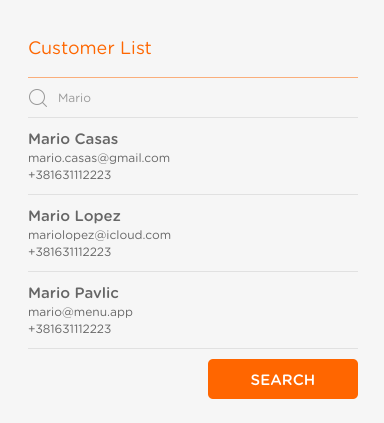
- In Customers page search for the Customer in the search bar (first and last name, email or phone number as key word)
- Click SEARCH

- All the Customers with that key word will be listed
- Click on the Customer to see details regarding their account, recent and previous Orders
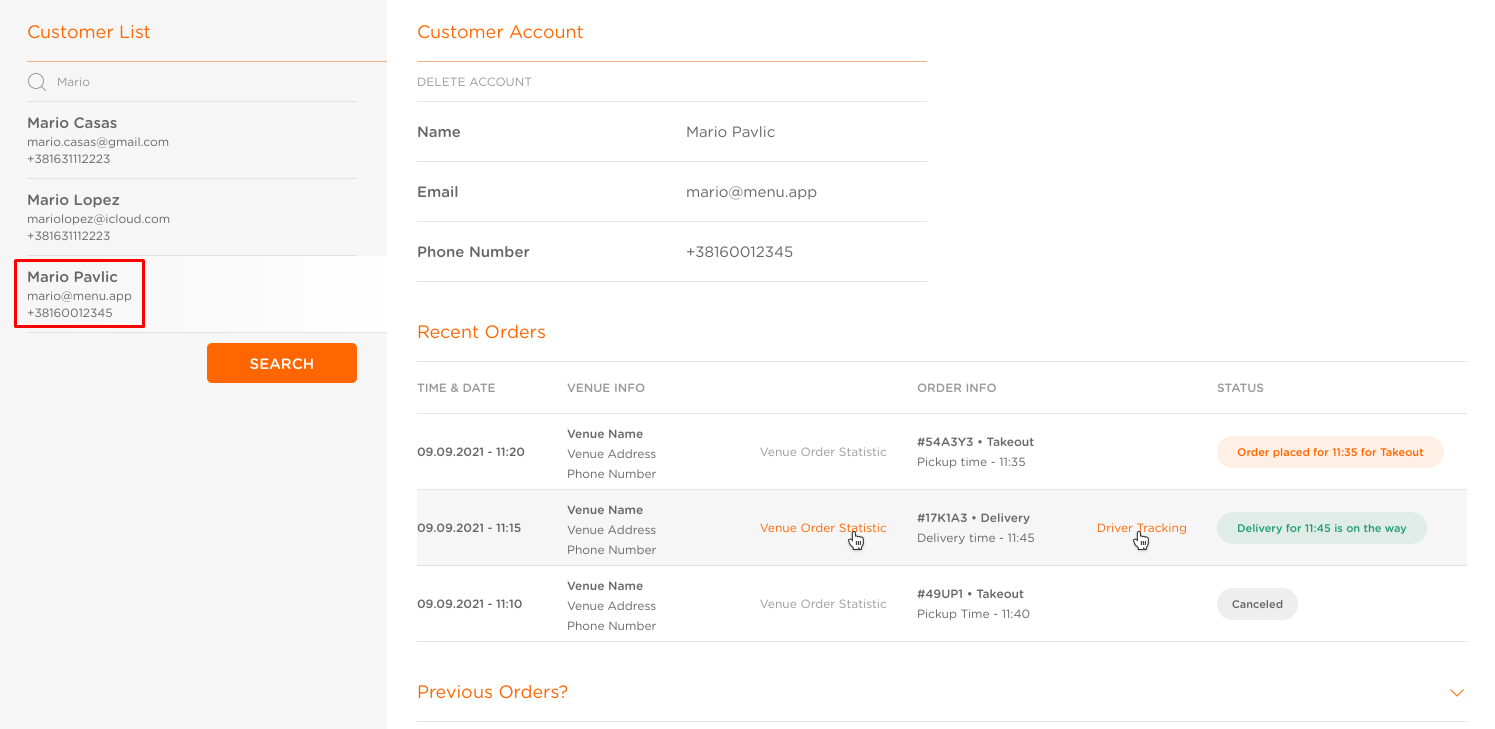
- Recent Orders: Displays Orders Pickup at/Delivery at times that are placed for the future, in the last 24h
- Previous Orders: Displays Orders placed prior to the last 24h
To see more details, you can access Venue Order Statistics and Driver Tracking data in the Recent Orders section.
Venue Order Statistics link is visible to the Operator only if the Venue from which the Order was placed is assigned to them. If no Chain/Venue is assigned to the Operator, Venue Order Statistics link will not be visible to them.
