How to Remove Modifier from Modifier Group?
| User Role | Store Group | Store |
|---|---|---|
| Brand Manager | ✅ | ❌ |
| Area Manager | ✅ | ❌ |
| Store Manager | ❌ | ❌ |
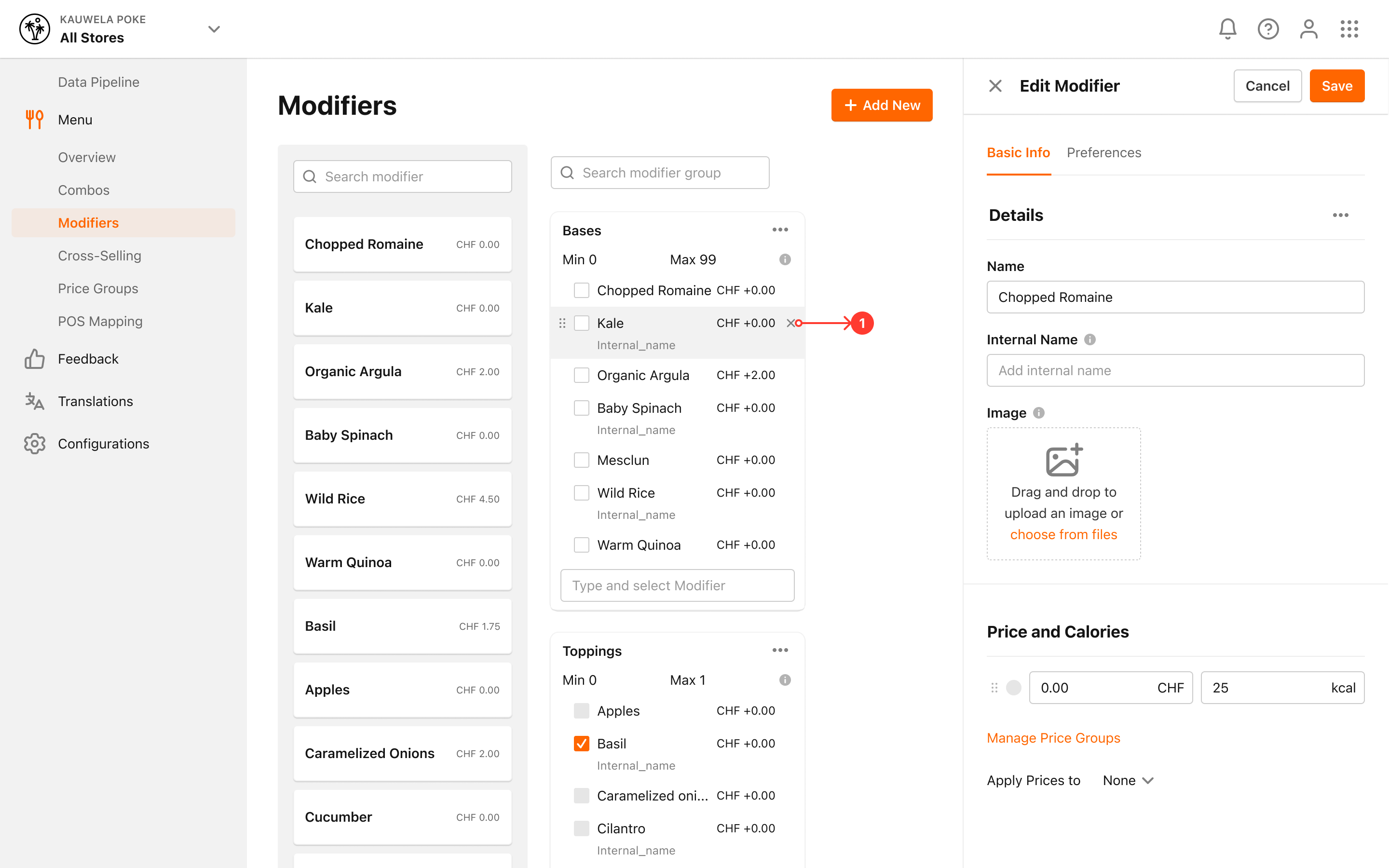
- Click on Modifiers in the left navigation bar
- Modifiers page appears
- Locate the Modifier Group that you want to remove a Modifier from
- Click on the X next to the selected Modifier in the Modifier Group