How to Edit Routes
Intro
Here's how to edit Routes, in detail.
How do I edit routes?
If the Route isn't in effect yet (it hasn't started), the User will be able to click on Edit Route. They will be taken to the Edit Screen:
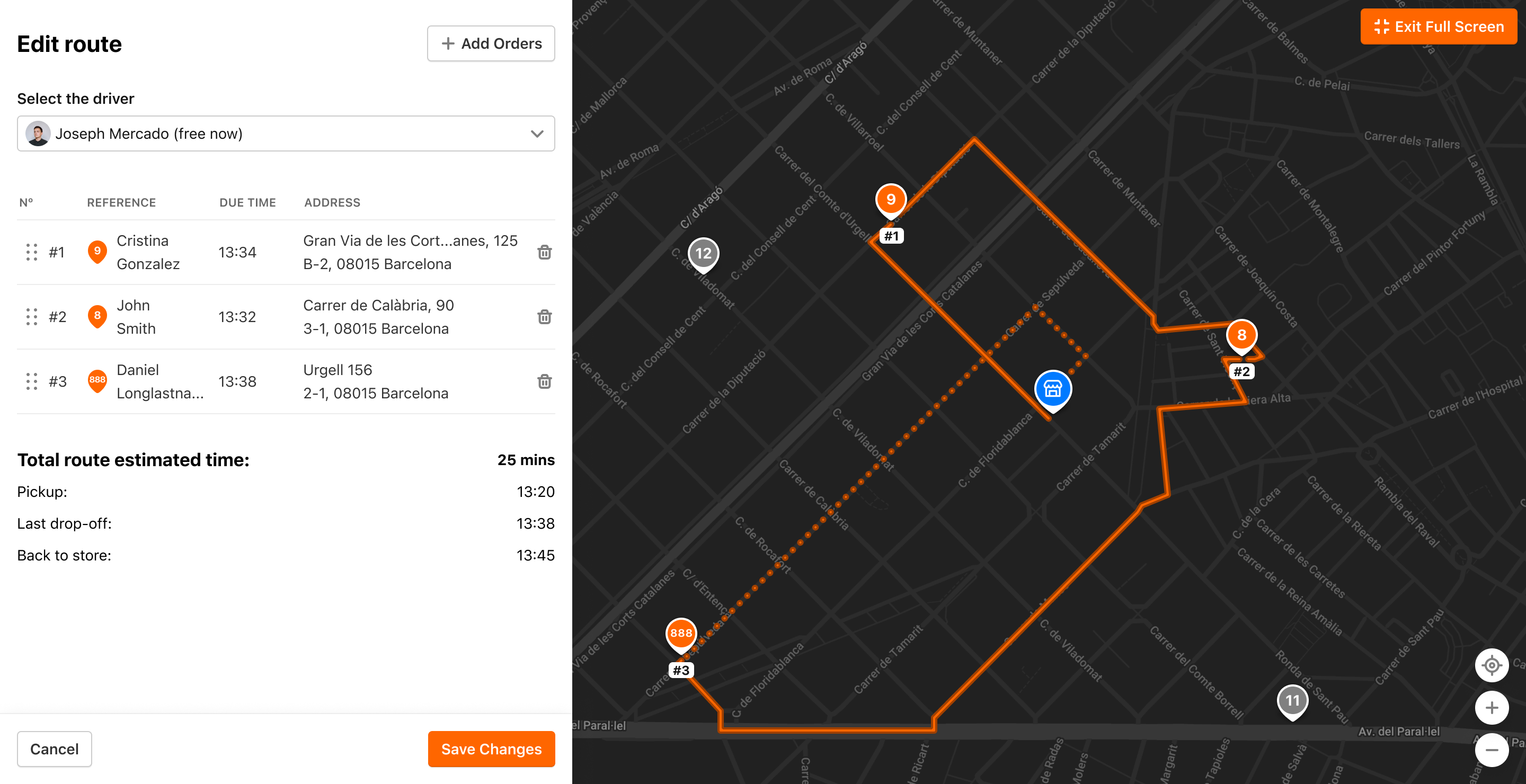
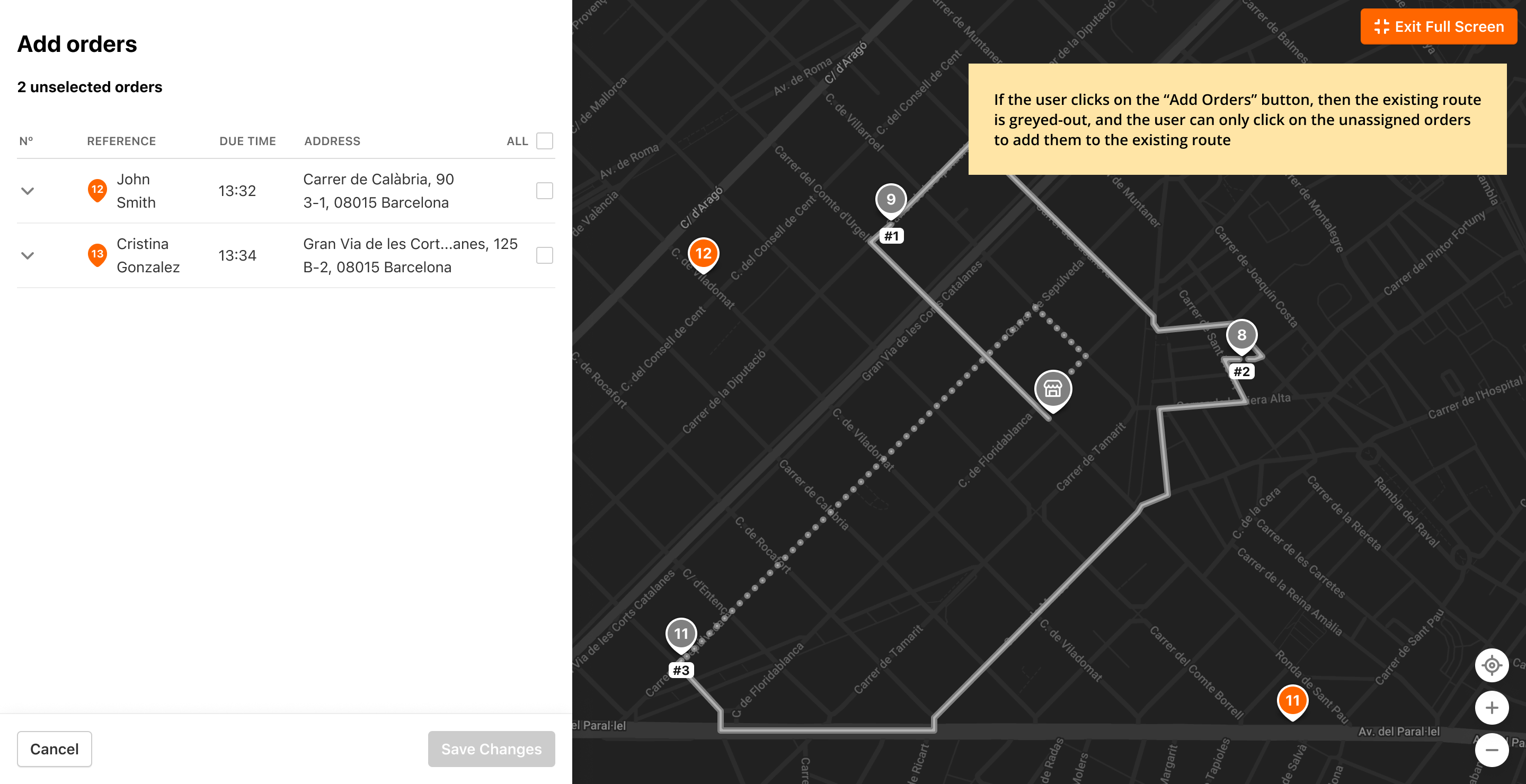
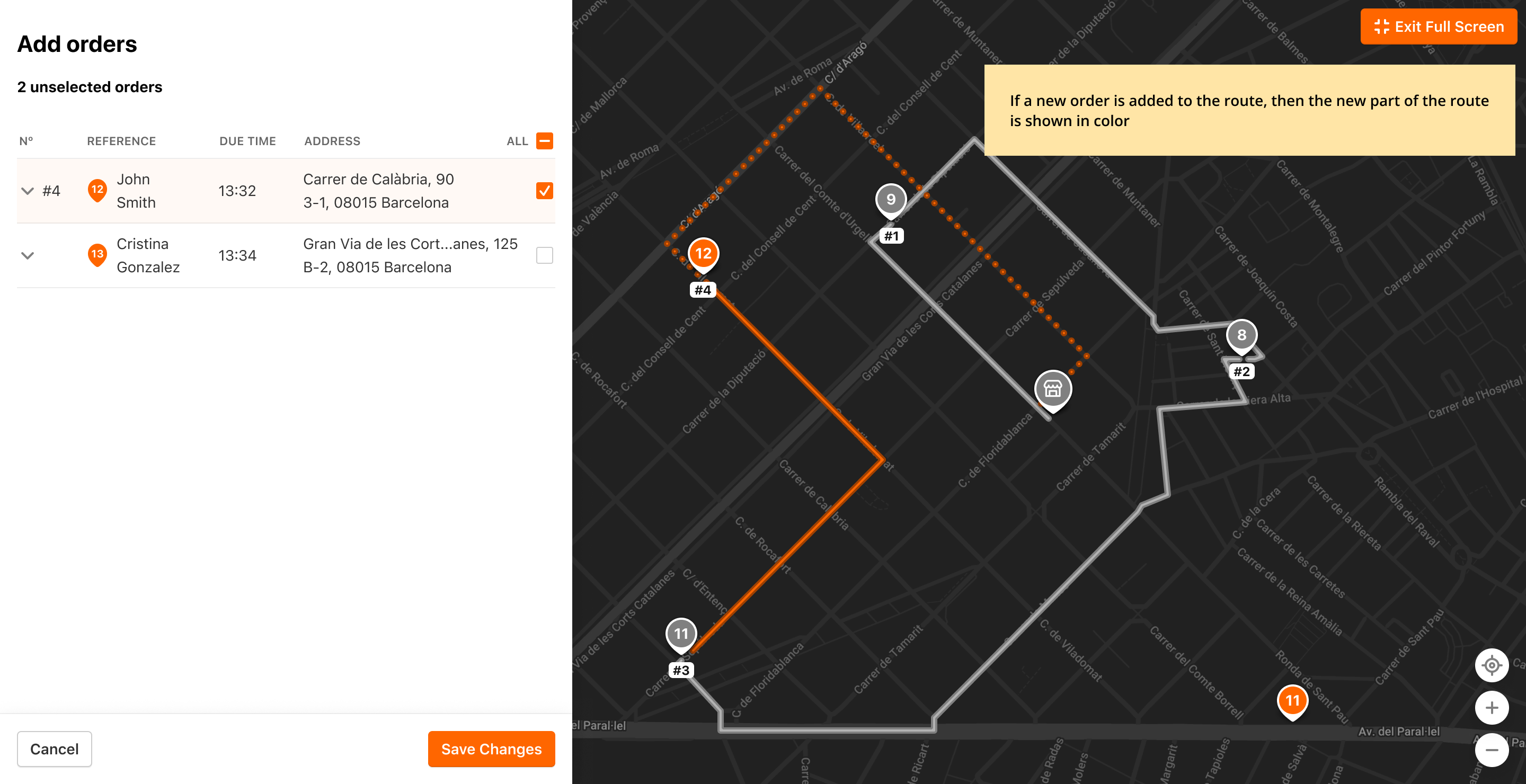
Here they can change the Order sequence of the Route, change the Driver, and add or remove Orders. When they click on Add Orders, they will be taken to Add Orders Screen. The current Route will be greyed out and Orders that can be added to the Route will be displayed in orange: