How to Delete Item?
| User Role | Store Groups | Store |
|---|---|---|
| Brand Manager | ✅ | ❌ |
| Area Manager | ✅ | ❌ |
| Store Manager | ❌ | ❌ |
Context
You can easily delete an existing Item from the MC:
- Select the Overview sub navigation of the Menu option of the side navigation bar on All Stores level.
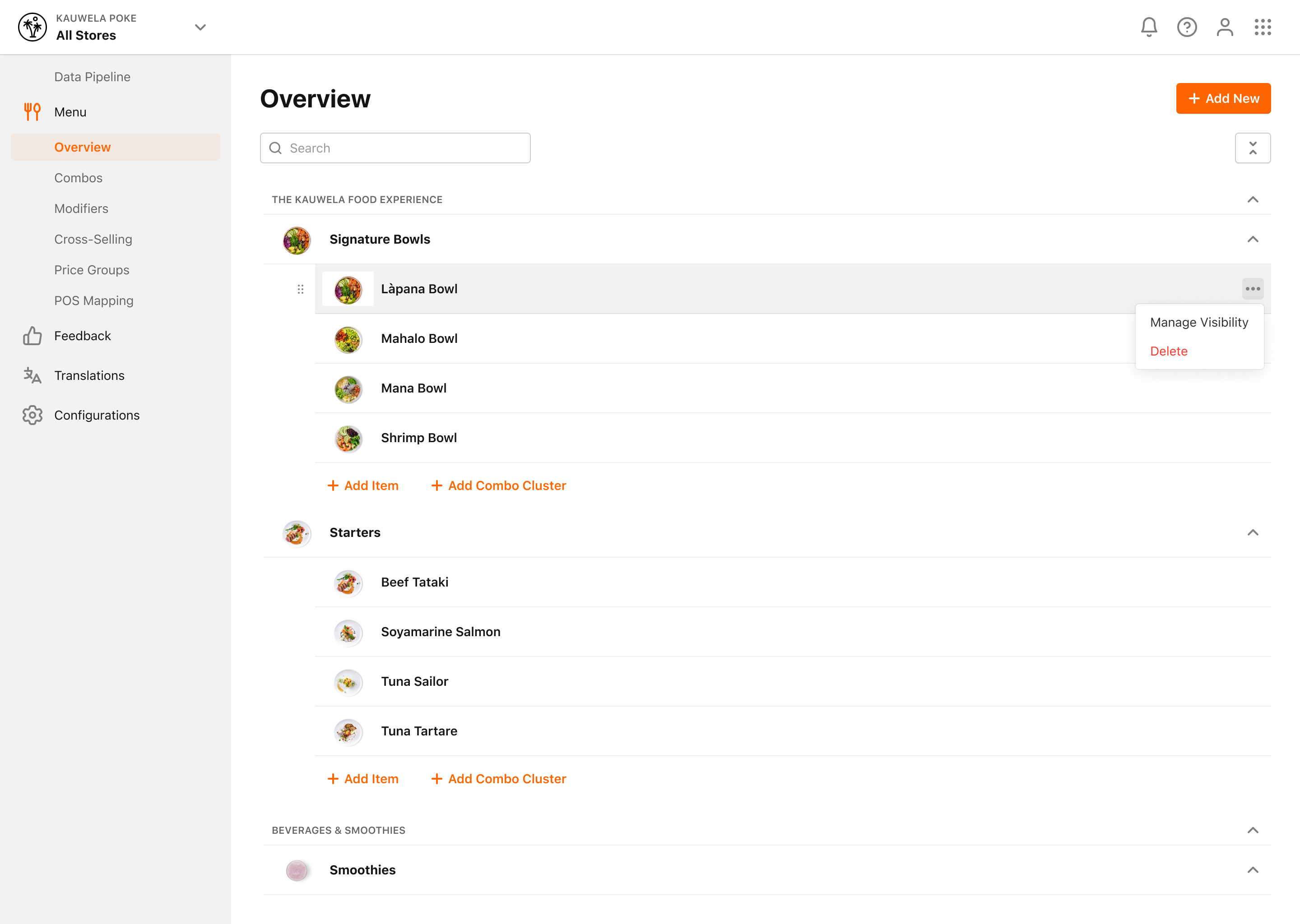
- Select the Item you want to delete from a Subcategory
- Click on the three dots to the right, then select the option Delete
- Confirmation dialog appears
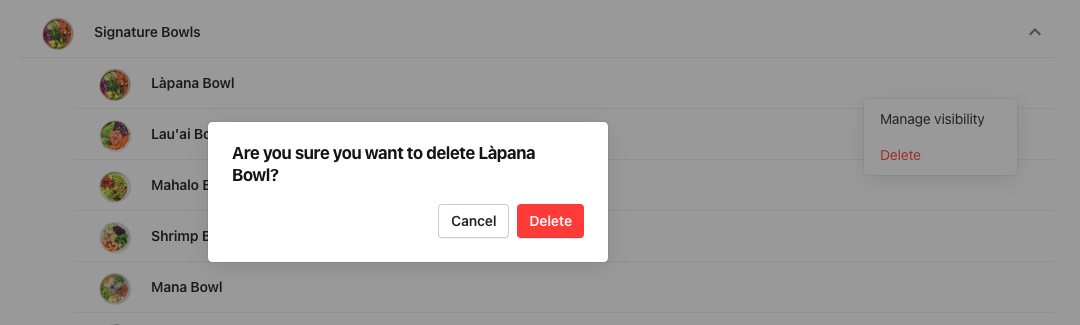
- Click Delete to complete the process
