How to Control in Which Venues My Coupons Are Available?
| User Role | Chain | Chain Venue |
|---|---|---|
| Brand Manager | ✅ | ❌ |
| Chain Manager | ❌ | ❌ |
| Company Manager | ❌ | ❌ |
| Local Manager | ❌ | ❌ |
In CMS you can easily control in which Venues your Coupons are available.
To do so:
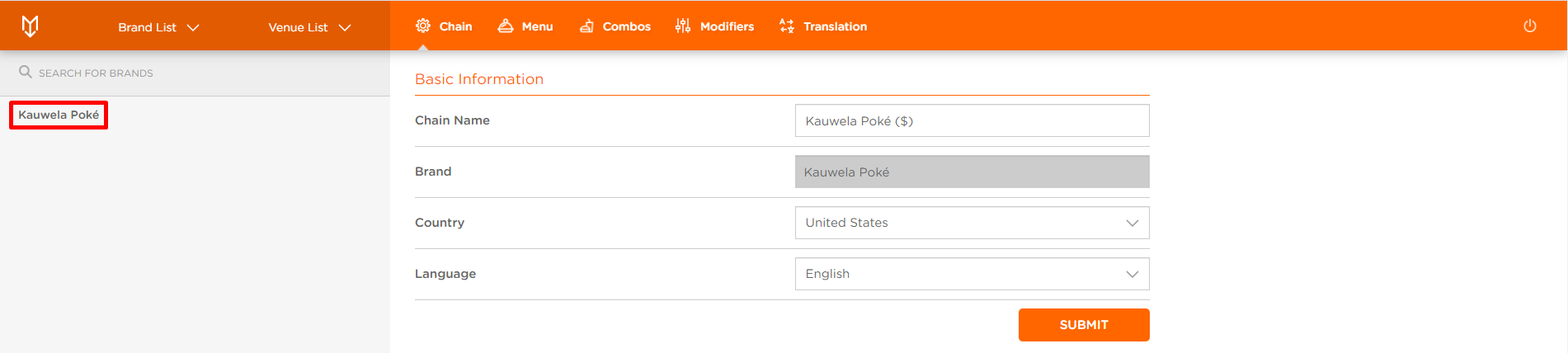
- Click on Brand List at the top navigation bar
- Select your Brand
- Click on Discounts at the top bar
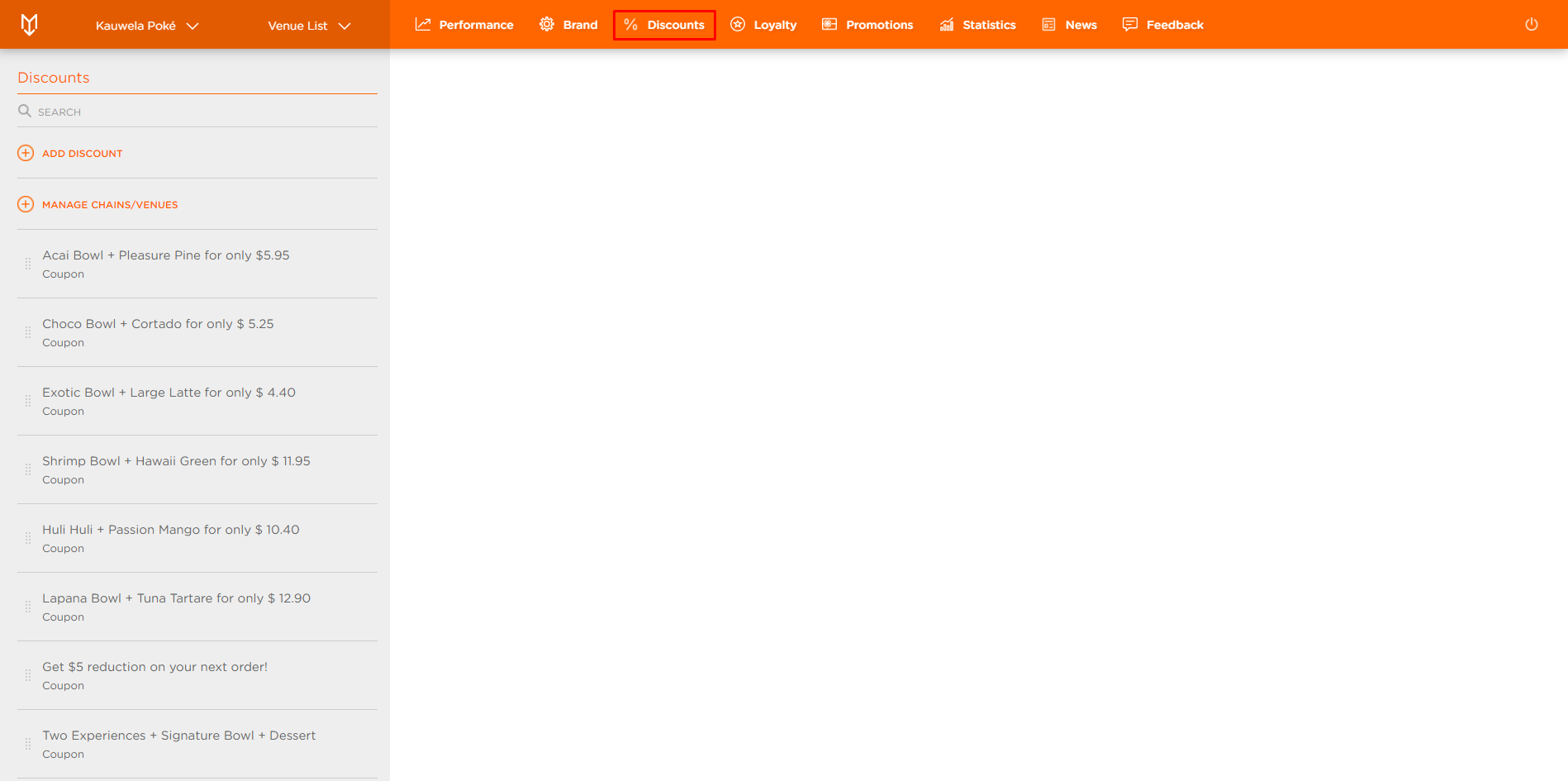
- Click on MANAGE/CHANGE VENUES
- Manage Assigned Chains and Venues modal appears
- Select the Venues
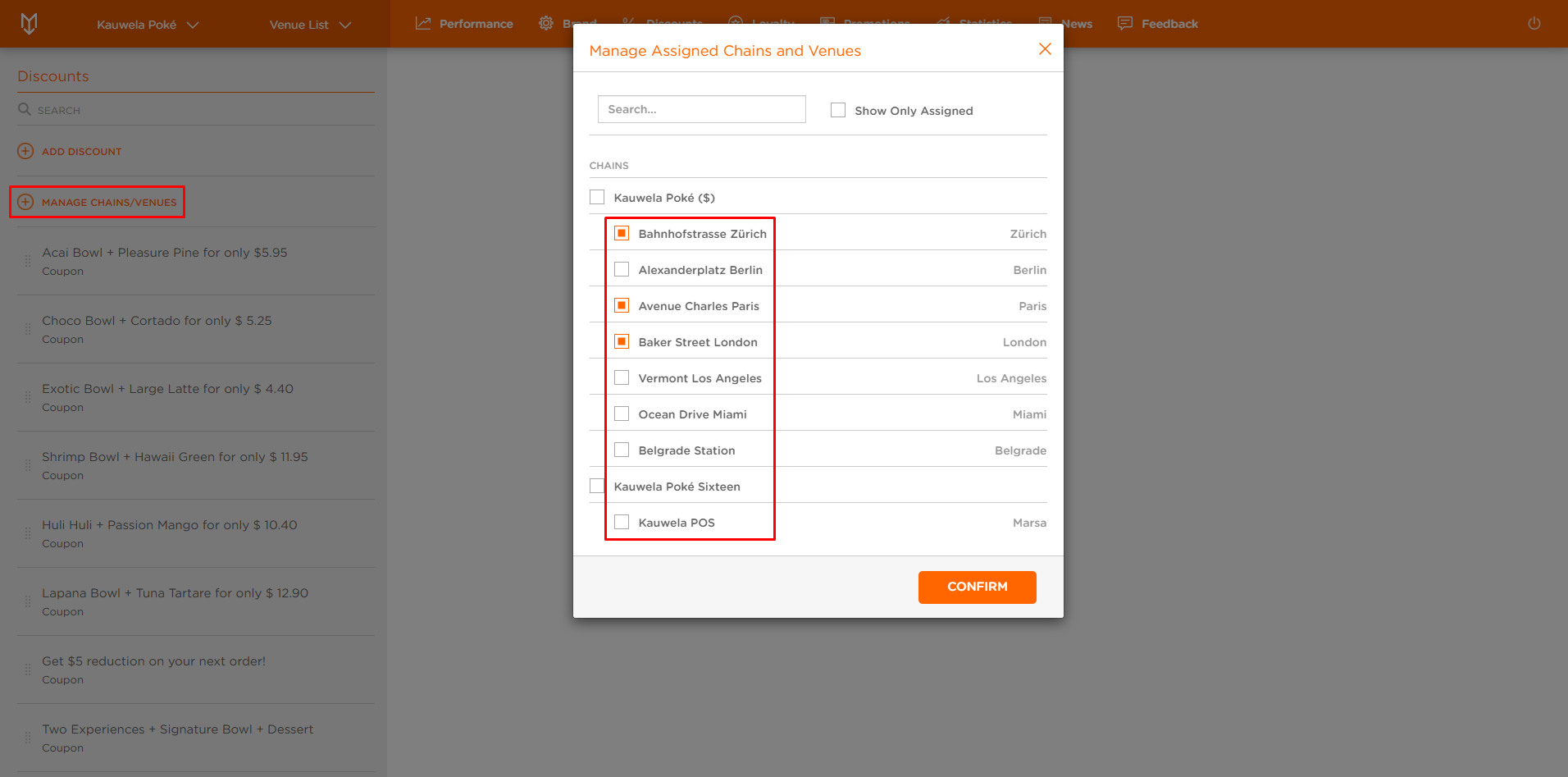
- Click on CONFIRM
Coupons are now available in the selected Venues.
