How to Control in Which Stores My Modifier Group Is Available?
| User Role | Store Group | Store |
|---|---|---|
| Brand Manager | ✅ | ❌ |
| Area Manager | ✅ | ❌ |
| Store Manager | ❌ | ❌ |
You can control in which Stores your Modifier Group is available by using the Visibility feature in the Management Center. By default, a newly created Modifier Group will be available in all of your Stores.
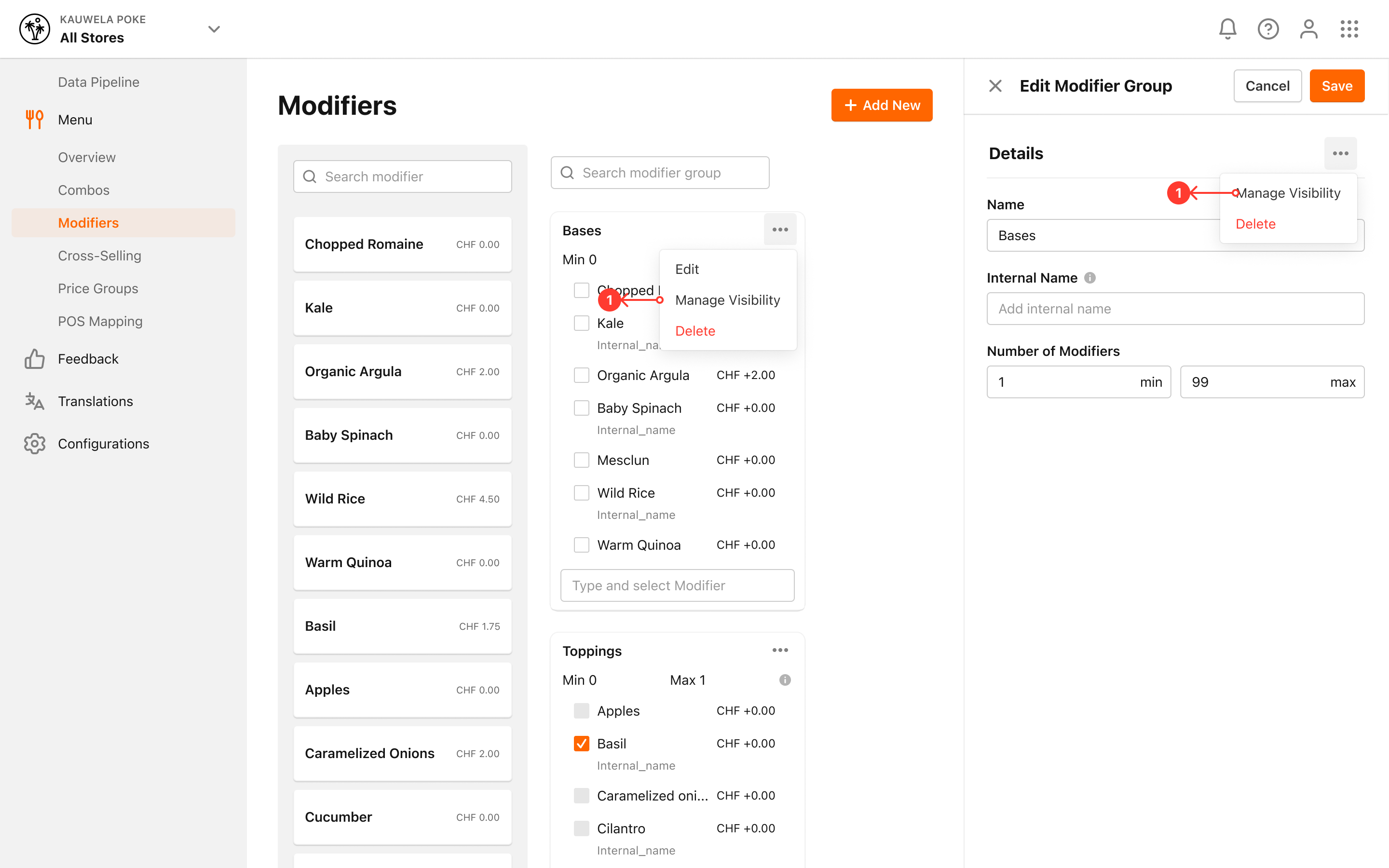
- Locate an existing Modifier Group
- Click on the three dots for the Modifier Group
- Click on Manage Visibility
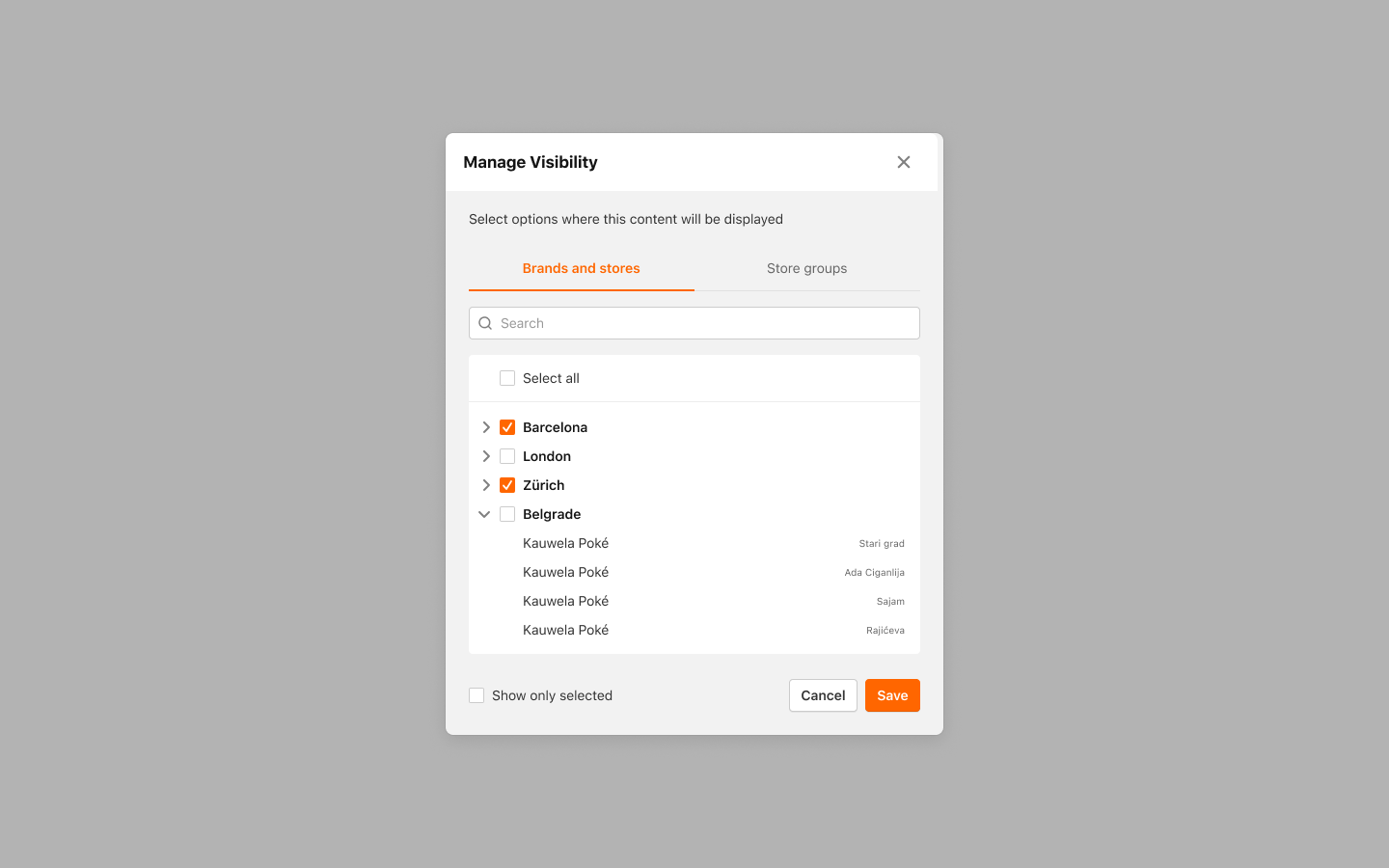
- Manage Visibility modal is displayed
- Select the Stores where you want your Modifier Group to be available or deselect the Stores where you don't want your Modifier Group to be available
- Use the Search bar to search for a specific Store by name
For more information on Channel Visibility for Modifier Group, please check out How to control in which Channels my Modifier Group is available? article.
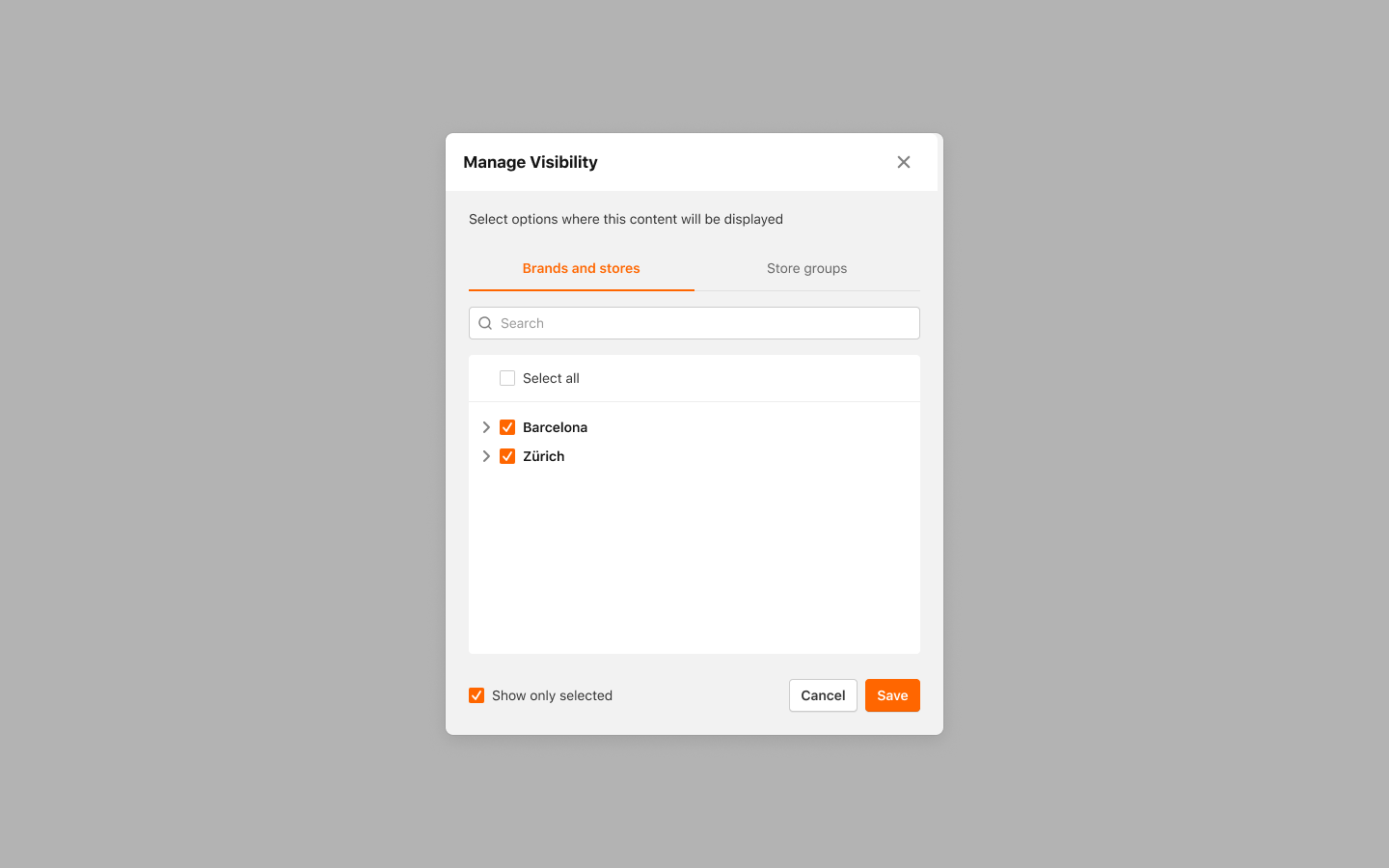
- Activate Show only selected to see where the Modifier Group is currently available
- Click Save to save your changes
Your Modifier Group will only be visible & available for ordering in the Stores enabled through the Visibility feature.
Categories and Subcategories that are empty (don’t have items or combo clusters) in Brand Menu will be shown in Store Menu. Same goes for Modifier Groups. Don't worry - neither Visibility nor Disable flags will affect Store Menu.
