Drive Thru
Context
Among different Order Types that we make available for you in the PAR Ordering Ecosystem and through ordering Channels, one of them is Drive Thru.
Drive Thru is a great Order Type allows customers to place orders via Web app or Mobile and pick them up at a designated drive-thru window, without the need to get out of their car.
How to set it up?
Setting up Order Types happens in Management Center. Go to MC, and then:
- Select Store List in the top navigation bar
- Select your Store
- Select Configurations
- Click Order Types
- For Drive Thru enabling tip amounts is optional to be added
- Select Activate
Now, you have set up this Order Type for your Store. Thanks to having it available, your Customers can order via the Mobile and Web Apps.
How does it look for the Customer?
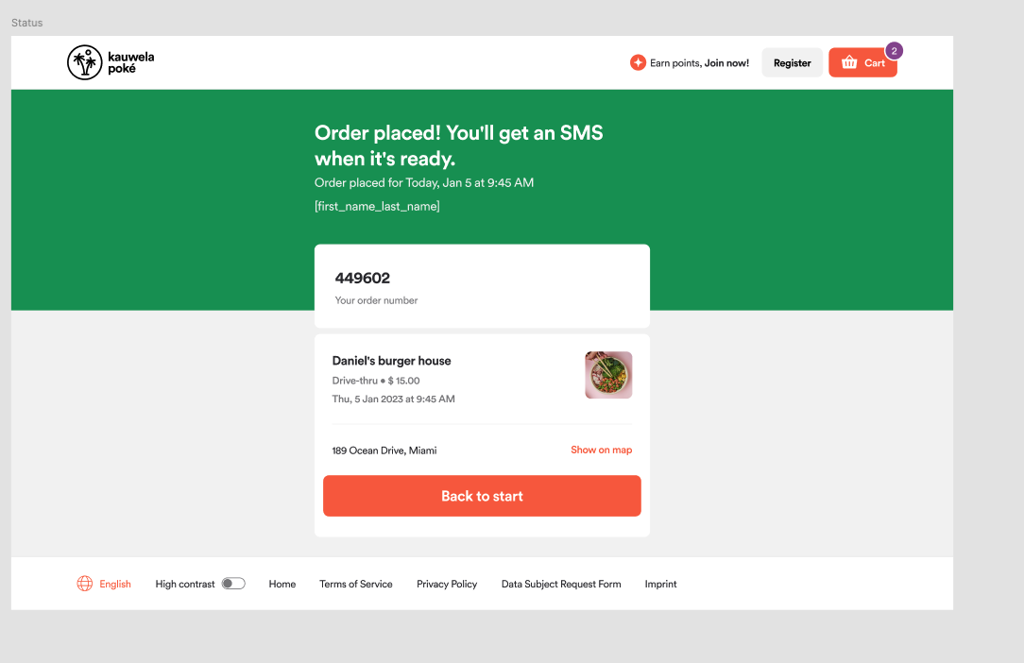
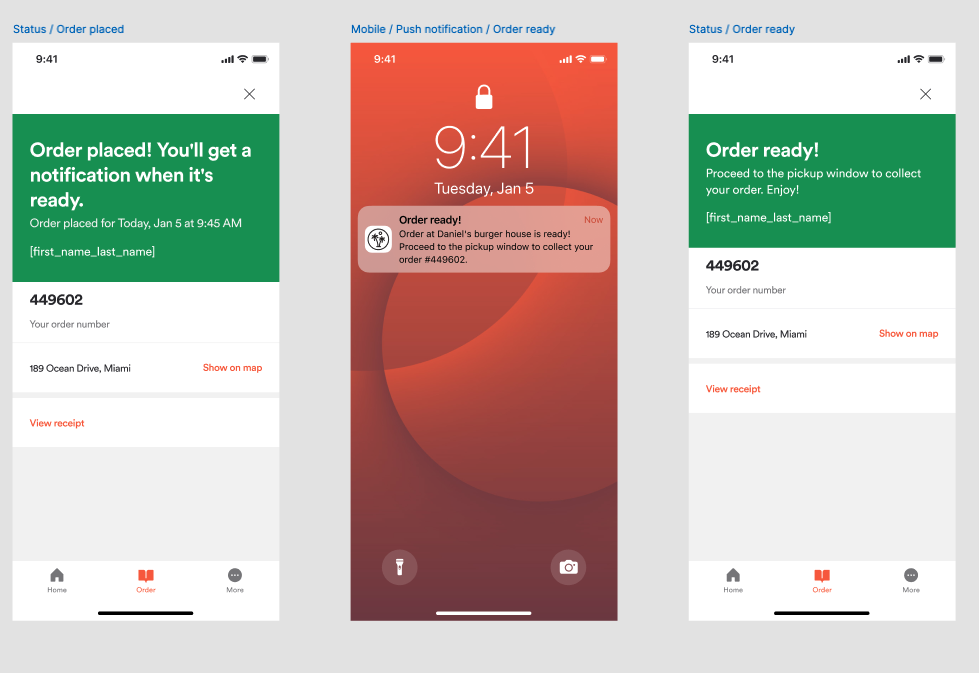
When an order is placed order a customer will receive the SMS message or push notification about the order status.
On Web app, order ID is shown on the last screen as an order number, an email will also be sent to the customer.