Cancellation and Refund Policies
The Cancellation and Refund Rules feature empowers brands to define clear, customizable policies for catering order cancellations—whether offering free, penalty-based, or non-refundable options. These rules apply across both self-service and account-managed workflows, helping brands:
- Minimize food waste
- Protect revenue
- Maintain transparency during checkout
Management Center Configuration
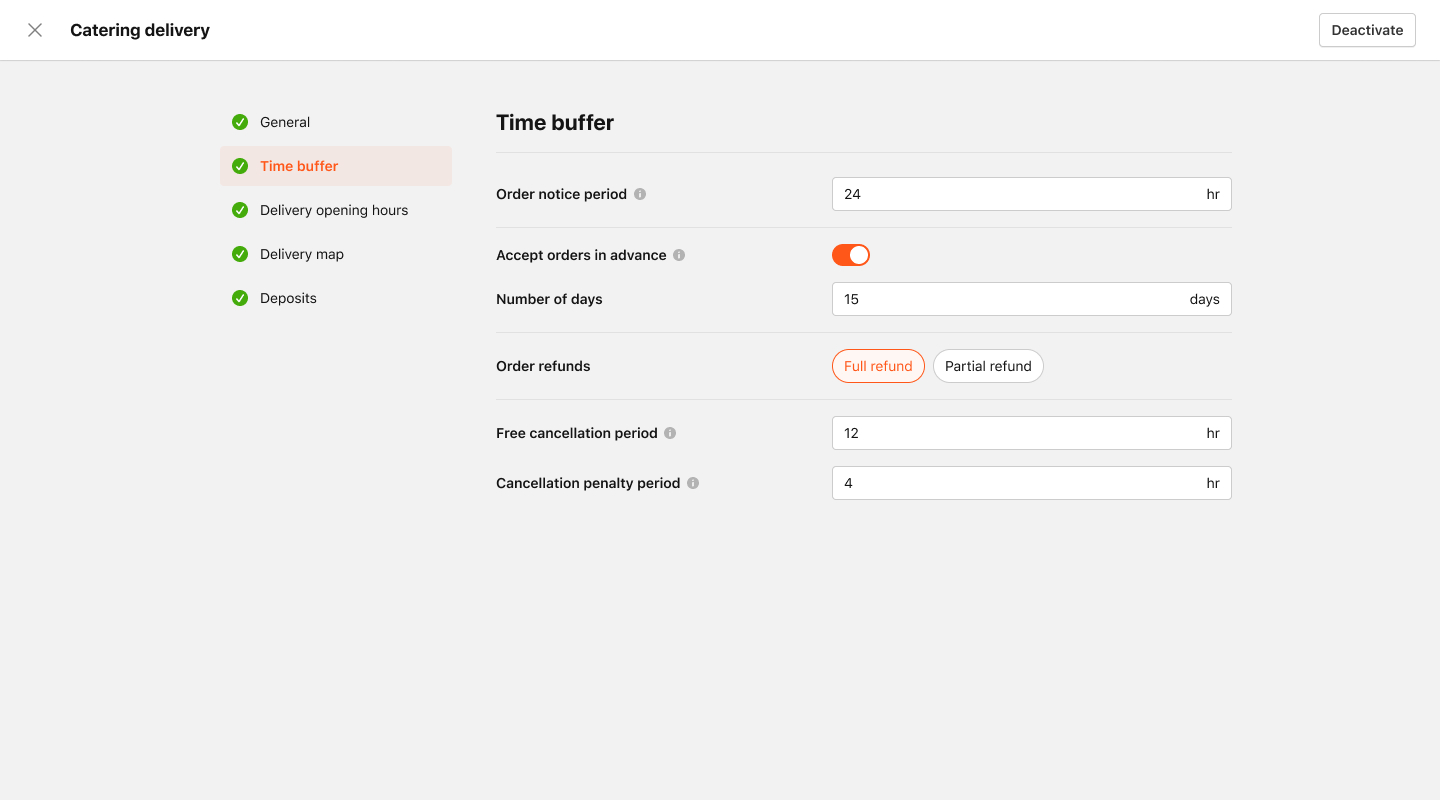
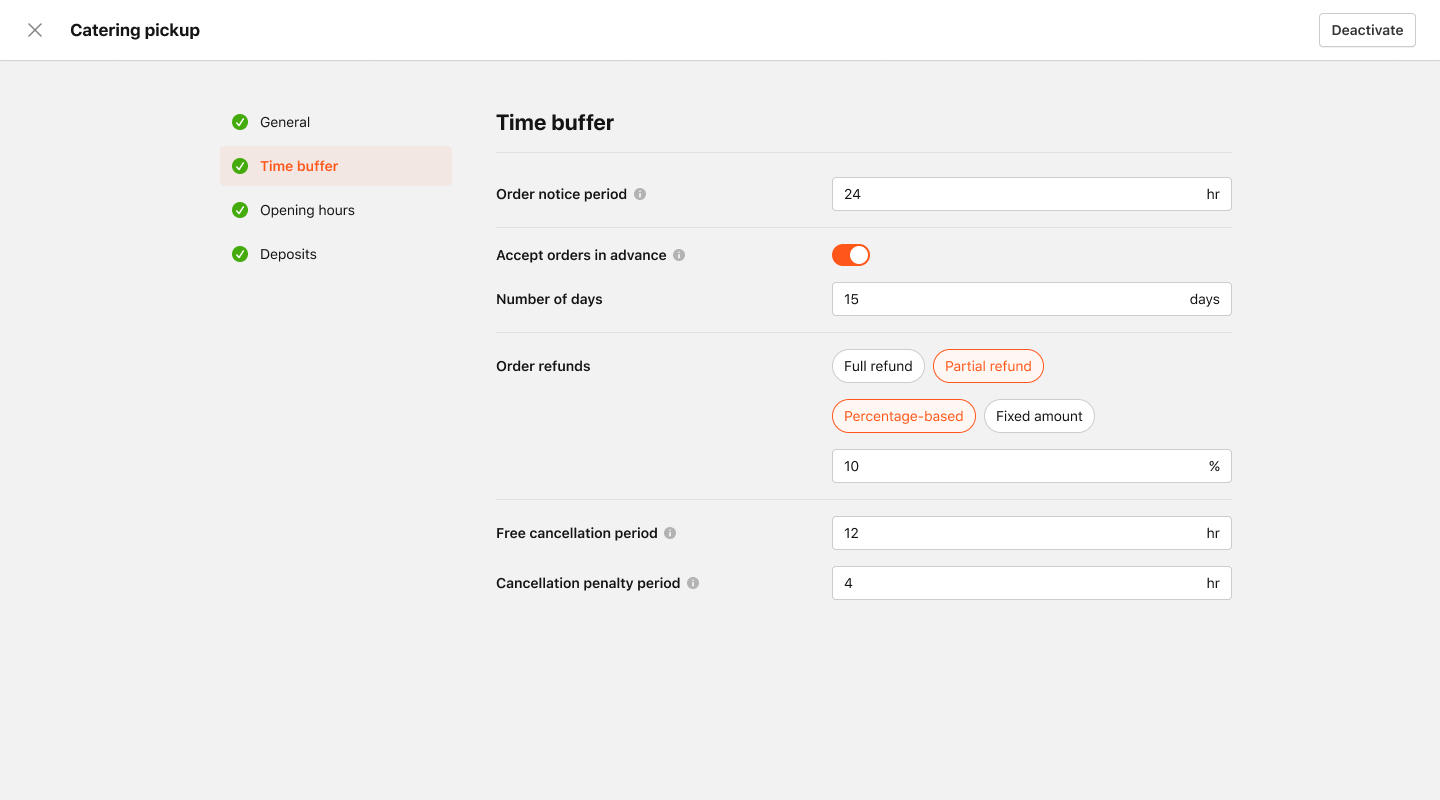
Configuration is available within the Catering Delivery and Catering Pickup order types, specifically under the Time Buffer settings page.
Order Refund Types
- Full Refund
- Partial Refund
Full Refund Configuration
Free Cancellation Period
Define how many hours before the scheduled order time a customer can cancel without incurring any charges.
Cancellation Penalty Period
Set the time window (in hours before the order) during which cancellations will incur a penalty fee. Refunds issued during this period follow the refund type settings.
Partial Refund Configuration
Refund Amount Options
- Percentage-Based: Refund a dynamic percentage of the deposit amount.
- Fixed Amount: Retain a fixed portion of the deposit regardless of total value.
Free Cancellation Period
Same as full refund: defines how far in advance a customer can cancel without penalty.
Cancellation Penalty Period
Same as full refund: defines when a cancellation will trigger a partial refund or fee.
Checkout Experience
At the bottom of the checkout page, customers will now see a Cancellation Policy section. This section:
- Pulls directly from MC configuration
- Clearly communicates the cancellation window
- Includes a “Read More” link to redirect customers to the brand’s full Terms & Conditions

Order Receipts
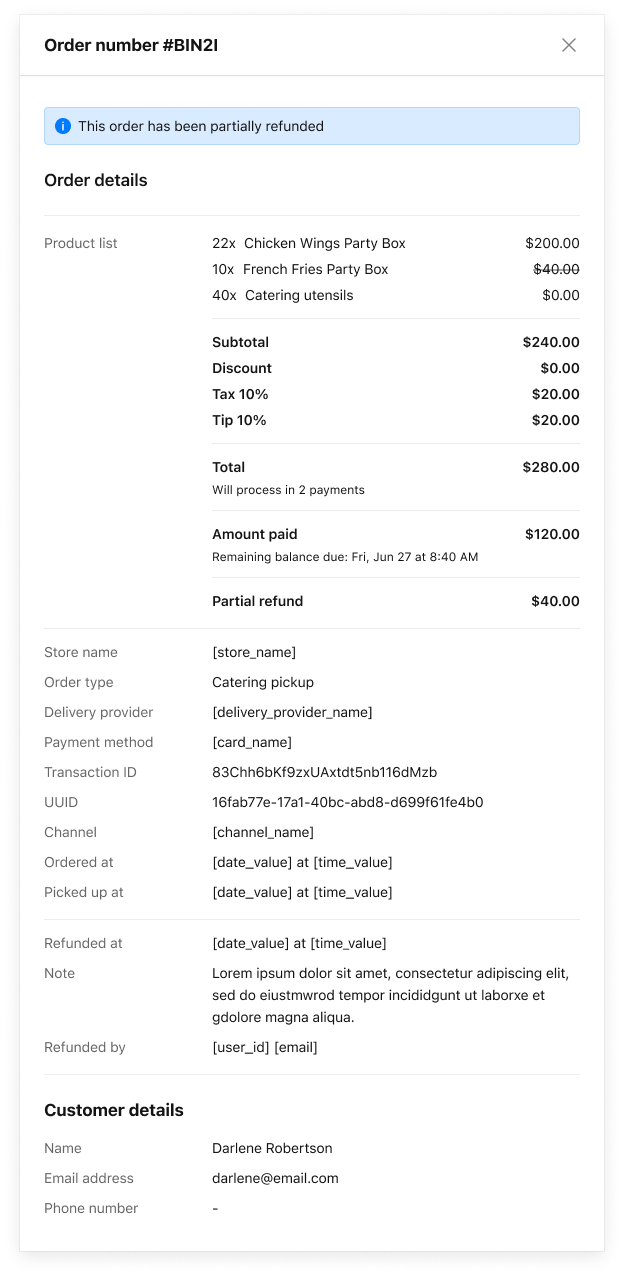
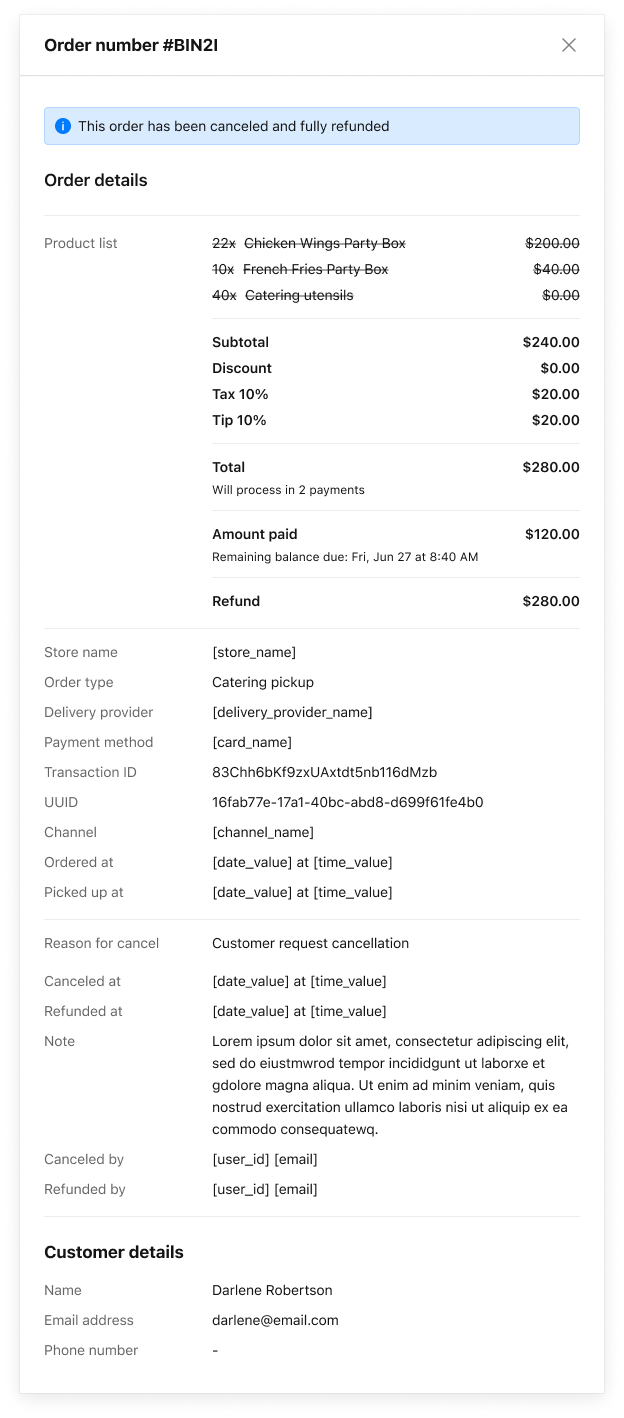
Receipts will reflect refund status based on MC configuration:
- Fully refunded
- Partially refunded
- Cancelled with no refund
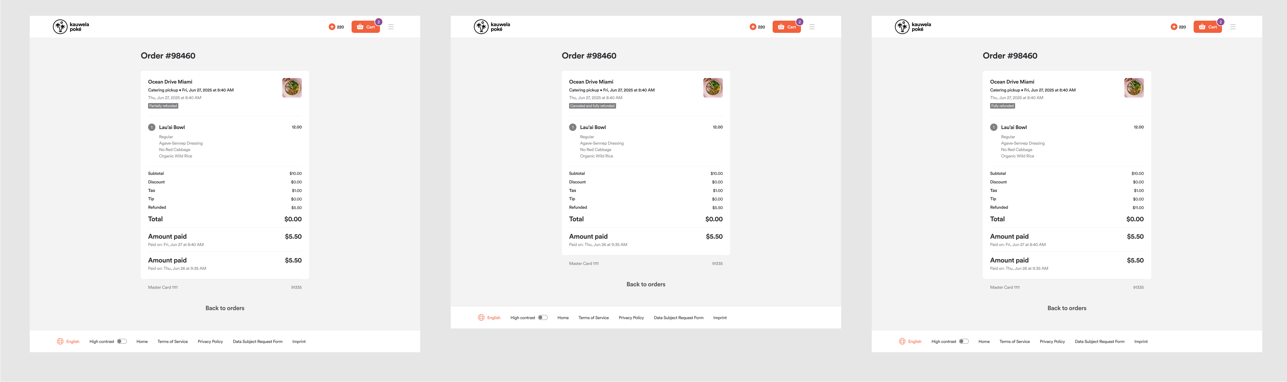
Order Details View
Brands can view refund-related information in the Order Details Drawer:
- Refund status
- Refund type (full/partial)
- Applied cancellation rules
Navigate to:
MC > All Stores > Orders > Order Details