How to Control in Which Channels My Combo Is Available?
| User Role | Store Group | Store |
|---|---|---|
| Brand Manager | ✅ | ✅ |
| Area Manager | ✅ | ❌ |
| Store Manager | ❌ | ❌ |
You can control in which Channels your Combo Meal is available by using the Visibility feature in the Management Center. By default, a newly created Combo will be available in all the Channels that Store is assigned to.
- Select an existing Combo Meal
- Click Manage Visibility
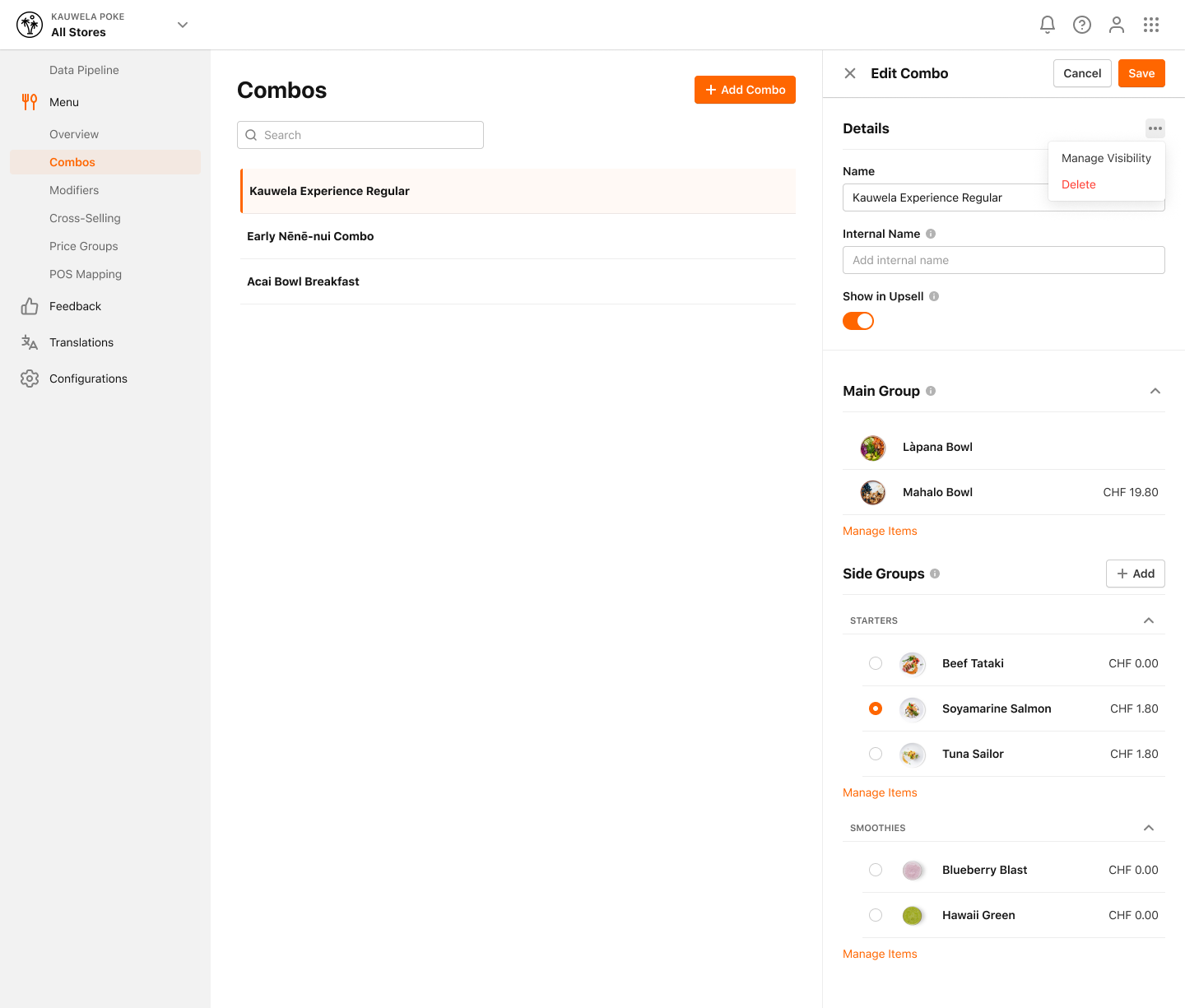
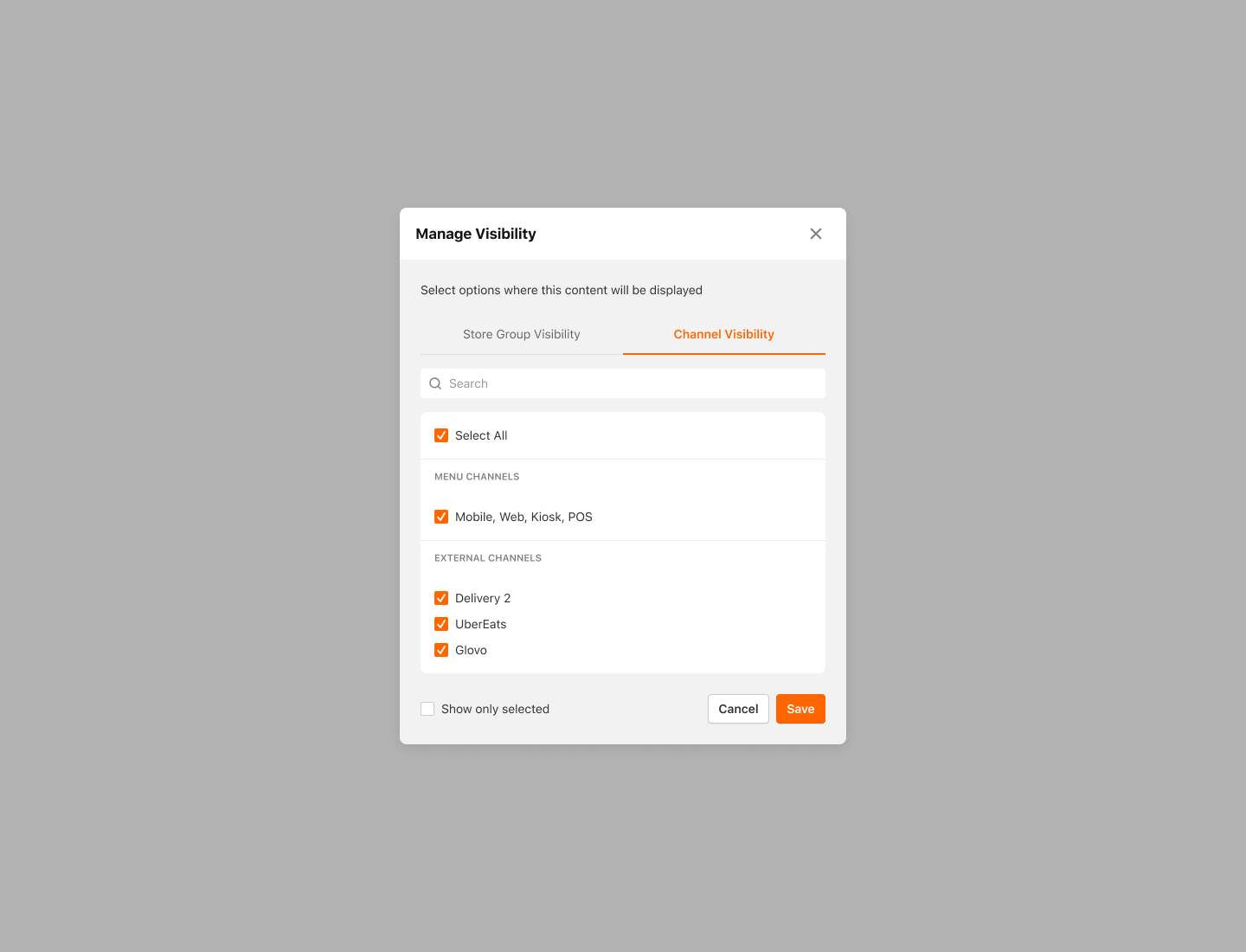
- Manage Visibility modal is displayed
- Select the Channels where you want your Combo to be available or deselect the Channels where you don't want your Combo to be available
- Use the Search bar to search for a specific Channel by name
For more information on Store Visibility, please check out How to control in which Stores my Combo is available? article.
- Activate Show Only Selected to see where the Combo is currently available
- Click Save to save your changes
Your Combo will only be visible and available for ordering in Channels enabled through the Visibility feature.
