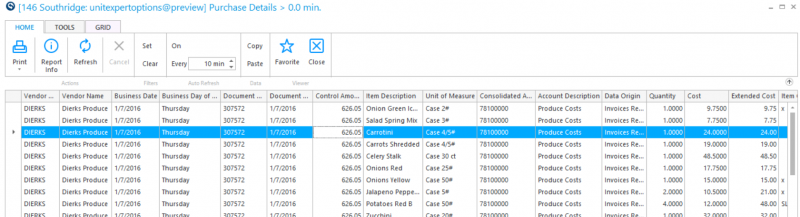
Purchase Detail Grid Report
Use this report to view purchase details. If prices do not look correct on inventory sheets, use this report to verify the purchases history and confirm that the item was invoiced correctly.
Quick Note: You can enter an individual item in the parameters.
Parameters
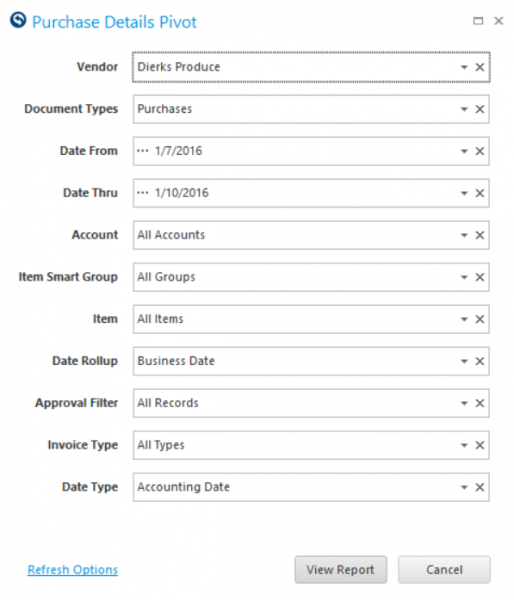
- Vendor: Select a vendor to streamline your view.
- Document Types: Purchases, Trade Memos, AP Documents, Adjustments.
- Date From: Select Date to view from.
- Date Thru: Select Date to view thru.
- Account: Select an account to streamline your view.
- Item Smart Group: Select a Smart Group to streamline your view.
- Item: Select an individual item to streamline your view.
- Date Rollup: Business Date, Sub-Period, Period, Sum All.
- Approval Filter: Approved, Not Approved, All Records.
Report