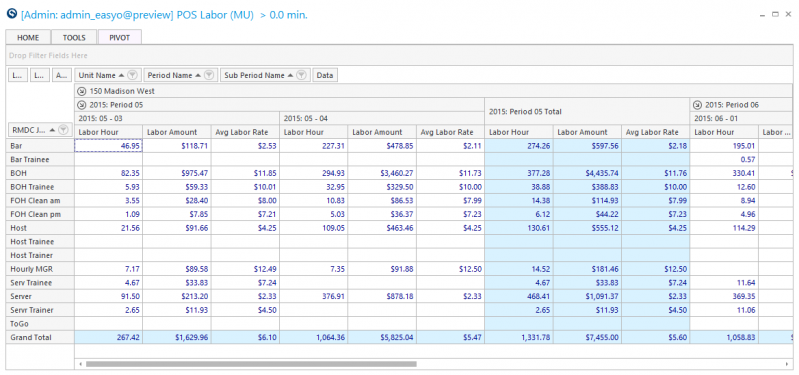
POS Labor Pivot Simple Report
Use this report to view labor values by job and verify each job is linked to the proper DC account.
Parameters
- Calendar: Select the calendar to use.
- Date From: Select Start Date to view from.
- Date Thru: Select End Date to view thru.
- Unit Group: Select Unit Group to view.
- Date Rollup:
- Business Date: Show data by business date, sub period, period and sum total.
- Sub Period: Show data by sub period, sub period and sum total.
- Period: Show data by period and sum total.
- Sum All: Show data as a sum total ONLY.
- Smart Rollup (Unit): Select the Unit Group to view.
- Unit: Select Unit to view.