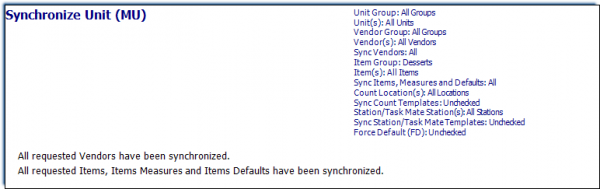
Sync Unit Report
Use this report to send information from the Master to the Units.
Parameters
- Unit Group: Select Unit Group to view.
- Unit: Select Unit to view.
- Vendor Group: Select the Smart Group of vendors to send information.
- Vendor(s): Select the vendor(s) you wish to send.
- Sync Vendors:
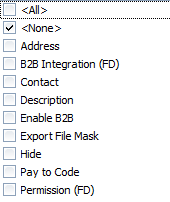
- Sync Vendor Template: Put a check to send.
- Sync Vendors Delivery Schedule: Put a check to send.
- Item Group: Select the Smart Group of items to send information.
- Item(s): Select the item(s) you wish to send.
- Sync Item, Measures, And Defaults:
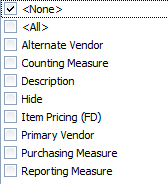
- Sync Unit Of Measure Permissions (FD):
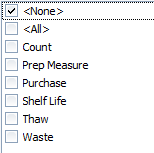
- Sync Par Value: Put a check to sync.
- Count Location(s): Select locations for which to sync.
- Sync Count Templates: Put a check to send.
- Sync Station/Task Mate Templates: Put a check to send.
- Prep Sheets Format(s): Select the Prep Sheet Format(s) to be used.
- Sync Prep Sheets Formats: Put a check to sync.
- Freezer Pull Format(s): Select the Freezer Pull Format(s) to be used.
- Sync Freezer Pull Formats: Put a check to sync.
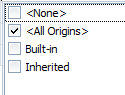
- Barcode Origin(s):
- Sync Customers: Put a check to sync customers.
- Customer Type(s):

- Force Default (FD): Put a check to overwrite the unit level settings.
Once the report runs, the parameters in the top right will let you know what was synchronized.