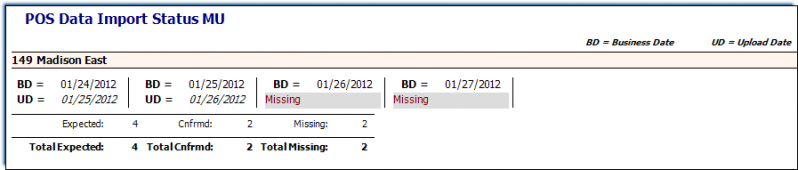
POS Miss Uploaded Report
Use this grid report to see alerts for missing and required line checks.
Parameters
- Unit Group: Select the Unit Group to view.
- Unit: Select Unit to view.
- Date From: Select Start Date to view from.
- Date Through: Select End Date to view through.
- Show:
- All Records: Show all information for selected parameters.
- Valid POS Stores Only: Show ONLY imported information.
- Missing All Reasons: Show ONLY information for units with missing imports.
- Missing in Queue: Show ONLY information for units with missing imports whose imports are waiting in the queue. *This would happen if the unit is out of period.
- Valid Missing: Show ONLY information for units that have missing imports for days that have been setup as ‘Missing’ in the Business Calendars form.
- Expected but Missing: Show ONLY information for units with missing imports that are expected.
- Filter Number of Days: Enter a value.