Release Information

Each month below includes the release notes for that release, along with the feature guide covering what changed. Select a release to expand it.
September 2026
26.18 Release Notes
PAR OPS 26.18 Release Notes
September 2026
*PAR OPS App updates mentioned in these notes will be released on September 3rd, 2026.
Some functionality requires additional configuration for use.
Please contact paropssupport@partech.com with any questions.
General Improvements & Fixed Issues
User Profile
- A bug is fixed so that multi-unit users who are also linked to an employee record in one of their stores can switch back to the parent account in the PAR OPS App, restoring access to above-store information without signing out. (199353)
Portal
- Logging in now brings you to a redesigned home page, your central place for the Activity Feed, To Do, and Activities, with a home icon in the breadcrumbs to get back there from anywhere. All existing functionality remains available, and an AI Insights section with performance snapshots and recommendations is coming in a future release. (188192)
- A Home option is added at the top of the activity selection list so that users can return to the home page from any activity without extra navigation. (190124)
Reports
- Restaurant Performance reports now appear directly on the home page instead of in a separate Activity Feed panel, so users can review performance as soon as they sign in on web or mobile. Report tabs, statistic cards, and charts behave the same as before, and only the reports a user has access to are shown. (199569)
- A bug is fixed so that the calendar parameter is displayed when it is paired with a single date parameter, so users can select report dates on a mobile device without the selection being hidden. (192218)
Store Manager Improvements & Fixed Issues
Activity Feed
- When a user does not have permission to link business-to-business documents, the Review Items link no longer appears in the Unlinked Invoice Items notification, preventing users from opening an action they are not able to complete. (198190)
- An Item Count notification is added to the Inventory category on the home page so that managers can see outstanding counts without opening the Inventory activity. (198242)
Checklists
- A bug is fixed so that the count of successfully completed steps on the checklist Summary page displays in green rather than black, making completion easier to spot at a glance. (110273)
Employees
- A Set Schedule tab is added to the employee profile so that a recurring weekly shift pattern, including start and end times with optional job station and breaks, can be defined once for an employee. When the Generate function is used, the set schedule is automatically applied to the schedule, removing the need to re-enter the same shifts every week for employees whose schedules rarely change. (195751)
POS
- A bug is fixed so that terminated employees are included in the automatic employee export to Micros Simphony, ensuring former employees are cleared from the POS and employee records stay in sync. (198137)
Prep & Freezer Pull
- A bug is fixed so that the Add Item button appears at the bottom of every section when editing a prep sheet template, allowing items to be added to sections beyond the first few. (194385)
Purchase Orders
- Users can now open an ordered purchase order within the allowed vendor cutoff times, adjust line quantities, and add new line items, confirming the changes and the approval in a single step so corrections can be made without elevated permissions or a separate approval request. Requires configuration and dependent on vendor rules. (176837)
- When a vendor invoice dated in the current period is applied to a purchase order whose delivery date falls in a prior closed period, the delivery date now advances into the active period so the order appears in Receive PO's and can be received and invoiced without a manual workaround. (194380)
- A bug is fixed so that when an item has only one unit of measure, that unit is populated automatically, reducing the number of selections needed to build an order. (194103)
Scheduling
- Shift Notes can now be added to an individual shift or to a specific date on the schedule, with the option to share the note with employees or keep it visible to managers only. This gives managers a place to record context such as a catering order or an expected busy day so the right people see it. (194248)
- Employee Notes can now be added from the schedule using the icon next to an employee's name, and they carry over to the employee profile and persist across schedule periods. The notes are never visible to employees, giving managers a consistent place to keep performance and availability context. (194249)
- Shared Shift Notes and shared date notes now appear next to an employee's scheduled shift in the PAR OPS App, so that employees see the context a manager recorded for that shift or day without needing a separate message. (194250)
Time Off
- A confirmation message is now shown when an employee submits a time off request or an availability change in the PAR OPS App, stating that the request requires approval and that the employee is still responsible for all scheduled shifts. This matches the message already shown for shift swaps and drops, reducing missed shifts caused by assuming a request was approved at submission. (196175)
Admin Improvements & Fixed Issues
Activity Feed
- An Export Batch action is added to the Auto Payroll Export notification so that payroll administrators can lock the batch and run the automated export once every store is approved, rather than finishing the export manually in the Payroll activity. The action stays unavailable while any store is unapproved or in error and works the same on web and in the PAR OPS App. (196012)
Item Master
- A bug is fixed so that changing the visible setting on the In Recipe Contents tab no longer returns an error when the recipe is hidden, allowing recipe contents to be maintained without interruption. (197862)
- A bug is fixed so that prepared items can be exported together with their recipe contents, giving users a complete record of recipe detail outside the application. (198000)
- A bug is fixed so that a recipe or prepared item no longer appears in its own Add New Ingredient list, preventing the error that occurred when it was selected. (199748)
Payroll
- Auto Compliance is a new capability that automatically applies labor law and minimum wage rules to each unit based on its location. Rules are maintained by PAR, so compliance updates take effect without any per-unit configuration on your part. We are looking for beta testers ahead of the official release. If you are interested in early access, please contact paropssupport@partech.com. (113478)
- Minimum Age and Maximum Age are added to the Minimum Wage rules in Payroll Rules so that a youth minimum wage rate can be set up alongside the standard rate, with the correct rate applied based on each employee's age. Existing rules with no age values continue to apply to all employees. (198019)
- Minimum Age and Maximum Age are added to the Rest Period Between Shifts rules in Payroll Rules so that age specific rest requirements can be configured and applied only to employees within the specified range, rather than relying on manual workarounds. Existing rules with no age values continue to apply to all employees. (198021)
POS
- A bug is fixed so that automatic employee exports run at their configured schedule rather than waiting until end of day processing, ensuring employee records reach the POS when expected. (192609)
- Automatically created PAR POS data sources now store the token and store credentials in the Password field rather than in the connection URL, so that credentials are held securely and the integration is configured correctly without manual correction. (198247)
- An Import Open Checks option is added to the Micros Simphony API integration so that checks still open at the time of import are brought in, giving a more complete picture of sales activity. (199502)
- The PAR POS check header import now writes the till number into the Table ID field so that cash activity can be traced back to the till it came from during cash reconciliation. (199531)
- The employee export to the Micros Simphony API now sets the hire date and rate effective date for new hires within the current labor week, so that new employee records meet Oracle validation rules and export without error. (199798)
- An Overwrite Pay Employee with Order Employee option is added to the PAR POS import so that a blank employee on a payment can be left as entered rather than replaced with the employee who took the order, giving more accurate payment attribution. The option remains on by default, so existing behavior is unchanged. (199835)
- The PAR POS import of taxable and non-taxable sales in non-resettable totals now includes non-revenue items, so that reported sales totals reconcile with the POS. (199873)
Q-Factors and Modifier Scaling
- A new Q-Factors and Modifier Scaling activity is added to the Portal, beginning with the Q-Factor tab for managing Q-Factor entries, their linked items, and their active dates, so these settings can be maintained without using the legacy client. (197888)
- A Modifiers with Volume Increase Factor tab is added to the Q-Factors and Modifier Scaling activity so that users can configure how modifier item quantities scale with sales volume directly in the Portal. (197889)
Reports
- Sender Mapped Account, Sender Transaction Identifier, Sender Default Memo, Receiver Mapped Account, Receiver Transaction Identifier, and Receiver Default Memo are added to the Trade Status report so that each trade line shows the accounting details for both restaurants involved. This allows trades to be reconciled against account activity without cross referencing a separate report. (199408)
- A bug is fixed so that the POS Batch File filter on the System Log Advanced Report returns all related batch file activity rather than a partial list, giving a complete view when reviewing POS imports and exports. (197907)
- The automatic payroll ID assignment report is updated to check the other employee records linked to the same global employee, so that employees who work at more than one restaurant receive a consistent payroll ID. (197955)
Vendor Administration
- Allow Order Modifications is added to the B2B Options section in Vendor Administration so that each vendor can be configured to reflect whether it accepts changes to an order after it has been sent. (176828)
- A Change Selected action is added to Link Vendor Items so that a field such as ordering preference can be updated across many vendor item rows at once rather than editing each row individually. (194383)
26.18 Release Feature Guide
GENERAL
PORTAL
- Logging in now brings you to a redesigned home page, your central place for the Activity Feed, To Do, and Activities, with a home icon in the breadcrumbs to get back there from anywhere. All existing functionality remains available, and an AI Insights section with performance snapshots and recommendations is coming in a future release. 188192
- A Home option is added at the top of the activity selection list so that users can return to the home page from any activity without extra navigation. 190124
REPORTS
- Restaurant Performance reports now appear directly on the home page instead of in a separate Activity Feed panel, so users can review performance as soon as they sign in on web or mobile. Report tabs, statistic cards, and charts behave the same as before, and only the reports a user has access to are shown. 199569
STORE-LEVEL UPDATES
ACTIVITY FEED
- When a user does not have permission to link business-to-business documents, the Review Items link no longer appears in the Unlinked Invoice Items notification, preventing users from opening an action they are not able to complete. 198190
- An Item Count notification is added to the Inventory category on the home page so that managers can see outstanding counts without opening the Inventory activity. 198242
- A Scheduling and Payroll group is added to the Activity Feed on the home page so that managers can review timecard disputes, scheduled breaks, upcoming overtime, ending shifts, auto-schedule reviews, expiring employee certifications, and unlinked employees in one place. 188070
- A Failed Payroll Export group is added to the Activity Feed on the home page so that district managers and above-store users can quickly see and act on payroll exports that did not complete. 197788
- Employees who are still clocked in past their scheduled clock-out time now appear in the Scheduling and Payroll group on the home page and are counted on its tile, so that managers do not miss overdue shifts. The card shows employee, actual clock-in time, scheduled clock-out time, and minutes past the scheduled end, and clears automatically once a clock-out is received. 199663
CHECKLISTS
- A bug is fixed so that the count of successfully completed steps on the checklist Summary page displays in green rather than black, making completion easier to spot at a glance. 110273
COGS
PREP AND FREEZER PULL
- A bug is fixed so that the Add Item button appears at the bottom of every section when editing a prep sheet template, allowing items to be added to sections beyond the first few. 194385
PURCHASE ORDERS
- A bug is fixed so that when an item has only one unit of measure, that unit is populated automatically, reducing the number of selections needed to build an order. 194103
- Users can now open an ordered purchase order within the allowed vendor cutoff times, adjust line quantities, and add new line items, confirming the changes and the approval in a single step so corrections can be made without elevated permissions or a separate approval request. 176837
- When a vendor invoice dated in the current period is applied to a purchase order whose delivery date falls in a prior closed period, the delivery date now advances into the active period so the order appears in Receive PO's and can be received and invoiced without a manual workaround. 194380
LABOR
EMPLOYEES
- A Set Schedule tab is added to the employee profile so that a recurring weekly shift pattern, including start and end times with optional job station and breaks, can be defined once for an employee. When the Generate function is used, the set schedule is automatically applied to the schedule, removing the need to re-enter the same shifts every week for employees whose schedules rarely change. 195751
SCHEDULING
- Shift Notes can now be added to an individual shift or to a specific date on the schedule, with the option to share the note with employees or keep it visible to managers only. This gives managers a place to record context such as a catering order or an expected busy day so the right people see it. 194248
- Employee Notes can now be added from the schedule using the icon next to an employee's name, and they carry over to the employee profile and persist across schedule periods. The notes are never visible to employees, giving managers a consistent place to keep performance and availability context. 194249
MOBILE APP
ACCOUNT
- A bug is fixed so that multi-unit users who are also linked to an employee record in one of their stores can switch back to the parent account in the PAR OPS App, restoring access to above-store information without signing out. 199353
SCHEDULING
- Shared Shift Notes and shared date notes now appear next to an employee's scheduled shift in the PAR OPS App, so that employees see the context a manager recorded for that shift or day without needing a separate message. 194250
TIME OFF
- A confirmation message is now shown when an employee submits a time off request or an availability change in the PAR OPS App, stating that the request requires approval and that the employee is still responsible for all scheduled shifts. This matches the message already shown for shift swaps and drops, reducing missed shifts caused by assuming a request was approved at submission. 196175
ADMIN/ABOVE-STORE UPDATES
ACTIVITY FEED
- An Export Batch action is added to the Auto Payroll Export notification so that payroll administrators can lock the batch and run the automated export once every store is approved, rather than finishing the export manually in the Payroll activity. The action stays unavailable while any store is unapproved or in error and works the same on web and in the PAR OPS App. 196012
ITEM MASTER
- A bug is fixed so that changing the visible setting on the In Recipe Contents tab no longer returns an error when the recipe is hidden, allowing recipe contents to be maintained without interruption. 197862
- A bug is fixed so that prepared items can be exported together with their recipe contents, giving users a complete record of recipe detail outside the application. 198000
- A bug is fixed so that a recipe or prepared item no longer appears in its own Add New Ingredient list, preventing the error that occurred when it was selected. 199748
PAYROLL – AUTO COMPLIANCE
- Auto Compliance is a new capability that automatically applies labor law and minimum wage rules to each unit based on its location. Rules are maintained by PAR, so compliance updates take effect without any per-unit configuration on your part. We are looking for beta testers ahead of the official release. If you are interested in early access, please contact paropssupport@partech.com. 113478
- Minimum Age and Maximum Age are added to the Minimum Wage rule in both the DC Client and the Portal so that a youth minimum wage rate can be set up alongside the standard rate, with the correct rate applied based on each employee's age. Existing rules with no age values continue to apply to all employees. 198019
- Minimum Age and Maximum Age are added to the Rest Period Between Shifts rule in both the DC Client and the Portal so that age specific rest requirements can be configured and applied only to employees within the specified range, rather than relying on manual workarounds. Existing rules with no age values continue to apply to all employees. 198021
Q-FACTORS AND MODIFIER SCALING
- A new Q-Factors and Modifier Scaling activity is added to the Portal, beginning with the Q-Factor tab for managing Q-Factor entries, their linked items, and their active dates, so these settings can be maintained without using the legacy client. 197888
- A Modifiers with Volume Increase Factor tab is added to the Q-Factors and Modifier Scaling activity so that users can configure how modifier item quantities scale with sales volume directly in the Portal. 197889
VENDOR ADMINISTRATION
- A Change Selected action is added to Link Vendor Items so that a field such as ordering preference can be updated across many vendor item rows at once rather than editing each row individually. 194383
- Allow Order Modifications is added to the B2B Options section in Vendor Administration so that each vendor can be configured to reflect whether it accepts changes to an order after it has been sent. 176828
API, EDI, DATA WAREHOUSE, REPORTS
REPORTS
- A bug is fixed so that the calendar parameter is displayed when it is paired with a single date parameter, so users can select report dates on a mobile device without the selection being hidden. 192218
REPORTING
- PAYROLL ID ASSIGNMENT REPORT: The automatic payroll ID assignment report is updated to check the other employee records linked to the same global employee, so that employees who work at more than one restaurant receive a consistent payroll ID. 197955
- SYSTEM LOG ADVANCED REPORT: A bug is fixed so that the POS Batch File filter on the System Log Advanced Report returns all related batch file activity rather than a partial list, giving a complete view when reviewing POS imports and exports. 197907
- TRADE STATUS REPORT: Sender Mapped Account, Sender Transaction Identifier, Sender Default Memo, Receiver Mapped Account, Receiver Transaction Identifier, and Receiver Default Memo are added to the Trade Status report so that each trade line shows the accounting details for both restaurants involved. This allows trades to be reconciled against account activity without cross referencing a separate report. 199408
POS
POS
- A bug is fixed so that automatic employee exports run at their configured schedule rather than waiting until end of day processing, ensuring employee records reach the POS when expected. 192609
- Automatically created PAR POS data sources now store the token and store credentials in the Password field rather than in the connection URL, so that credentials are held securely and the integration is configured correctly without manual correction. 198247
- A bug is fixed so that terminated employees are included in the automatic employee export to Micros Simphony, ensuring former employees are cleared from the POS and employee records stay in sync. 198137
POS INTEGRATIONS
- MICROS SIMPHONY: Added a new custom flag for Micros Simphony API [Import Open Checks] that will bring in checks that are open. 199502
- MICROS SIMPHONY: In Employee export to Micros Simphony API we now redefine Hire Date and Rate Effective Dates for new hires to be in current labor week to meet Oracle rules. 199798
- PAR POS: In PAR POS import of taxable and non-taxable sales in not resettable totals we now include non revenue items. 199873
- PAR POS: In PAR POS when importing check headers we now write Till Number into Table ID field, this will be used for cash reconciliation. 199531
- PAR POS: In PAR POS payments we now not overwrite blank Employee ID with Sales Employee ID if a new flag [Overwrite Pay Employee with Order Employee]=N. By default we still overwrite payment employee with sales employee. 199835
August 2026
26.16 Release Notes
PAR OPS 26.16 Release Notes
August 2026
*PAR OPS App updates mentioned in these notes will be released on August 6th, 2026.
Some functionality requires additional configuration for use.
Please contact paropssupport@partech.com with any questions.
General Improvements & Fixed Issues
Login
- Users who log in to the web portal using a URL with an incorrect port are now redirected directly to the correct port, rather than being required to enter their credentials a second time. (192534)
Portal
- A bug is fixed so that activities using smart group filtration no longer return an error when loading, allowing users to filter without interruption. (197851)
Reports
- In report parameters, the "X" close icon has been replaced with a Run Report action, so that users can clearly apply the filter changes they make rather than mistaking the control for a cancel button. (194486)
Store Manager Improvements & Fixed Issues
Activity Feed
- The Shift Ending Soon notification has been enhanced to alert managers when an employee is still clocked in after their scheduled end time, so that timekeeping issues can be addressed before they become payroll problems. (192583)
- The activity feed now notifies the sending store when a trade it submitted is rejected, so that the store knows immediately to correct and resubmit without manually checking trade status. (196249)
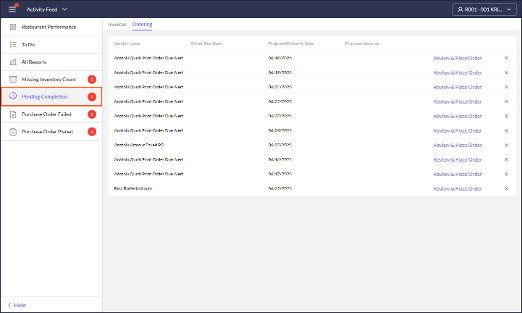
- The Pending Completion - Ordering notification is now dismissed automatically when its purchase order has been deleted, preventing errors when users open an order that no longer exists. (197663)
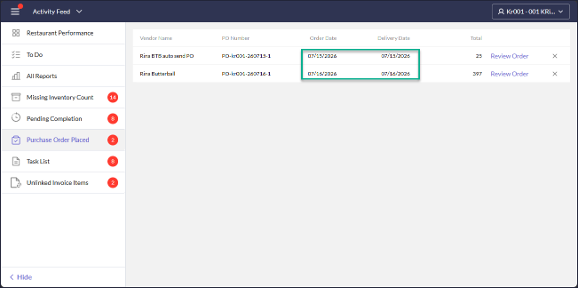
- The Purchase Order Placed notification now accounts for the store's time zone when determining the order date, so that order and delivery dates display correctly for auto-sent orders. (198101)
Mobile App
- A bug is fixed so that multi-unit users who switch to a single unit in the PAR OPS App can switch back to their multi-unit view, rather than being stuck in the unit role. (196317)
Checklists
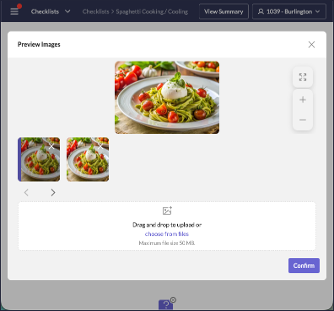
- Images in .webp format uploaded to a checklist step in the Portal are now displayed correctly in the associated report, so that all step images are visible when reviewing checklist reports. (137820)
Inventory
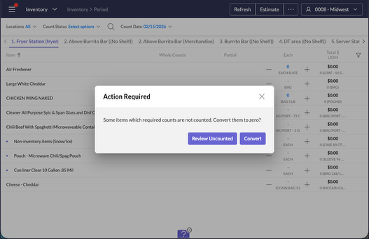
- A bug is fixed so that choosing Convert to Zero when completing a Period Count with uncounted items now completes successfully, so that inventory counts can be finished instead of silently failing. (196209)
Purchase Items
- A bug is fixed so that store-level items display all units of measure defined at the master level after a unit sync, so that units of measure are no longer missing from the Units of Measure tab. (194457)
Purchase Management
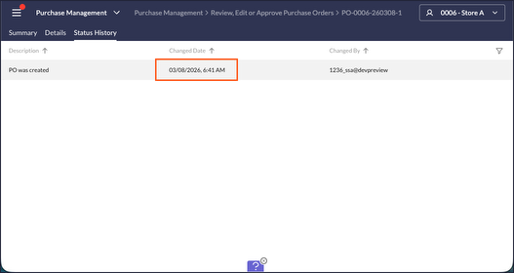
- Purchase order status times are now displayed in the restaurant's time zone, so that users no longer have to convert times and can trust the times they see. Applies to both the Portal and the PAR OPS App. (184807)
- The receiving details page in the PAR OPS App now groups items by invoice number, so that managers can review what they are receiving more easily; orders with a single invoice or none expand automatically. (192461)
Purchase Orders
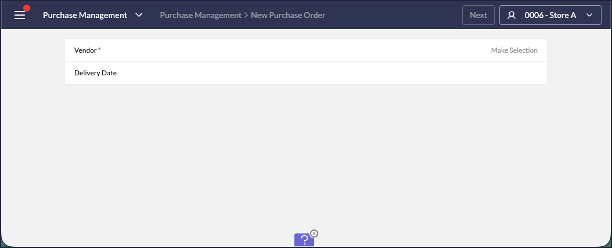
- The "Order is Placed" selection has been removed from vendor ordering and is now determined automatically from store hours, so that users are not confused by a setting whose meaning was unclear. (192627)
Reporting
- The Labor Tracking by Half Hour (Hourly Performance) report now shows the current time as the working clock-out for employees still clocked in, rather than the point-of-sale import time, so that in-progress hours are reported accurately. (188285)
- First Name, Last Name, and Nickname have been added as separate columns to the Actual vs Scheduled report, so that operators can arrange employee name information in their layouts as they prefer. (197607)
Scheduling
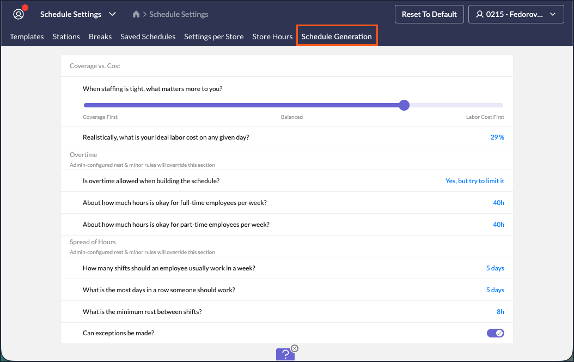
- Schedule generation is now powered by AI, building labor schedules that intelligently balance coverage, labor cost, overtime, and how hours are spread across employees. A new Schedule Generation tab in Schedule Settings lets managers guide these priorities by answering a few plain-language questions, such as whether coverage or labor cost matters more when creating a schedule, so preferences can be configured without needing to understand the underlying constraint weights. (191693)
- When an employee is terminated in the POS system, they are now removed from future schedules, preventing the scheduling error loop that previously occurred. (195978)
- A bug is fixed so that shifts no longer save as Unassigned after being edited, so that scheduled shifts remain assigned to the correct employee. (196014)
- A bug is fixed so that time off blackout dates are now enforced on the time off calendar in the PAR OPS App, preventing time off requests on blacked-out dates. (198105)
Time Cards
- A bug is fixed so that time cards for prior business dates are no longer re-imported after a payroll recalculation, preventing duplicate time card entries that operators had to repeatedly ignore. (196242)
Admin Improvements & Fixed Issues
Employees
- A bug is fixed so that saving a job no longer applies an incorrect effective date, so that job records reflect the intended date. (197769)
- A bug is fixed so that an employee who already exists in a hidden store can be added to the current store, so that adding existing employees is no longer blocked. (198226)
Item Master
- Recipe export and import now include the Ingredient Visible Start Date and Ingredient Visible End Date columns, so that ingredient visibility schedules are reflected in exported files and can be set or updated through import. (192491)
- A bug is fixed so that importing items from a CSV handles missing cost and unit-of-measure values gracefully and reports clearer errors, so that valid files import successfully instead of failing with constraint errors. (194496)
- A bug is fixed so that the Recipe Utilization tab in Item Master displays and scrolls through all recipes when an item is used in more than sixteen, so that no recipes are hidden. (196170)
- A bug is fixed so that the None option is available again in Item Group Defaults, so that users can leave an item group default unset. (197796)
Menu Costing
- A Populate Sub Items option has been added to the action menu in Menu Costing and Analysis, so that analysts can populate sub item data for the current category or all categories at once rather than item by item. (194097)
POS
- In Revel added import of deposits, fixed master paid in/out (197600)
- Added a new master setting [Service Charges] (197669)
- In Revel import added import of multiple tax types including Alcohol Tax (197927)
- A bug is fixed so that the PAR POS export continues to work after the sensitive data migration, so that locations using the PAR POS export resume exporting without interruption. (198223)
- A bug is fixed so that automatically created PAR POS data sources store token and store credentials in the correct location, so that PAR POS integrations are configured correctly without manual correction. (198247)
- The Simphony export now reads the labor password from the Password field, so that employee exports continue to work after sensitive credentials were migrated. (198252)
Payroll
- A new Calculate Overtime for Salary Employees toggle has been added to Payroll Group Settings, so that overtime can be excluded for salary-mode employees; the toggle defaults to on to match current behavior. (196312)
- A bug is fixed so that, for biweekly payroll groups, a time card spanning the payroll week boundary is split at adjusted midnight, so that excess overtime is no longer generated from an unsplit overnight shift. (197672)
- A bug is fixed so that rolling back a payroll period with a valid approved prior period succeeds, and when a rollback cannot be completed the message now identifies the reason, so that users can tell why it was blocked. (197766)
Reporting
- Added a new SSA report RDC_HideInactiveDataSources_Rpt that hides datasources that belong to hidden units, units belonging to Archive billing groups, and PAR POS disabled stores (115771)
- Added QSR ETL export (193863)
- A Use Costing UM parameter has been added to the Inventory Analysis [Multi-Unit] report, so that inventory quantities can be displayed using each store's costing unit of measure instead of the Item Master default; the report is unchanged when the parameter is left off. (195848)
- Added 15 and 3 min frequency options for CH ETL (196133)
- A bug is fixed so that the Test button in Report Scheduling now sends Excel reports, so that users can verify Excel report delivery before scheduling. (197652)
- A bug is fixed so that wide grid and table items best-fit their columns and paginate across pages when a dashboard is exported to PDF, so that scheduled dashboard PDFs remain readable instead of squished. (198142)
Restaurants
- A Pay Card field has been added to the Payroll section in Restaurants, so that a store can be configured with the daily pay card provider its employees are paid through. (198182)
Schedule Rules
- The Max Hours before Break minor rule is now enforced for fractional hour values such as 4.75, so that schedules violating the configured break threshold cannot be saved and minor employees are scheduled in compliance. (197732)
Vendor Administration
- A hint has been added to the Auto-send Order Prior to Cutoff column explaining which settings must be enabled before the toggle becomes active, and the column spacing has been corrected, so that administrators understand why the toggle may be unavailable. (195847)
- A delivery schedule Cutoff Time set to 12:00 AM is now treated as end of day when evaluating order lead time, so that a midnight cutoff no longer applies an extra lead day around the clock. (196431)
- The Auto-Approve Invoice column is now displayed for local vendors in Configure Restaurant Vendors, so that users can view and set the invoice approval option at the local level. (196437)
26.16 Release Feature Guide
GENERAL
LOGIN - GENERAL
- Users who log in to the web portal using a URL with an incorrect port are now redirected directly to the correct port, rather than being required to enter their credentials a second time. 192534
PORTAL - GENERAL
- A bug is fixed so that activities using smart group filtration no longer return an error when loading, allowing users to filter without interruption. 197851
STORE-LEVEL UPDATES
ACTIVITY FEED
- The Shift Ending Soon notification has been enhanced to alert managers when an employee is still clocked in after their scheduled end time, so that timekeeping issues can be addressed before they become payroll problems. 192583
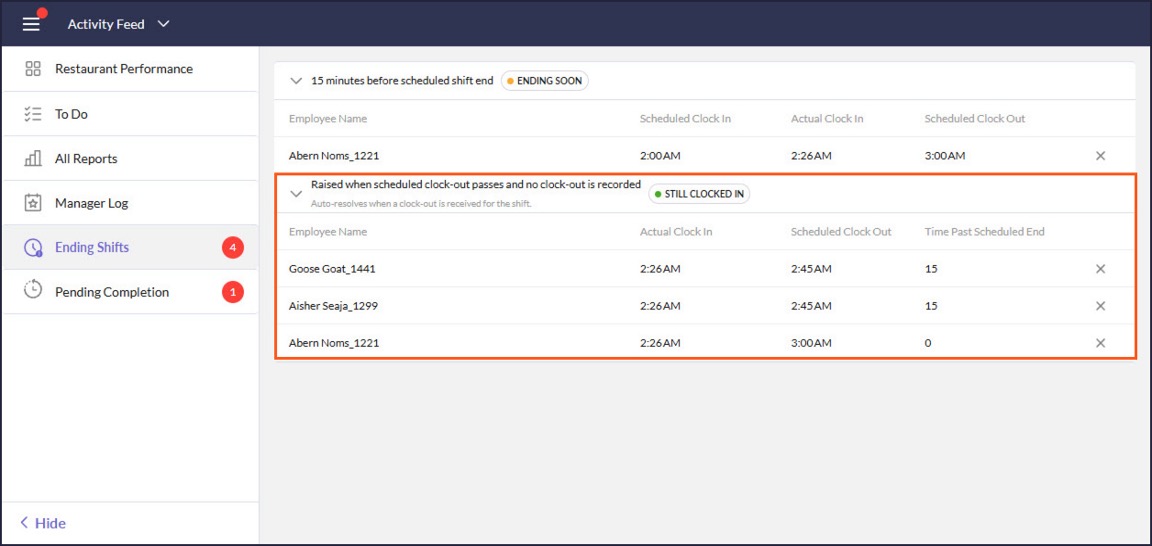
- The activity feed now notifies the sending store when a trade it submitted is rejected, so that the store knows immediately to correct and resubmit without manually checking trade status. 196249
- Pending Completion - Ordering notification is now dismissed automatically when its purchase order has been deleted, preventing errors when the user opens an order that no longer exists. 197663
- The Purchase Order Placed notification now accounts for the store's time zone when determining the order date, so that order and delivery dates display correctly for auto-sent orders. 198101
COGS
CHECKLISTS
- Images in .webp format uploaded to a checklist step in the Portal are now displayed correctly in the associated report, so that all step images are visible when reviewing checklist reports. 137820
INVENTORY
- A bug is fixed so that choosing Convert to Zero when completing a Period Count with uncounted items now completes successfully, so that inventory counts can be finished instead of silently failing. 196209
PURCHASE ITEMS
- A bug is fixed so that store-level items display all units of measure defined at the master level after a unit sync, so that units of measure are no longer missing from the Units of Measure tab. 194457
PURCHASE MANAGEMENT
- Purchase order status times are now displayed in the restaurant's time zone, so that users no longer have to convert times and can trust the times they see. Applies to both the Portal and the PAR OPS App. 184807
PURCHASE ORDERS
- The "Order is Placed" selection has been removed from vendor ordering and is now determined automatically from store hours, so that users are not confused by a setting whose meaning was unclear. 192627
LABOR
SCHEDULING
- Schedule generation is now powered by AI, building labor schedules that intelligently balance coverage, labor cost, overtime, and how hours are spread across employees. A new Schedule Generation tab has been added to Schedule Settings, letting store managers set staffing priorities such as coverage versus labor cost through plain-language questions, so that preferences can be configured without understanding the underlying constraint weights. 191693
- When an employee is terminated in the POS system, they are now removed from future schedules, preventing the scheduling error loop that previously occurred. 195978
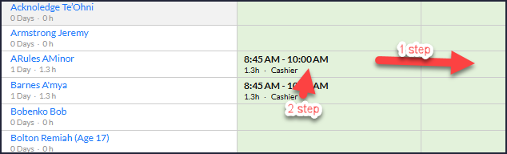
- A bug is fixed so that shifts no longer save as Unassigned after being edited, so that scheduled shifts remain assigned to the correct employee. 196014
TIME CARDS
- A bug is fixed so that time cards for prior business dates are no longer re-imported after a payroll recalculation, preventing duplicate time card entries that operators had to repeatedly ignore. 196242
MOBILE APP
MOBILE APP
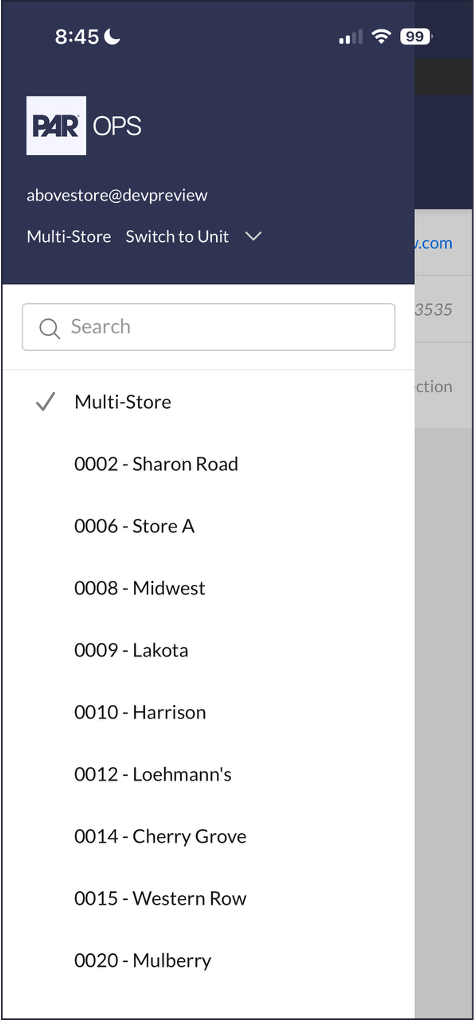
- A bug is fixed so that multi-unit users who switch to a single unit in the PAR OPS App can switch back to their multi-unit view, rather than being stuck in the unit role. 196317
PURCHASE MANAGEMENT
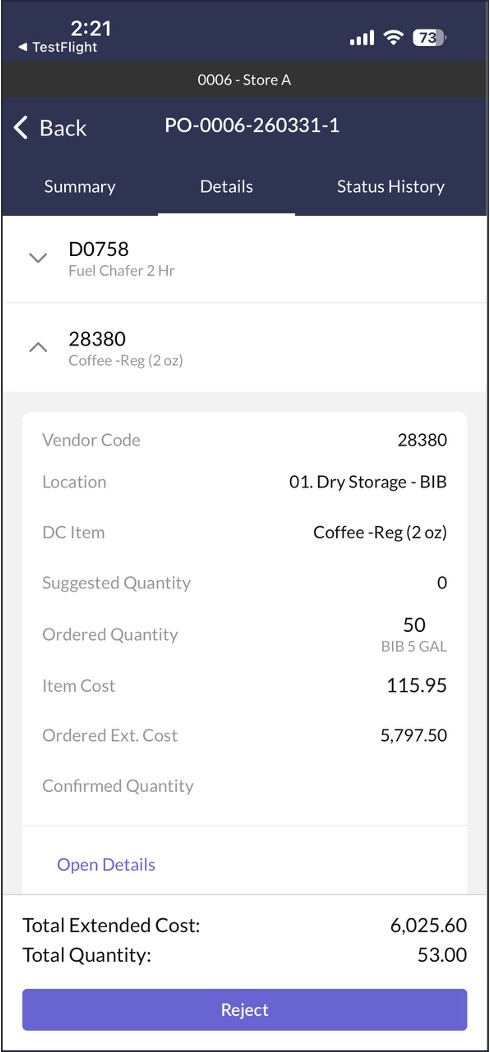
- The receiving details page in the PAR OPS App now groups items by invoice number, so that managers can review what they are receiving more easily; orders with a single invoice or none expand automatically. 192461
SCHEDULING
- A bug is fixed so that time off blackout dates are now enforced on the time off calendar in the PAR OPS App, preventing time off requests on blacked-out dates. 198105
ADMIN/ABOVE-STORE UPDATES
EMPLOYEES
- A bug is fixed so that saving a job no longer applies an incorrect effective date, so that job records reflect the intended date. 197769
- A bug is fixed so that an employee who already exists in a hidden store can be added to the current store, so that adding existing employees is no longer blocked. 198226
ITEM MASTER
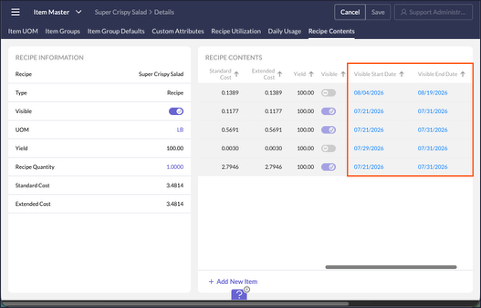
- Recipe export and import now include the Ingredient Visible Start Date and Ingredient Visible End Date columns, so that ingredient visibility schedules are reflected in exported files and can be set or updated through import. 192491
- A bug is fixed so that importing items from a CSV handles missing cost and unit-of-measure values gracefully and reports clearer errors, so that valid files import successfully instead of failing with constraint errors. 194496
- A bug is fixed so that the Recipe Utilization tab in Item Master displays and scrolls through all recipes when an item is used in more than sixteen, so that no recipes are hidden. 196170
- A bug is fixed so that the None option is available again in Item Group Defaults, so that users can leave an item group default unset. 197796
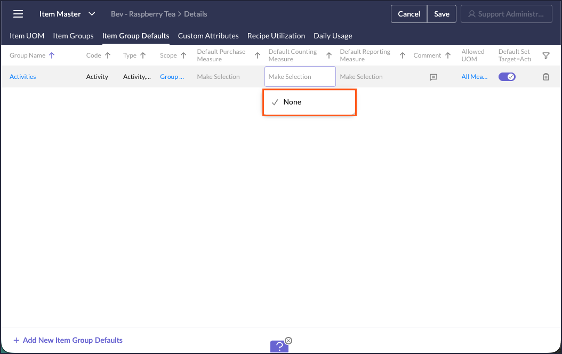
MENU COSTING & ANALYSIS
- A Populate Subitems option has been added to the action menu in Menu Costing and Analysis, so that analysts can populate subitem data for the current category or all categories at once rather than item by item. 194097
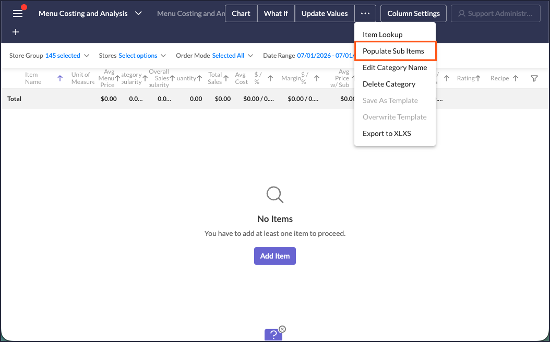
PAYROLL
- A new Calculate Overtime for Salary Employees toggle has been added to Payroll Group Settings, so that overtime can be excluded for salary-mode employees; the toggle defaults to on to match current behavior. 196312
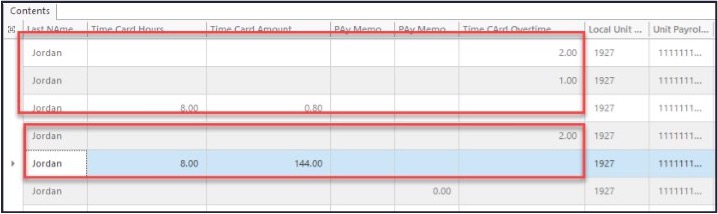
- A bug is fixed so that rolling back a payroll period with a valid approved prior period succeeds, and when a rollback cannot be completed the message now identifies the reason, so that users can tell why it was blocked. 197766
- A bug is fixed so that, for biweekly payroll groups, a time card spanning the payroll week boundary is split at adjusted midnight, so that excess overtime is no longer generated from an unsplit overnight shift. 197672
RESTAURANTS
- A Pay Card field has been added to the Payroll section in Restaurants, so that a store can be configured with the daily pay card provider its employees are paid through. 198182
SCHEDULE RULES
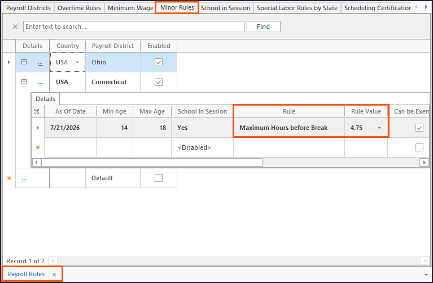
- The Max Hours before Break minor rule is now enforced for fractional hour values such as 4.75, so that schedules violating the configured break threshold cannot be saved and minor employees are scheduled in compliance. 197732
VENDOR ADMINISTRATION
- A hint has been added to the Auto-send Order Prior to Cutoff column explaining which settings must be enabled before the toggle becomes active, and the column spacing has been corrected, so that administrators understand why the toggle may be unavailable. 195847
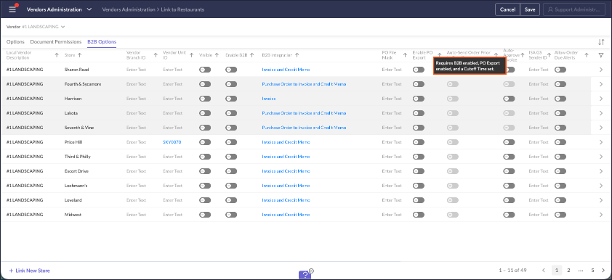
- A delivery schedule Cutoff Time set to 12:00 AM is now treated as end of day when evaluating order lead time, so that a midnight cutoff no longer applies an extra lead day around the clock. 196431
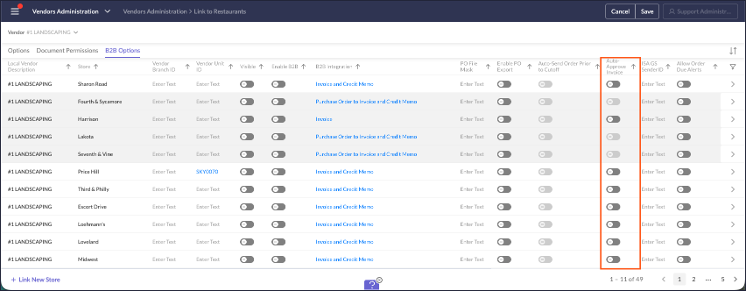
- The Auto-Approve Invoice column is now displayed for local vendors in Configure Restaurant Vendors, so that users can view and set the invoice approval option at the local level. 196437
API, EDI, DATA WAREHOUSE, REPORTS
REPORTS - GENERAL
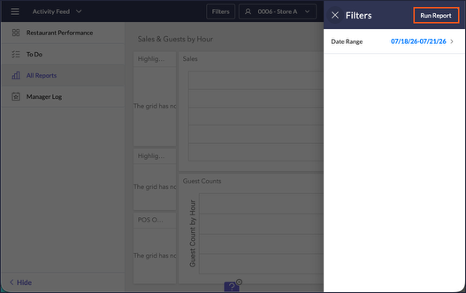
- In report parameters, the "X" close icon has been replaced with a Run Report action, so that users can clearly apply the filter changes they make rather than mistaking the control for a cancel button. 194486
REPORTING
- First Name, Last Name, and Nickname have been added as separate columns to the Actual vs Scheduled report, so that operators can arrange employee name information in their layouts as they prefer. 197607
- The Labor Tracking by Half Hour (Hourly Performance) report now shows the current time as the working clock-out for employees still clocked in, rather than the point-of-sale import time, so that in-progress hours are reported accurately. 188285
- RDC_HideInactiveDataSources_Rpt: Added a new SSA report that hides datasources belonging to hidden units, units belonging to Archive billing groups, and PAR POS disabled stores. 115771
- Inventory Analysis (Multi-Unit): A Use Costing UM parameter has been added to the report, so that inventory quantities can be displayed using each store's costing unit of measure instead of the Item Master default; the report is unchanged when the parameter is left off. 195848
- Report Scheduling: A bug is fixed so that the Test button now sends Excel reports, so that users can verify Excel report delivery before scheduling. 197652
- Dashboard PDF Export: A bug is fixed so that wide grid and table items best-fit their columns and paginate across pages when a dashboard is exported to PDF, so that scheduled dashboard PDFs remain readable instead of squished. 198142
CLICKHOUSE & DATA WAREHOUSE
- QSR ETL: Added QSR ETL export. 193863
- CH ETL: Added 15 and 3 min frequency options for CH ETL. 196133
POS
POS
- Added a new master setting, Service Charges. 197669
- A bug is fixed so that the PAR POS export continues to work after the sensitive data migration, so that locations using the PAR POS export resume exporting without interruption. 198223
- A bug is fixed so that automatically created PAR POS data sources store token and store credentials in the correct location, so that PAR POS integrations are configured correctly without manual correction. 198247
POS INTEGRATIONS
- REVEL: Added import of multiple tax types, including Alcohol Tax. 197927
- REVEL: Added import of deposits; fixed master paid in/out. 197600
- SIMPHONY: The Simphony export now reads the labor password from the Password field, so that employee exports continue to work after sensitive credentials were migrated. 198252
July 2026
26.14 Release Notes
PAR OPS 26.14 Release Notes
July 2026
*PAR OPS App updates mentioned in these notes will be released on July 9th, 2026.
Some functionality requires additional configuration for use.
Please contact paropssupport@partech.com with any questions.
General Improvements & Fixed Issues
Portal
- Fixed an error that occurred when pressing Enter in the in-cell calculator, allowing users to confirm calculator values with the keyboard as expected. (190465)
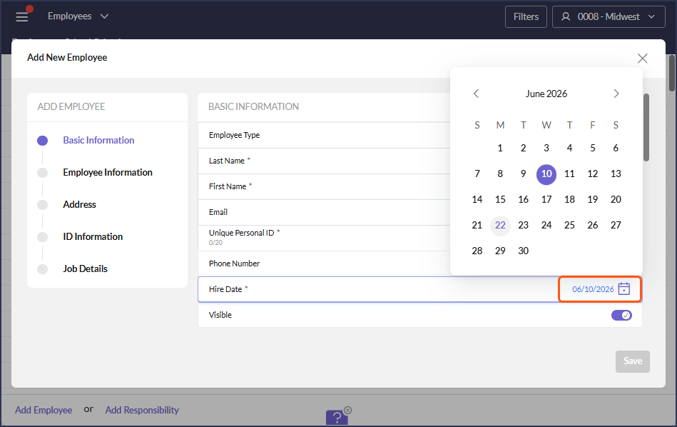
- Date values throughout the Portal now display in MM/DD/YYYY format (e.g., 01/01/2000), replacing the previous MM/DD/YY format introduced in #184615. The 4-digit year removes ambiguity around past/future dates and simplifies date input. (194425)
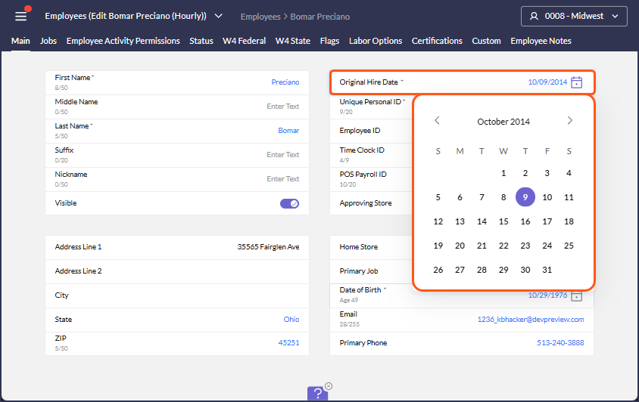
- In Employee, date selection across list-item style fields has been updated to use the new calendar control, to provide consistent date selection experience. (194452)
Reports
- A new report, RDC_CopyUItemFrequency_Rpt, is added so that item count frequency settings can be cloned from one location to another or to all stores in a unit group, reducing the need to update each unit manually. (194499)--
Store Manager Improvements & Fixed Issues
Activity Feed
- A bug is fixed so that the counter in the Item Count Suggestions blade resets correctly in the Activity Feed, so that the displayed count stays accurate. (195803)
- A bug is fixed so that the Review Forecast link in the Activity Feed Forecasting table navigates to the Forecasting activity when clicked. (194635)
Checklists
- A bug is fixed so that response buttons in Checklists display at the correct size in the PAR OPS App, improving readability and usability. (192101)
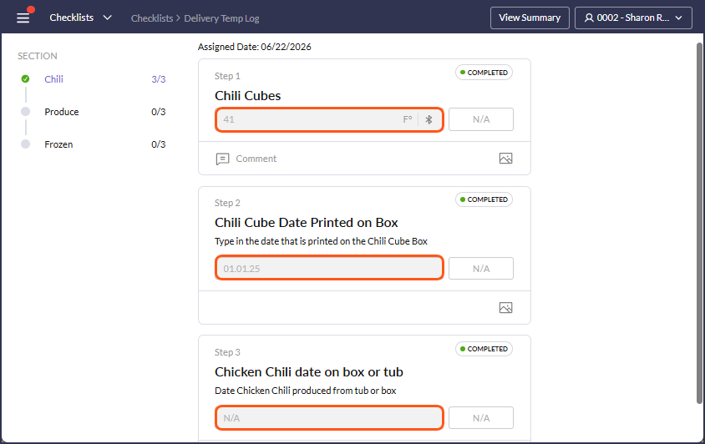
- A bug is fixed so that inactive fonts and backgrounds display with the correct color in Checklists. (120353)
Inventory
- A bug is fixed so that frequency validation is applied when moving an item's count frequency in Inventory, preventing invalid configurations. (111485)
Invoices
- A bug is fixed so that invoice costs are calculated using full precision, preventing the slight inaccuracies that appeared in manually entered invoice cost totals for regularly purchased items. (184841)
Messenger
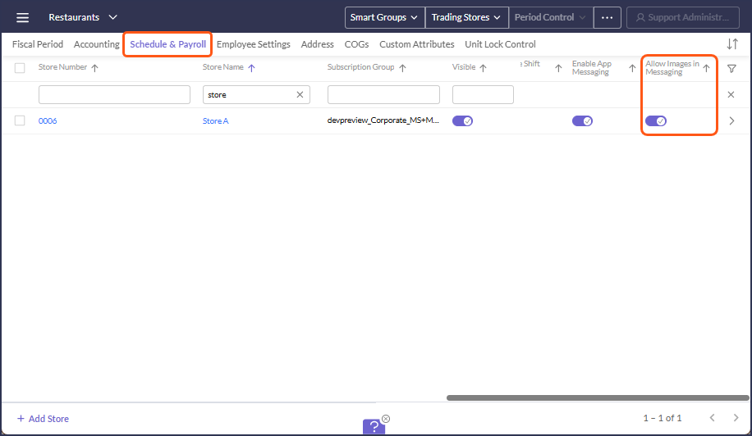
- In the PAR OPS App Messenger, users can now send images in messages, and a new Allow Images in Messaging setting in Restaurants lets administrators enable or disable image messaging per unit. (188060)
Prep & Freezer Pull
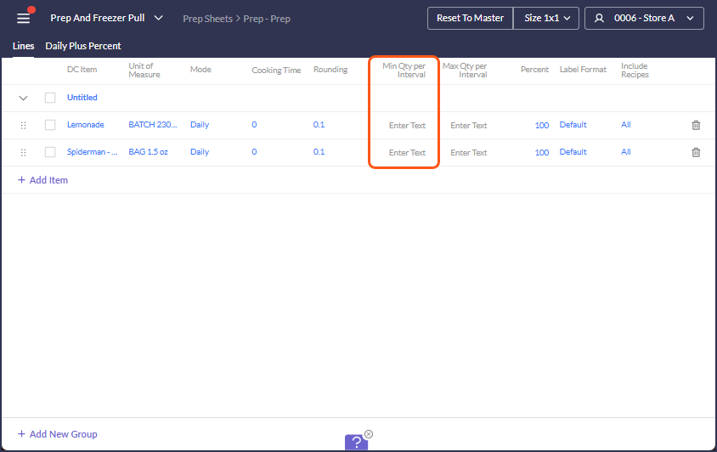
- In Prep and Freezer Pull, the Min Qty per Interval setting can now be edited in template mode in the PAR OPS App at the unit and employee level, so that users can adjust minimum quantities per interval directly. (190056)
- A Min Quantity setting is added to the Prep Sheet and Freezer Pull sections of Prep and Freezer Pull Formats, so that items with no sales or recipes are still accounted for in prep. (188641)
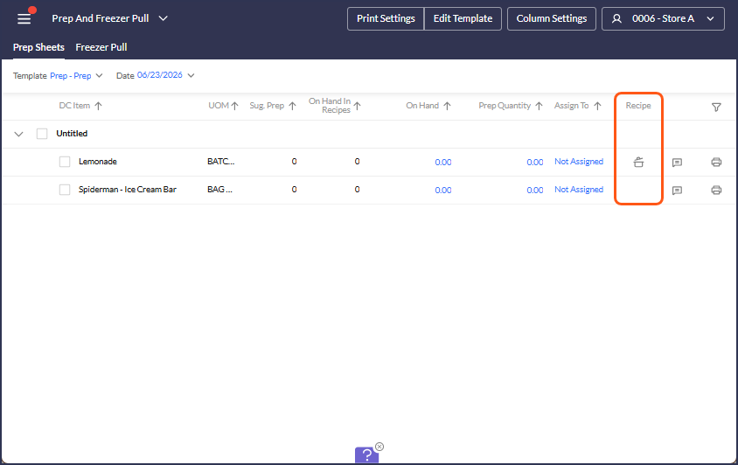
- A recipe information icon is added to Prep Sheets, so that managers can view the underlying recipe when the suggested prep quantity differs from the base recipe amount instead of calculating ingredient quantities manually. (192166)
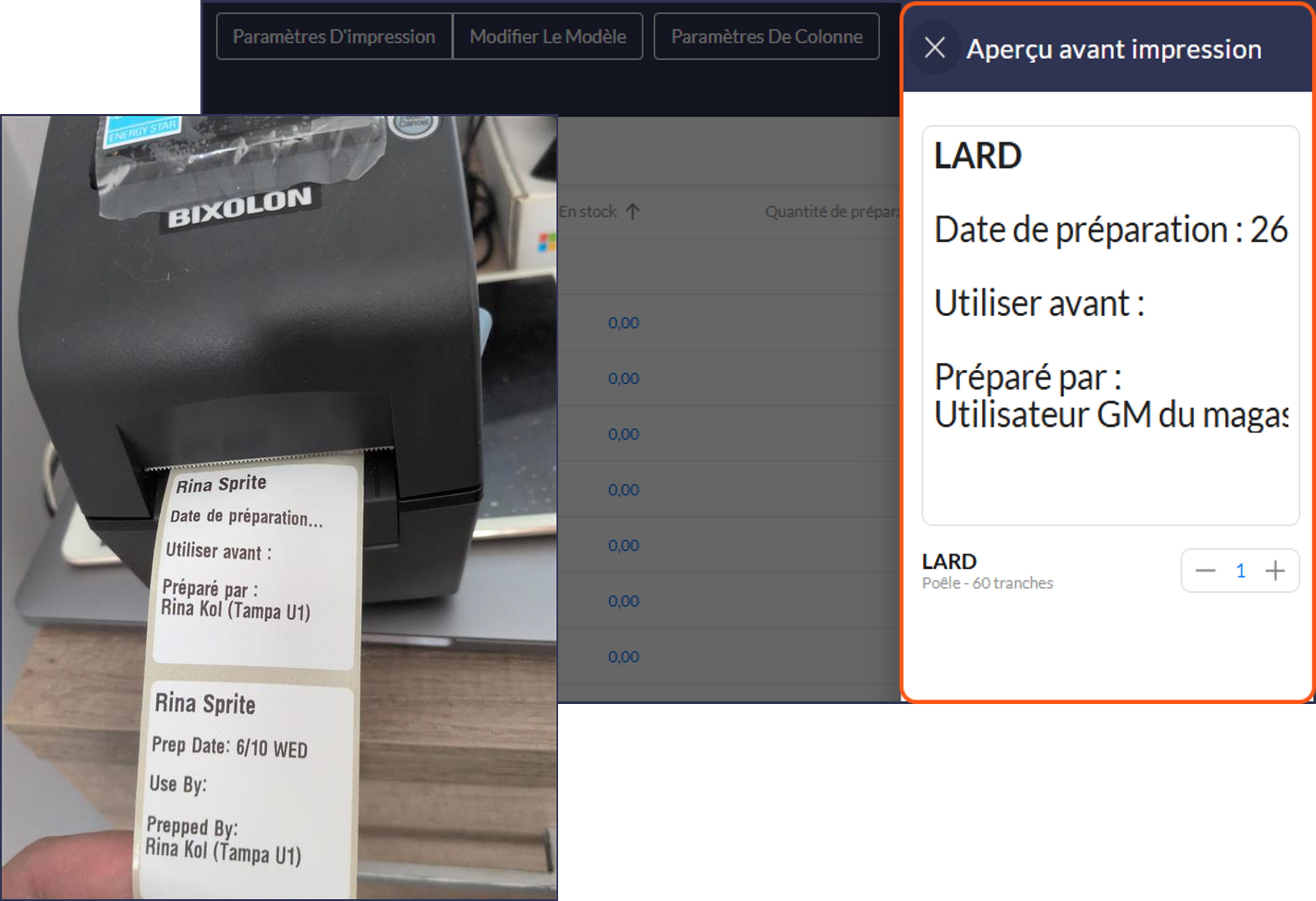
Prep Label Printing
- Prep labels can now be printed in alternative languages, so that the printed label matches the language shown in the print preview rather than printing in English. (192464)
Purchase Orders
- Purchase orders are now sent automatically before the vendor cutoff time when the Auto-send Order Prior to Cutoff setting is enabled, so that managers do not miss an order they were unable to place in time. (192697)
Reporting
- A bug is fixed so that the Weekly Schedule and Lock Inventory reports run successfully from the Portal and return their data, resolving the errors that caused them to fail. (195922)
- The ActualLabor column in the Hourly Performance report now displays additional decimal places, so that per-interval labor hours are shown with greater precision and accumulated rounding errors are reduced. (195992)
Scheduling
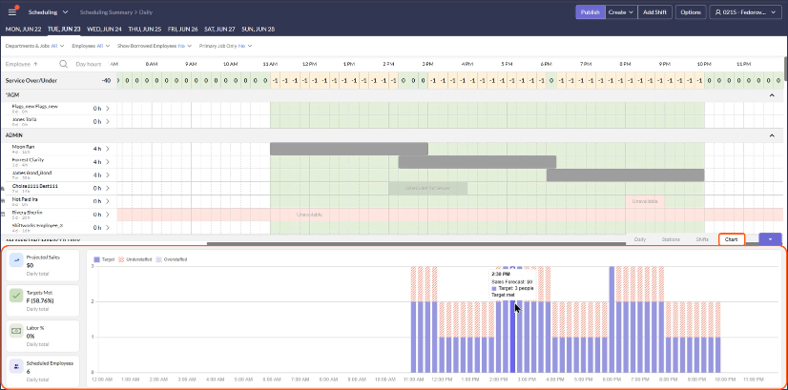
- A graphical variance display is added to the schedule daily footer, so that users can quickly see how scheduled hours compare to target hours and identify over- or under-scheduling at a glance. (192729)
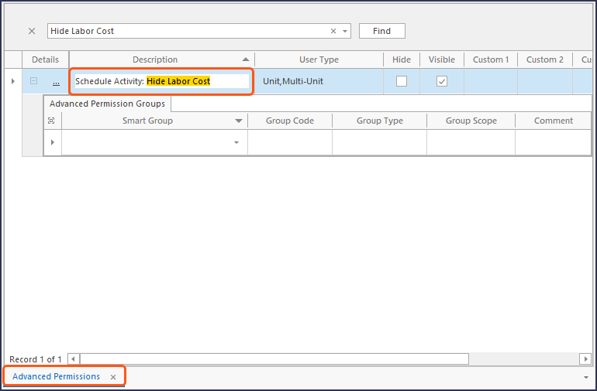
- A new Schedule Activity: Hide Labor Cost advanced permission is added so that administrators can prevent specific users from seeing labor cost data in the schedule footer, while all other users continue to see it by default. (192644)
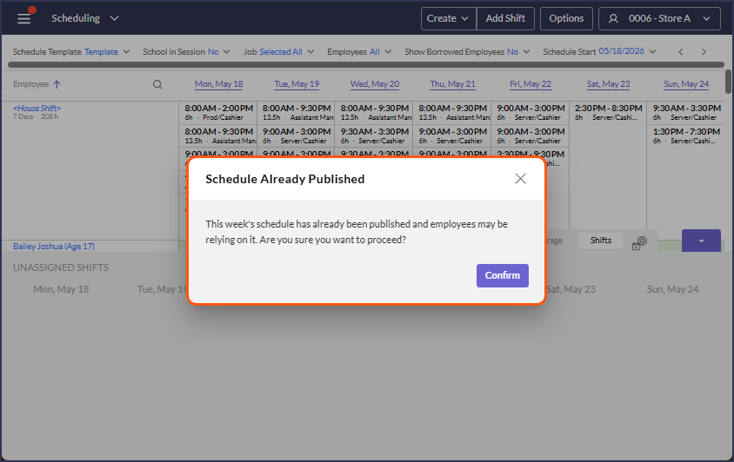
- A secondary confirmation step is added when generating a schedule for a week that already has a published schedule, so that managers do not accidentally overwrite a schedule their team is already relying on. (195875)
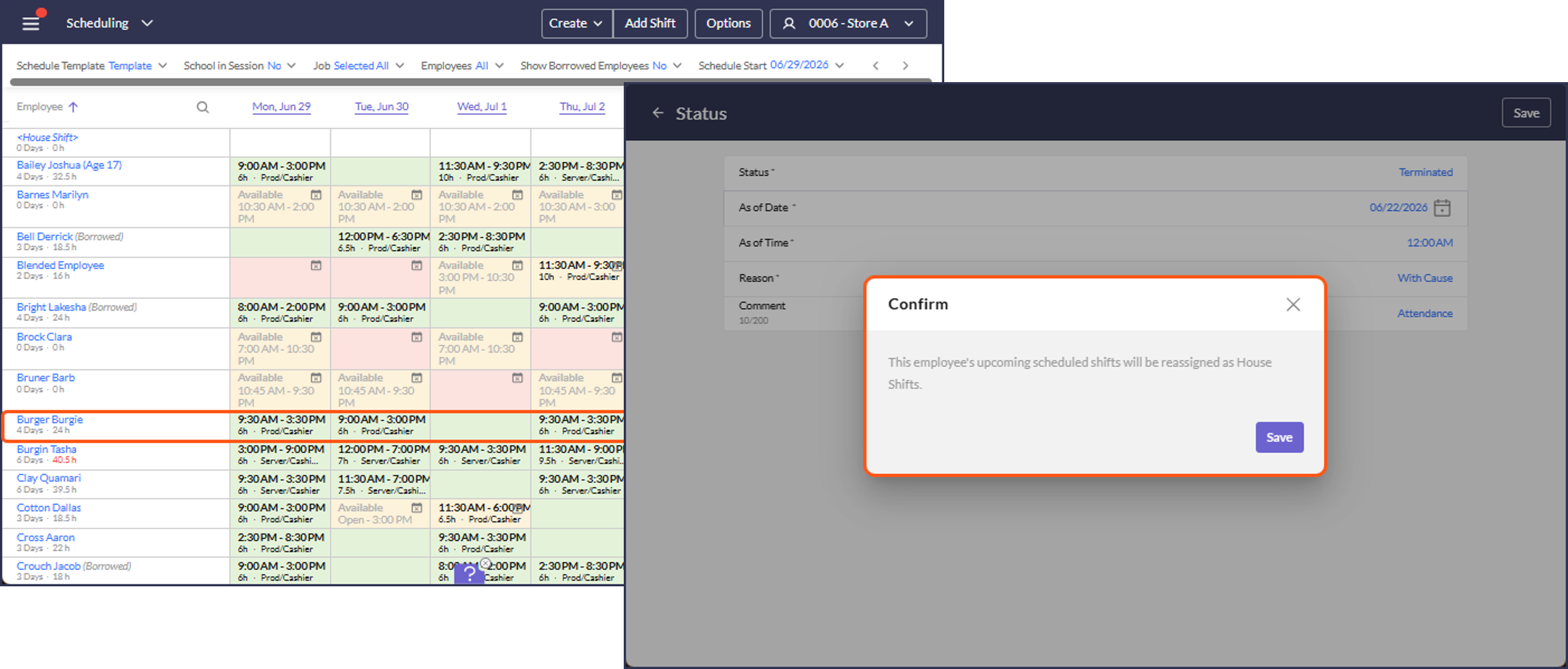
- When an employee is terminated in the POS system, they are now removed from future schedules, preventing the scheduling error loop that previously occurred. (195978)
- A bug is fixed so that the Save button activates when creating or copying a Schedule Station in Schedule Setting Administration, so that station configurations can be saved. (196018)
Admin Improvements & Fixed Issues
API
- Fixed an issue where PATCH /v2/MUEmployee/storeemployee created duplicate records, ensuring a single PATCH request updates the intended employee without producing duplicates. (192210)
B2B
- In Link Vendor Items, saving changes now automatically re-processes outstanding B2B invoices that contain the affected vendor items, so that store units receive those invoices without running a separate Force B2B Import in the desktop client. (194347)
- Updated QCC PO Number to only include numbers (196294)
Employees
- A bug is fixed so that the SSN field is prefilled when adding a new employee through Employee Linking, even when Disabled SSN Validation is set to False, so that employee data carries over as expected. (194317)
- A bug is fixed so that the Save and Cancel buttons no longer appear on the Employees Main tab before any change is made, preventing a false unsaved-changes state. (195901)
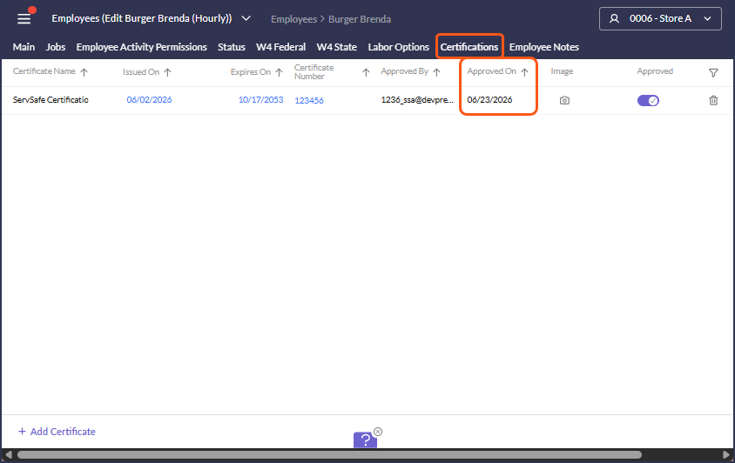
- A bug is fixed so that the Approved On date for employee Certifications no longer reflects an Unapprove action, so that the date and related reporting stay accurate. (141753)
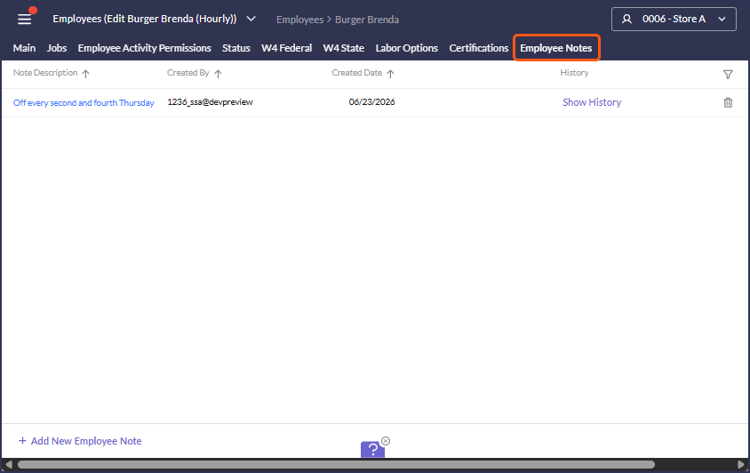
- An Employee Notes tab is added to the employee profile so that managers can record notes about individual employees that persist across schedule weeks and are visible only to managers. (194247)
- A bug is fixed so that a newly linked employee appears in the PAR OPS Employee column in Employee Linking. (196428)
Item Master
- A bug is fixed so that padding displays correctly in the Description field of the Item Master and Accounts activities. (119087)
Menu Costing & Analysis
- In Menu Costing & Analysis, templates can now be made available to multi-unit users without allowing them to overwrite the templates used by all users, so that administrators can roll the activity out to area leaders and franchisees safely. (184138)
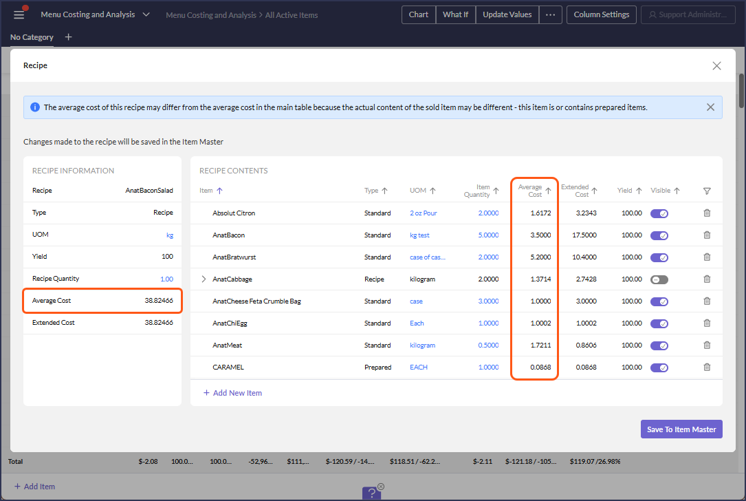
- In Menu Costing & Analysis, recipe average costs can now be viewed within the recipe view, so that operators can understand what makes up the cost of the items they sell. (194184)
Payroll
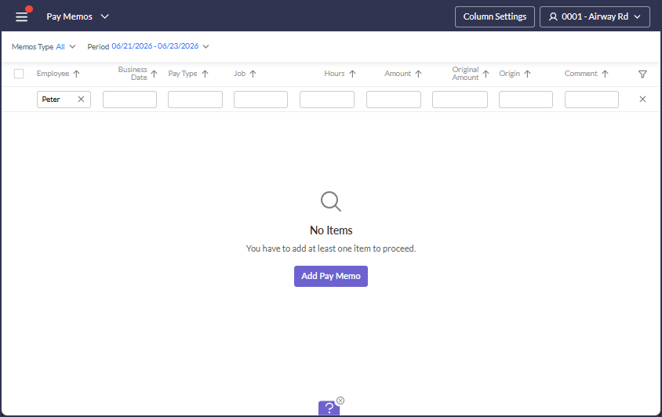
- A bug is fixed so that a No Items message is shown in Pay Memo when filtering returns no results, so that users understand at least one item must be added to proceed. (195988)
- The payroll period boundary lookup now includes timecards from the preceding period for Nevada, so that the consecutive 24-hour overtime rule is applied accurately when a qualifying clock-in falls in the prior payroll period. (196214)
Payroll API
- Error responses from PUT PayMemoTransactions now include the employee and job IDs involved in the failure, giving third-party API integrators the context needed to diagnose mismatches. These IDs are not shown in the Portal. (189894)
POS
- Added import of Authorization code from PJI payments (194270)
- Added import of Taxable and Non-Taxable Sales from PAR POS into NRT's (192067)
- Added import of combo discounts from Panasonic IQTouch, this allows to match POS Gross Sales (194194)
- A bug is fixed so that UKG timecard shifts that cross business dates are imported to their correct business date in POS Timecards, preventing those shifts from being dropped. (194381)
- Added import of deposits from PJI into NRT (194551)
- Added import of Service Charges from Revel (195800)
- Added import of Authorization Code to Comment of PAR POS payments (194271)
- Fixed import of pay memos from UKG for cases with empty Worked Shifts which corresponds to Stat Holiday awarded (196041)
- Updated HME Cloud Speed of service import to import data from different event names (196325)
- Updated logic for export of employee job level security levels to PAR POS when employee job security level is incorrect (195989)
Reporting
- A new Most Common Calendar token is added for the Calendar ID report parameter, so that administrators in shared databases can have reports automatically use the most common calendar among their permissioned units, rather than configuring a separate report per calendar. (196019)
- Added a new SSA report RDC_HideInactiveDataSources_Rpt that hides datasources that belong to hidden units, units belonging to Archive billing groups, and PAR POS disabled stores (115771)
Time Cards
- A bug is fixed so that a timecard with a business date equal to the employee job rate's Effective Date is accepted and resolves to that rate, instead of returning a Rate is not Defined error. (196356)
26.14 Release Feature Guide
GENERAL
CALCULATOR
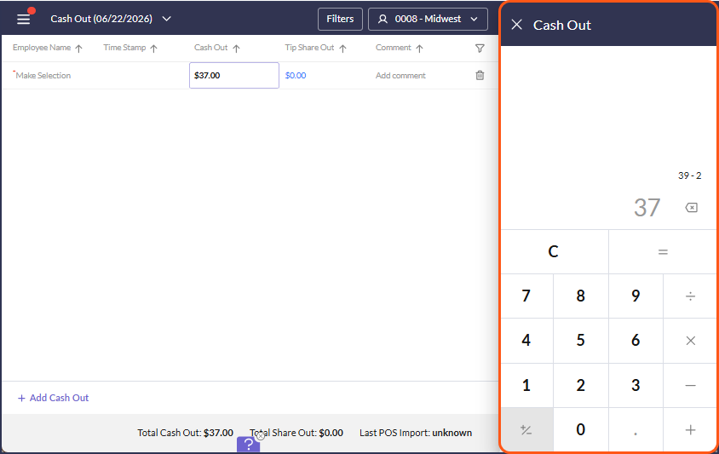
- Fixed an error that occurred when pressing Enter in the in-cell calculator, allowing users to confirm calculator values with the keyboard as expected. 190465
DATE VALUE FORMATTING
- Date values throughout the Portal now display in MM/DD/YYYY format (e.g., 01/01/2000), replacing the previous MM/DD/YY format introduced in #184615. The 4-digit year removes ambiguity around past/future dates and simplifies date input. 194425
STORE-LEVEL UPDATES
ACTIVITY FEED
- A bug is fixed so that the counter in the Item Count Suggestions blade resets correctly in the Activity Feed, so that the displayed count stays accurate. 195803
- A bug is fixed so that the Review Forecast link in the Activity Feed Forecasting table navigates to the Forecasting activity when clicked. 194635
COST OF GOODS
CHECKLISTS
- A bug is fixed so that inactive fonts and backgrounds display with the correct color in Checklists. 120353
INVENTORY
- A bug is fixed so that frequency validation is applied when moving an item's count frequency in Inventory, preventing invalid configurations. 111485
INVOICES
- A bug is fixed so that invoice costs are calculated using full precision, preventing the slight inaccuracies that appeared in manually entered invoice cost totals for regularly purchased items. 184841
PREP AND FREEZER PULL
- A recipe information icon is added to Prep Sheets, so that managers can view the underlying recipe when the suggested prep quantity differs from the base recipe amount instead of calculating ingredient quantities manually. 192166
- A Min Quantity setting is added to the Prep Sheet and Freezer Pull sections of Prep and Freezer Pull Formats, so that items with no sales or recipes are still accounted for in prep. This helps ensure that the minimum amount will always be prepared. 188641
PREP LABEL PRINTING
- Prep labels can now be printed in alternative languages, so that the printed label matches the language shown in the print preview rather than printing in English. 192464
PURCHASE ORDERS
- Purchase orders are now sent automatically before the vendor cutoff time when the Auto-send Order Prior to Cutoff setting is enabled, so that managers do not miss an order they were unable to place in time. 192697
LABOR
EMPLOYEES
- In Employees, date selection across list-item style fields has been updated to use the new calendar control, to provide consistent date selection experience. 194452
SCHEDULING
- A graphical variance display is added to the schedule daily footer, so that users can quickly see how scheduled hours compare to target hours and identify over- or under-scheduling at a glance. 192729
- A secondary confirmation step is added when generating a schedule for a week that already has a published schedule, so that managers do not accidentally overwrite a schedule their team is already relying on. 195875
- When an employee is terminated in the POS system, they are now removed from future schedules, preventing the scheduling error loop that previously occurred. 195978
MOBILE APP
CHECKLISTS
- A bug is fixed so that response buttons in Checklists display at the correct size in the PAR OPS App, improving readability and usability. 192101
MESSENGER
- In the PAR OPS App Messenger, users can now send images in messages, and a new Allow Images in Messaging setting in Restaurants lets administrators enable or disable image messaging per unit. 188060
PREP AND FREEZER PULL
- In Prep and Freezer Pull, the Min Qty per Interval setting can now be edited in template mode in the PAR OPS App at the unit and employee level, so that users can adjust minimum quantities per interval directly. 190056
ADMIN/ABOVE-STORE UPDATES
B2B
- In Link Vendor Items, saving changes now automatically re-processes outstanding B2B invoices that contain the affected vendor items, so that store units receive those invoices without running a separate Force B2B Import in the desktop client. 194347
- Updated QCC PO Number to only include numbers. 196294
EMPLOYEES
- A bug is fixed so that the SSN field is prefilled when adding a new employee through Employee Linking, even when Disabled SSN Validation is set to False, so that employee data carries over as expected. 194317
- A bug is fixed so that the Save and Cancel buttons no longer appear on the Employees Main tab before any change is made, preventing a false unsaved-changes state. 195901
- A bug is fixed so that a newly linked employee appears in the PAR OPS Employee column in Employee Linking. 196428
- An Employee Notes tab is added to the employee profile so that managers can record notes about individual employees that persist across schedule weeks and are visible only to managers. 194247
- A bug is fixed so that the Approved On date for employee Certifications no longer reflects an Unapprove action, so that the date and related reporting stay accurate. 141753
ITEM MASTER
- A bug is fixed so that padding displays correctly in the Description field of the Item Master and Accounts activities. 119087
MENU COSTING
- In Menu Costing & Analysis, templates can now be made available to multi-unit users without allowing them to overwrite the templates used by all users, so that administrators can roll the activity out to area leaders and franchisees safely. 184138
- In Menu Costing & Analysis, recipe average costs can now be viewed within the recipe view, so that operators can understand what makes up the cost of the items they sell. 194184
PAYROLL
- A bug is fixed so that a No Items message is shown in Pay Memo when filtering returns no results, so that users understand at least one item must be added to proceed. 195988
- The payroll period boundary lookup now includes timecards from the preceding period for Nevada, so that the consecutive 24-hour overtime rule is applied accurately when a qualifying clock-in falls in the prior payroll period. 196214
PAYROLL API
- Error responses from PUT PayMemoTransactions now include the employee and job IDs involved in the failure, giving third-party API integrators the context needed to diagnose mismatches. These IDs are not shown in the Portal. 189894
SCHEDULING
- A new Schedule Activity: Hide Labor Cost advanced permission is added so that administrators can prevent specific users from seeing labor cost data in the schedule footer, while all other users continue to see it by default. 192644
- A bug is fixed so that the Save button activates when creating or copying a Schedule Station in Schedule Setting Administration, so that station configurations can be saved. 196018
TIMECARDS
- A bug is fixed so that a timecard with a business date equal to the employee job rate's Effective Date is accepted and resolves to that rate, instead of returning a Rate is not Defined error. 196356
API, EDI, DATA WAREHOUSE, REPORTS
API
- Fixed an issue where PATCH /v2/MUEmployee/storeemployee created duplicate records, ensuring a single PATCH request updates the intended employee without producing duplicates. 192210
REPORTING
- A bug is fixed so that the Weekly Schedule and Lock Inventory reports run successfully from the Portal and return their data, resolving the errors that caused them to fail. 195922
- The ActualLabor column in the Hourly Performance report now displays additional decimal places, so that per-interval labor hours are shown with greater precision and accumulated rounding errors are reduced. 195992
- RDC_COPYUITEMFREQUENCY_RPT: A new report, RDC_CopyUItemFrequency_Rpt, is added so that item count frequency settings can be cloned from one location to another or to all stores in a unit group, reducing the need to update each unit manually. 194499
- CALENDAR ID REPORT: A new Most Common Calendar token is added for the Calendar ID report parameter, so that administrators in shared databases can have reports automatically use the most common calendar among their permissioned units, rather than configuring a separate report per calendar. 196019
- RDC_HIDEINACTIVEDATASOURCES_RPT: Added a new SSA report RDC_HideInactiveDataSources_Rpt that hides data sources that belong to hidden units, units belonging to Archive billing groups, and PAR POS disabled stores. 115771
POS
DATA SOURCE SETUP
- A bug is fixed so that the API token entered during initial Sicom data source setup is saved correctly, preventing an Invalid Key error on the first import and removing the need to re-enter the token. 194378
POS
- A bug is fixed so that UKG timecard shifts that cross business dates are imported to their correct business date in POS Timecards, preventing those shifts from being dropped. 194381
- Fixed import of pay memos from UKG for cases with empty Worked Shifts which corresponds to Stat Holiday awarded. 196041
- Updated HME Cloud Speed of service import to import data from different event names. 196325
POS INTEGRATIONS
- PANASONIC IQTOUCH: Added import of combo discounts from Panasonic IQTouch, this allows to match POS Gross Sales. 194194
- PAR POS: Added import of Taxable and Non-Taxable Sales from PAR POS into NRT's. 192067
- PAR POS: Added import of Authorization Code to Comment of PAR POS payments. 194271
- PJI: Added import of Authorization code from PJI payments. 194270
- PJI: Added import of deposits from PJI into NRT. 194551
- REVEL: Added import of Service Charges from Revel. 195800
STORE USER - POS
- Updated logic for export of employee job level security levels to PAR POS when employee job security level is incorrect. 195989
June 2026
26.12 Release Notes
PAR OPS 26.12 Release Notes
June 2026
*PAR OPS App updates mentioned in these notes will be released on June 11th, 2026.
Some functionality requires additional configuration for use.
Please contact paropssupport@partech.com with any questions.
New Features
Mobile App - Scheduling
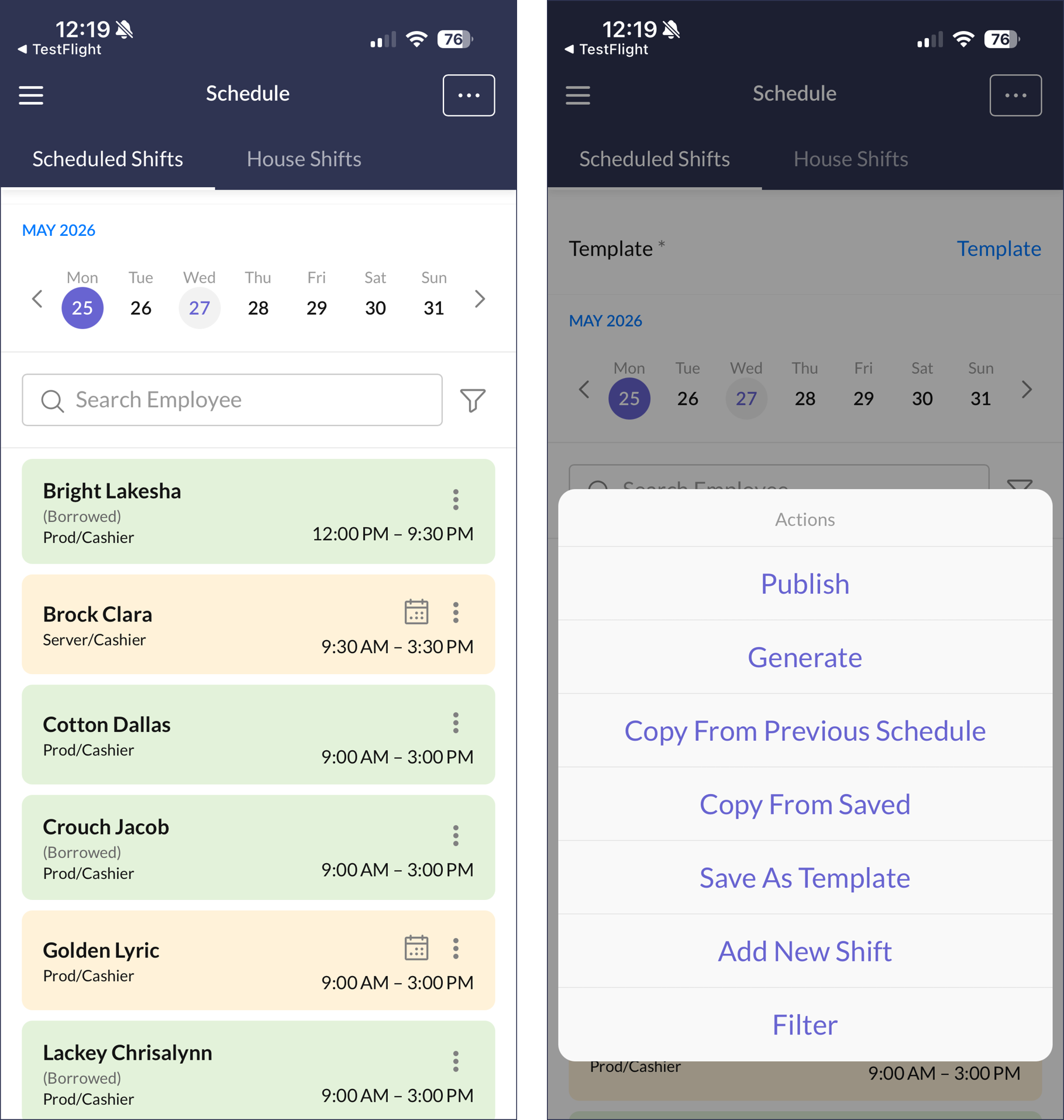
- The Schedule activity is now available in the PAR OPS App, giving managers mobile access to daily and upcoming schedules. Managers can view employee shift times, job roles, station assignments, and availability at a glance, and can add or edit shifts directly from their mobile device. Key scheduling actions include Publish, Generate, Copy From Previous Schedule, and Save as Template are also accessible from the app. (115033)
Store Manager Improvements & Fixed Issues
Checklists
- A bug is fixed in Checklist Templates so steps no longer flicker when dragged and dropped within a section. (180353)
Employee Availability
- A bug is fixed in the OPS App Employee Availability so the Submit button now becomes active after time spans are changed, allowing employees to submit their availability updates. (195753)
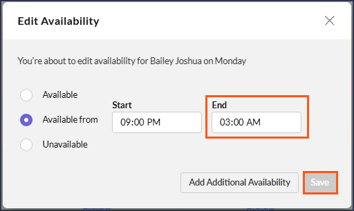
- Employees can now enter multiple availability time spans per day, allowing split-shift availability such as morning and evening hours to be accurately reflected. Time spans are validated against overlaps and cannot cross the adjust for midnight boundary. (182496)
- Employees can now enter multiple availability time spans per day directly in the OPS App, bringing mobile availability management in line with the Portal and supporting split-shift availability such as morning and evening windows. (188578)
Forecasting
- A bug is fixed in the DC App so a revised zero-sales day now correctly applies to the single day selected, rather than to additional days. (194430)
Prep & Freezer Pull
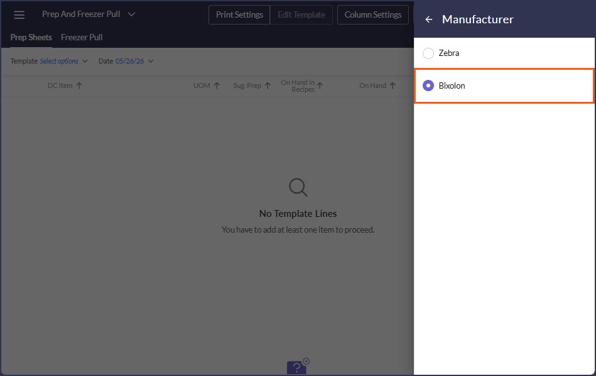
- Prep Label Printing now supports the Bixolon SLP-DX220 label printer, giving users a lower-cost option for printing prep and inventory labels from the prep activity. (192728)
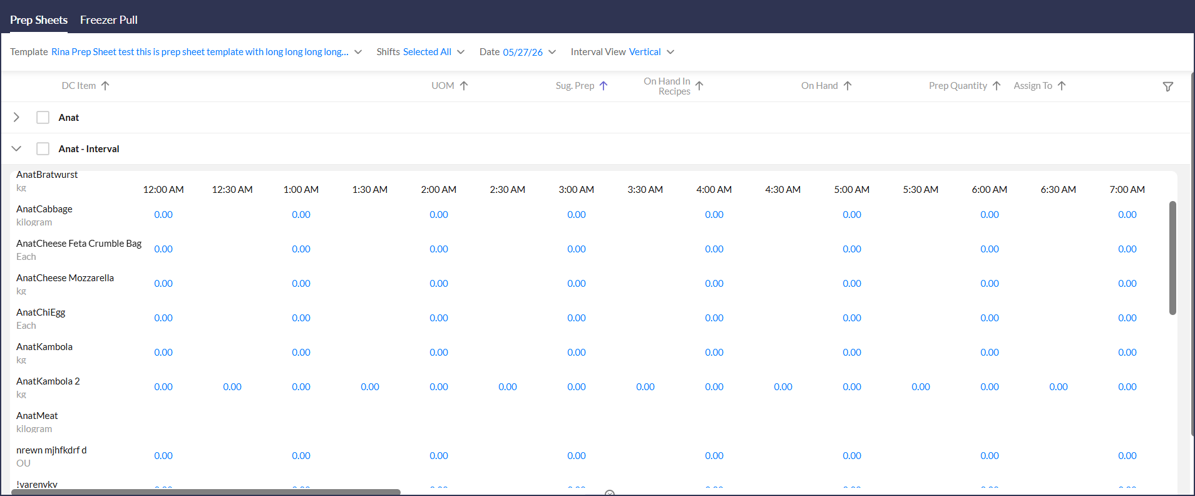
- Split cells in the vertical view of the Prep activity have been removed, providing a cleaner layout that is easier to navigate and complete. (192086)
Prepared Items
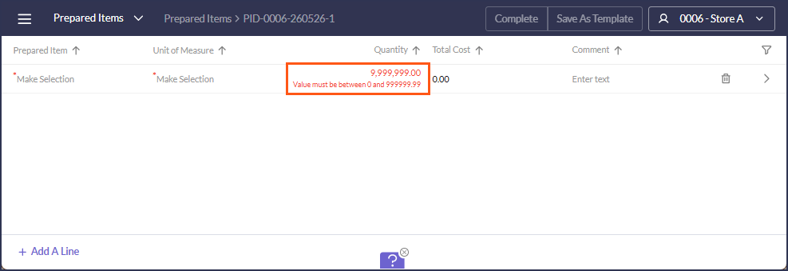
- The error message shown in Prepared Items when a value exceeds the maximum is corrected so it now accurately describes the validation issue. (192581)
Purchase Orders
- Fixed an issue in Create PO where deleted lines could still be sent to the vendor, ensuring only the current line set is transmitted when the order is submitted. (192033)
Reports
- The RDC_SuggestOrders_rpt has been updated to filter the delivery date parameter by delivery schedule, making it easier to review purchase orders without the need to memorize store delivery schedules. (189823)
Scheduling
- A bug is fixed in Schedule minor-rule validation so a shift that crosses the boundaries of the business day is now returned as a validation warning to the user, rather than causing an unexpected error. (194446)
- A bug is fixed so saving a schedule no longer fails with an unexpected error when there is a gap between time intervals; the gap is either reported back to the user or handled automatically. (194447)
- A bug is fixed in the Schedule save process so missing shift data no longer causes an unexpected error. (194448)
Waste
- The search bar in the Waste activity in the PAR OPS App is updated to filter templates in real time based on the entered keyword, matching the search behavior already used in Inventory. (194147)
- A bug is fixed in the Waste activity in the Portal so comments are now properly removed when cleared by the user. (194002)
Admin Improvements & Fixed Issues
Employees
- A bug is fixed so that Cancel and Save buttons in Employee Administration no longer remain on the page after an error occurs. (192655)
- A bug is fixed so that adding the same job as both a primary and additional job for a new employee no longer produces an unexpected error. (192687)
- A bug is fixed on the Jobs Details form in Employee Administration so required field validation now behaves correctly. (194399)
- A bug is fixed so an unapproved rate is no longer shown as the current rate on the employee record. (194451)
- A bug is fixed so the current rate on an employee record now displays correctly without requiring a page refresh. (194200)
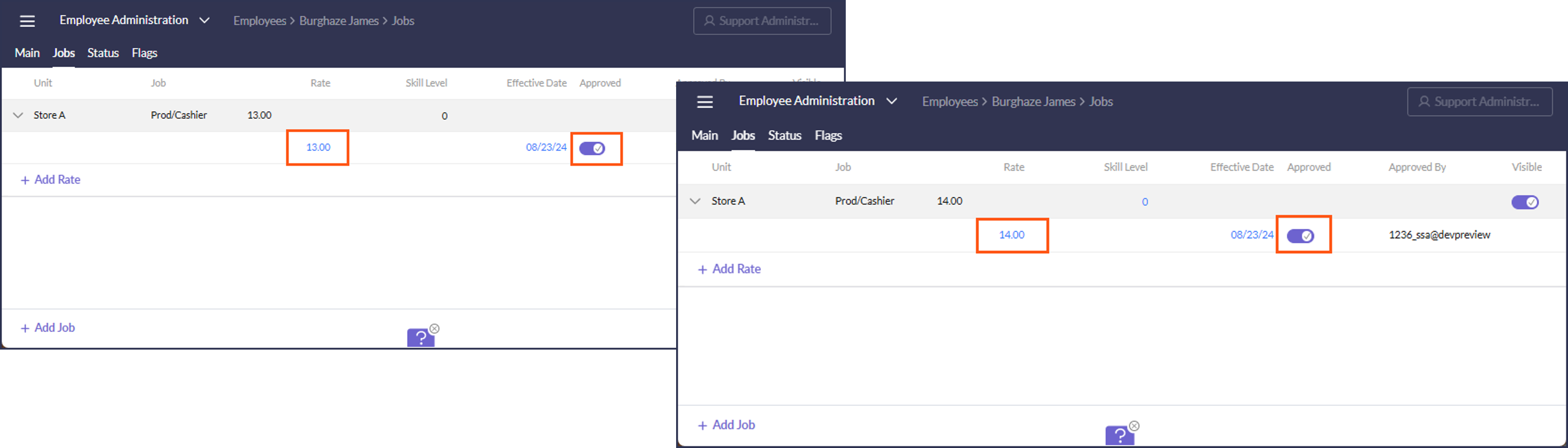
- A bug is fixed in Employee Administration so the Approved toggle on a rate record no longer changes to False when the rate is updated. (194316)
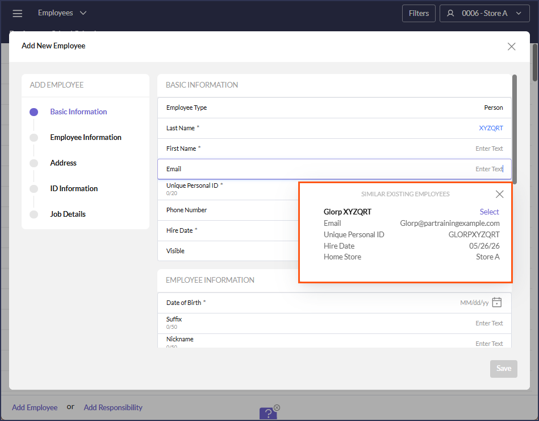
- Several issues are fixed in the Basic Information section of the Add Employee form so user input and validation now behave consistently. (192689)
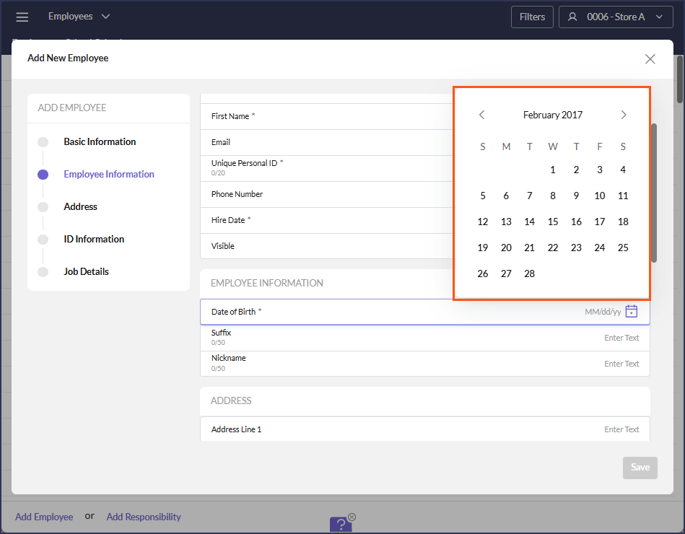
- The calendar selection in the Employee Creation modal is updated to make selecting hire and other employee dates easier and more consistent. (186456)
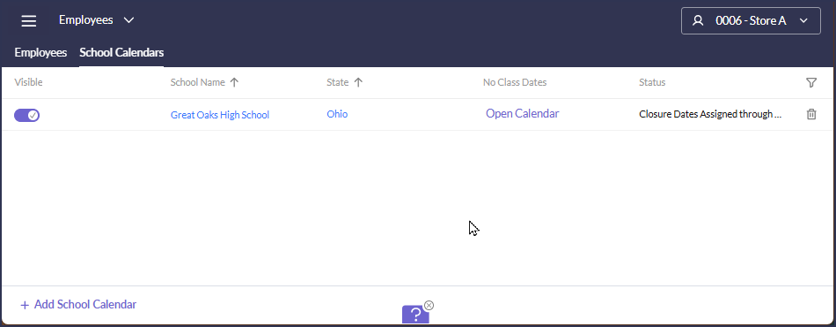
- A new School Calendars tab is added to the Employees activity so that managers can build a shared library of school calendars and assign them to specific minor employees. When a calendar is assigned to a minor employee, minor scheduling validations are applied based on the days that employee's school is actually in session, providing more accurate enforcement for stores with minors attending different schools. (188287)
Item Master
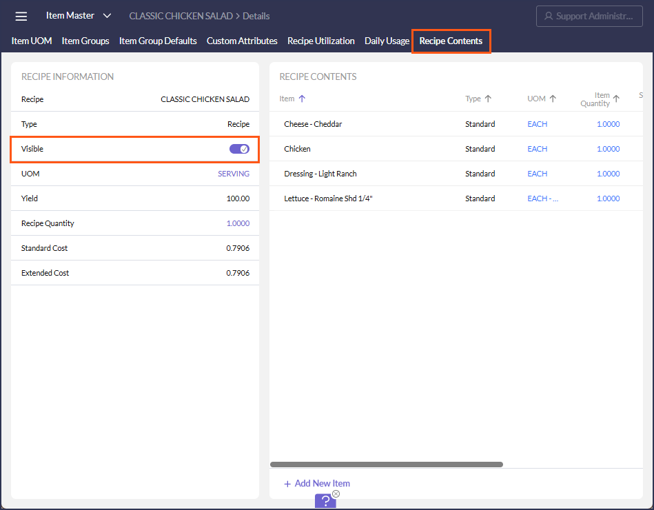
- A toggle is added in Item Master to hide or unhide a recipe, giving users more control over which recipes are visible in the activity. (185016)
Link Employees
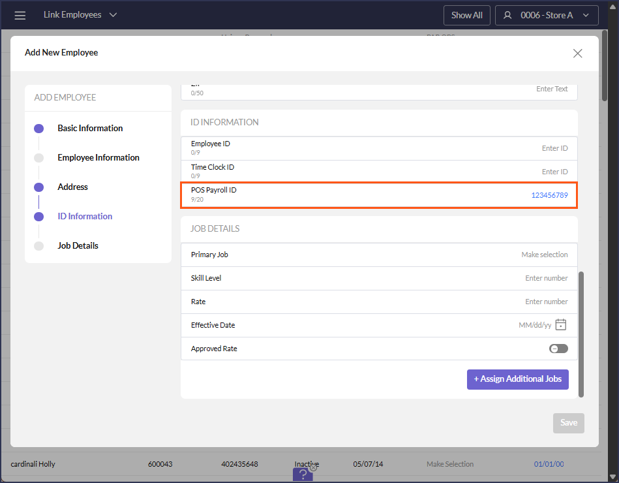
- A bug is fixed in the Link Employee Add Employee form so the POS Payroll ID field is now prefilled when creating a new employee. (194199)
Login Management
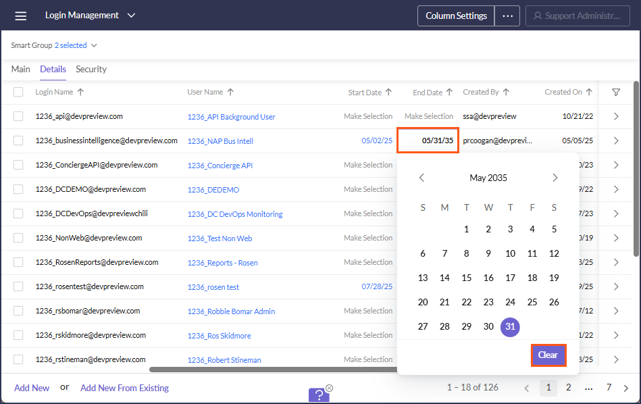
- Login End Dates can now be removed from a login record, giving administrators more flexibility when managing user access. (180505)
Menu Costing & Analysis
- A new recipe icon has been added to items listed in Menu Costing so the costs and quantities of ingredients that contribute to the recipe cost can easily be viewed. (184140)
POS
- A bug is fixed in the PAR POS import so tips are now imported and associated with the correct timecard. (194365)
- Support is added in the Toast POS import for delivery transactions and delivery driver master data, so reports such as the POS Delivery Transactions report can be run for Toast restaurants that record delivery drivers in the POS. (194127)
- Added a new field [Type] for Adjustments, the possible choices are: Deletes Before, Deletes After, Cancels, and Voids (192450)
Q-Factors & Modifier Scaling
- A new Dynamic Modifiers tab has been added to Q-Factors & Modifier Scaling, allowing administrators to define topping quantity rules based on the number of modifiers ordered. When a customizable item is sold with multiple toppings, inventory usage is now scaled automatically using the configured quantity buckets, ensuring accurate inventory tracking for variable-recipe items. (192114)
Reporting
- A bug is fixed in the Minor Labor Alert report so a payroll group with a latest end time set to midnight no longer flags every shift as a violation, allowing customers to configure midnight cutoffs accurately. (194493)
- Added HoursScheduledOT column to the RMDC_DW_Schedule ETL, making scheduled overtime hours available in Data Warehouse and ClickHouse for custom labor reporting. (186310)
Vendor Administration
- A setting is added in Configure Restaurant Vendors to allow new orders to be sent automatically to the vendor, reducing manual steps in the order workflow. (190070)
26.12 Release Feature Guide
STORE-LEVEL UPDATES
CHECKLISTS
- A bug is fixed in Checklist Templates so steps no longer flicker when dragged and dropped within a section. 180353
COST OF GOODS
FORECASTING
- A bug is fixed in the DC App so a revised zero-sales day now correctly applies to the single day selected, rather than to additional days. 194430
PREP AND FREEZER PULL
- Prep Label Printing now supports the Bixolon SLP-DX220 label printer, giving users a lower-cost option for printing prep and inventory labels from the prep activity. 192728
- Split cells in the vertical view of the Prep activity have been removed, providing a cleaner layout that is easier to navigate and complete. 192086
PREPARED ITEMS
- The error message shown in Prepared Items when a value exceeds the maximum is corrected so it now accurately describes the validation issue. 192581
PURCHASE ORDERS
- Fixed an issue in Create PO where deleted lines could still be sent to the vendor, ensuring only the current line set is transmitted when the order is submitted. 192033
WASTE
- A bug is fixed in the Waste activity in the Portal so comments are now properly removed when cleared by the user. 194002
LABOR
EMPLOYEE AVAILABILITY
- Employees can now enter multiple availability time spans per day, allowing split-shift availability such as morning and evening hours to be accurately reflected. Time spans are validated against overlaps and cannot cross the adjust for midnight boundary. 182496
SCHEDULING
- A bug is fixed in Schedule minor-rule validation so a shift that crosses the boundaries of the business day is now returned as a validation warning to the user, rather than causing an unexpected error. 194446
- A bug is fixed so saving a schedule no longer fails with an unexpected error when there is a gap between time intervals; the gap is either reported back to the user or handled automatically. 194447
- A bug is fixed in the Schedule save process so missing shift data no longer causes an unexpected error. 194448
MOBILE APP
EMPLOYEE AVAILABILITY
- Employees can now enter multiple availability time spans per day directly in the OPS App, bringing mobile availability management in line with the Portal and supporting split-shift availability such as morning and evening windows. 188578
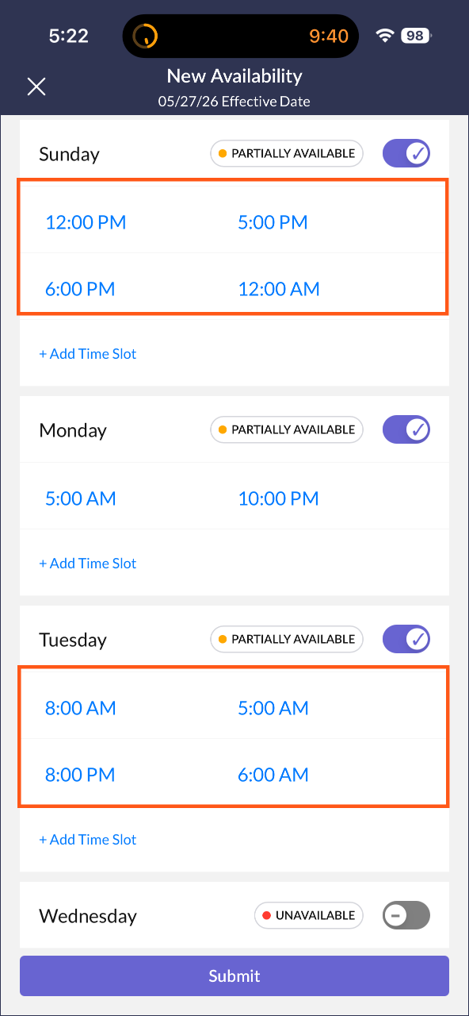
- A bug is fixed in the OPS App Employee Availability so the Submit button now becomes active after time spans are changed, allowing employees to submit their availability updates. 195753
WASTE
- The search bar in the Waste activity in the DC App is updated to filter templates in real time based on the entered keyword, matching the search behavior already used in Inventory. 194147
ADMIN/ABOVE-STORE UPDATES
EMPLOYEES
-
A bug is fixed so that Cancel and Save buttons in Employee Administration no longer remain on the page after an error occurs. 192655
-
A bug is fixed so that adding the same job as both a primary and additional job for a new employee no longer produces an unexpected error. 192687
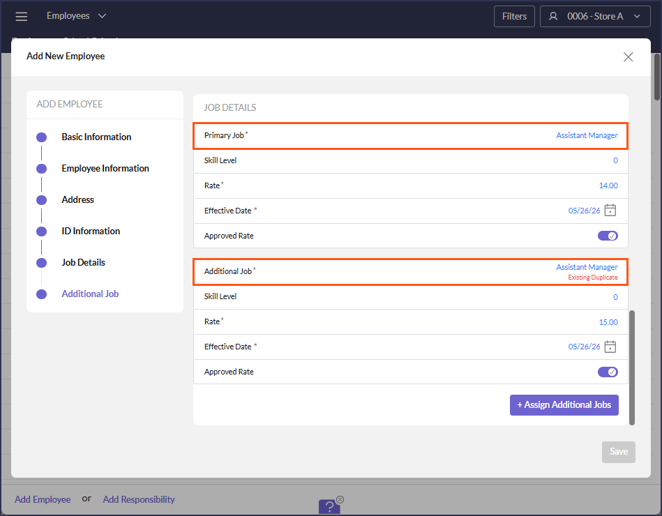
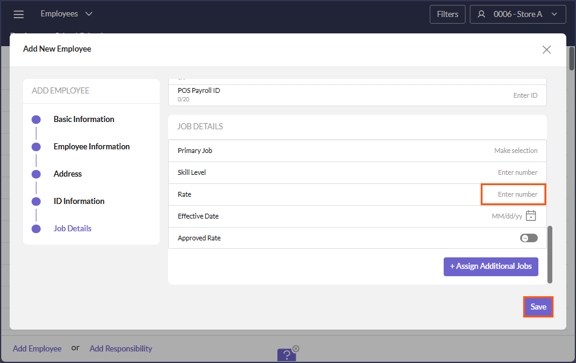
- A bug is fixed on the Jobs Details form in Employee Administration so required field validation now behaves correctly. If a user clears an entered value from the Rate field when creating a user, related fields (Primary Job, Effective Date) now switch back to non-required and the Save button becomes active again. 194399
- A bug is fixed so an unapproved rate is no longer shown as the current rate on the employee record. 194451
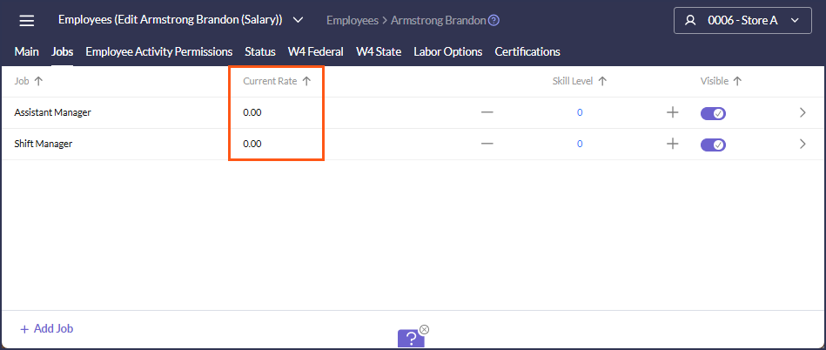
- A bug is fixed so the current rate on an employee record now displays correctly without requiring a page refresh. 194200
-
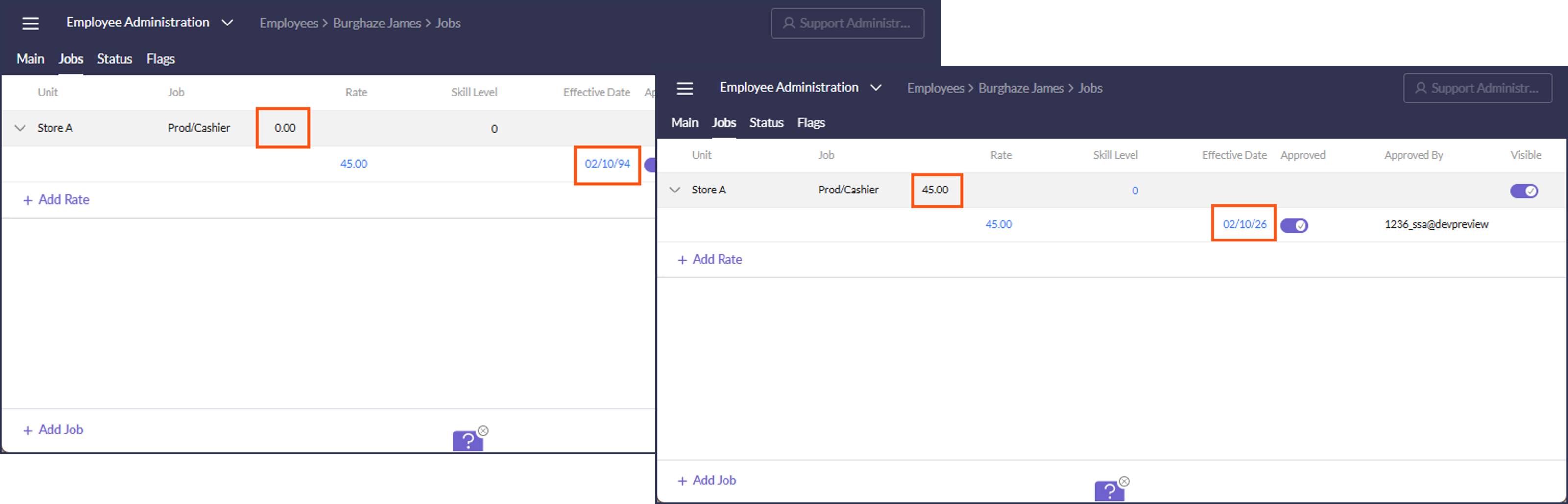
- A bug is fixed in Employee Administration so the Approved toggle on a rate record no longer changes to False when the rate is updated. 194316
- Several issues are fixed in the Basic Information section of the Add Employee form so user input and validation now behave consistently. 192689
- Improved popup positioning (it no longer covers the field users are working in.)
- The “Home Store” information in search results now appears on a single line.
- Searches that return a single result now have less white space at the bottom.
- The calendar selection in the Employee Creation modal is updated to make selecting hire and other employee dates easier and more consistent. 186456
- A new School Calendars tab is added to the Employees activity so that managers can build a shared library of school calendars and assign them to specific minor employees. When a calendar is assigned to a minor employee, minor scheduling validations are applied based on the days that employee’s school is actually in session, providing more accurate enforcement for stores with minors attending different schools. 188287
ITEM MASTER
- A toggle is added in Item Master to hide or unhide a recipe, giving users more control over which recipes are visible in the activity. 185016
LINK EMPLOYEES
- A bug is fixed in the Link Employee Add Employee form so the POS Payroll ID field is now prefilled when creating a new employee. 194199
LOGIN MANAGEMENT
- Login End Dates can now be removed from a login record, giving administrators more flexibility when managing user access. 180505
MENU COSTING AND ANALYSIS
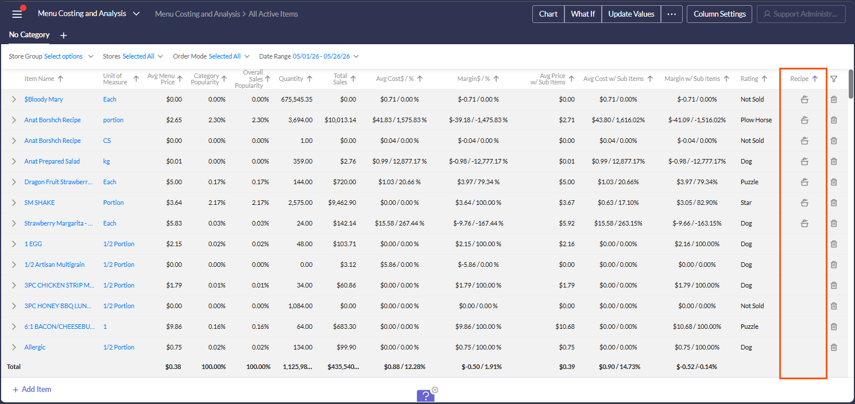
- A new recipe icon has been added to items listed in Menu Costing so the costs and quantities of ingredients that contribute to the recipe cost can easily be viewed. 184140
VENDOR ADMINISTRATION
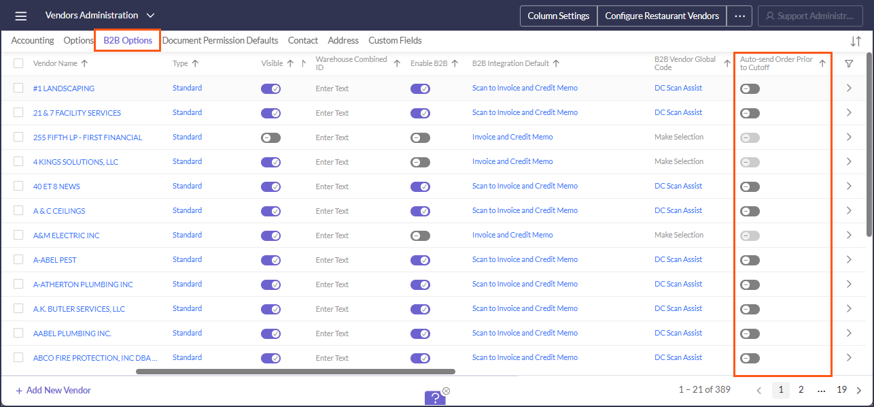
- A setting is added in Configure Restaurant Vendors to allow new orders to be sent automatically to the vendor, reducing manual steps in the order workflow. 190070
API, EDI, DATA WAREHOUSE, REPORTS
CLICKHOUSE & DATA WAREHOUSE
- RMDC_DW_POSVOIDS: Added export of Type field for Voids to CH and DW. 193865
- RMDC_DW_SCHEDULE: Added HoursScheduledOT column, making scheduled overtime hours available in Data Warehouse and ClickHouse for custom labor reporting. 186310
REPORTING
- MINOR LABOR ALERT: A bug is fixed in the Minor Labor Alert report so a payroll group with a latest end time set to midnight no longer flags every shift as a violation, allowing customers to configure midnight cutoffs accurately. 194493
- RDC_SUGGESTORDERS_RPT: The RDC_SuggestOrders_rpt has been updated to filter the delivery date parameter by delivery schedule, making it easier to review purchase orders without the need to memorize store delivery schedules. 189823
POS
PAR POS
- A bug is fixed in the PAR POS import so tips are now imported and associated with the correct timecard. 194365
CATEGORY LINKING
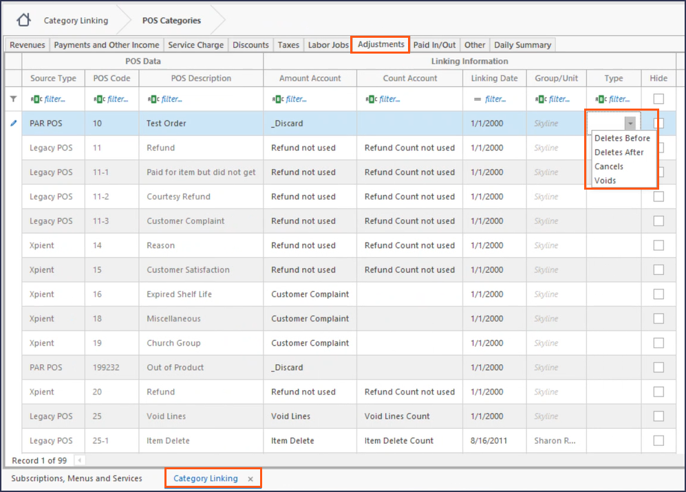
- Added a new field [Type] for Adjustments, the possible choices are: Deletes Before, Deletes After, Cancels, Voids. 192450
POS INTEGRATIONS
- TOAST: Support is added in the Toast POS import for delivery transactions and delivery driver master data, so reports such as the POS Delivery Transactions report can be run for Toast restaurants that record delivery drivers in the POS. 194127
Q-FACTORS & MODIFIER SCALING
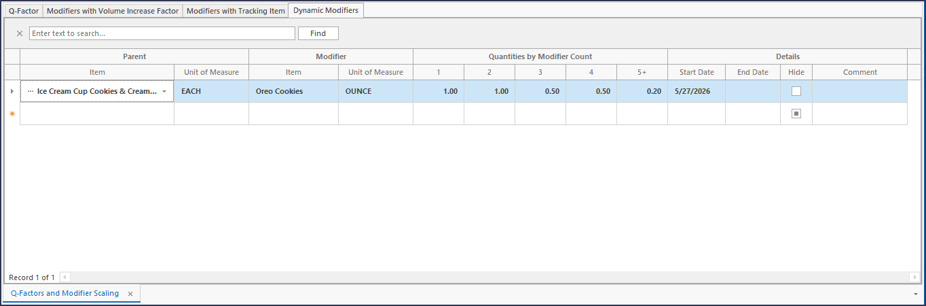
- A new Dynamic Modifiers tab has been added to Q-Factors & Modifier Scaling, allowing administrators to define topping quantity rules based on the number of modifiers ordered. When a customizable item is sold with multiple toppings, inventory usage is now scaled automatically using the configured quantity buckets, ensuring accurate inventory tracking for variable-recipe items. 192114
May 2026
26.10 Release Notes
PAR OPS 26.10 Release Notes
May 2026
*PAR OPS App updates mentioned in these notes will be released on May 14th, 2026.
Some functionality requires additional configuration for use.
Please contact paropssupport@partech.com with any questions.
General Improvements & Fixed Issues
Portal
- Date values throughout the Portal now display in a single unified MM/DD/YY format, improving visual consistency and freeing up space in tables and filters. (184615)
- Improved rendering performance when scrolling in the Portal, reducing visible lag when moving through large lists of records. (190379)
Reports
- Report group parameter search now returns matching child unit groups in addition to parents, making it easier to find the group needed without scrolling through the full hierarchy. (190360)
- A bug is fixed in the Line Check Status v2 (MU) report so that step numbering is now correct when the report is run with Unit set to All Units. (109201)
Cash Balancing
- A bug is fixed so that new cashouts can now be added via the POST /v2/CashBalancing/CashOut endpoint, restoring full API parity between the Portal UI and API for third-party integrations. (188183)
SSO
- A bug is fixed so that the correct Default Connection Name is now sent to Auth0, ensuring SSO users are routed to the proper identity connection during login. (192302)
Store Manager Improvements & Fixed Issues
Activity Feed
- The Activity Feed landing page now includes a Pending Completion group that consolidates Invoice, Journal, Trade, Receiving, Payroll, Ordering, and Inventory notifications, making it easier for managers to focus on items that require immediate action. (188069)
- The Activity Feed landing page now includes an Inventory group that consolidates missing count notifications, making it easier for managers to find and act on inventory work that needs attention. (188068)
Cash Management
- In Checkout Settings, a new "Add Denomination" configuration has been added, allowing Canadian operators to count Loonies and Toonies as part of their drawer, safe, and petty cash counts. The new multi-select option supports both "Each" and "Roll" counts for each denomination and is designed to accommodate additional country-specific denominations in the future. (180454)
- In Safe Counts, a bug is fixed so an incorrect variance comment error is no longer triggered when saving a safe count with a visible Petty Cash tab when no actual variance exists. (190442)
Checklists/Scan Assist/Waste
- Validation is added to Waste Templates to prevent creating or editing templates with a duplicate name, making the error clear to the user. (113229)
- Items in dropdowns in the Waste and Link Vendor Items activities are now sorted alphabetically, making it easier for users to search for the item they need. (115427)
Event Forecast
- A bug is fixed so that a store can be deleted from an event forecast without error, allowing stores to be removed without disrupting the forecast configuration. (192076)
- A bug is fixed so that a target common smart group can now be deleted from a source event, restoring the ability to adjust event forecast configurations. (192109)
- The search bar in Event Forecast Administration when adding a target smart group is fixed, restoring the ability to search for groups instead of scrolling through the full list. (192225)
- Navigation when adding new groups in Event Forecast Administration is corrected, so users are taken to the expected screen after completing the add action. (192226)
Inventory/On-Hand
- Count Date now properly references the Business Day End configuration in all cases. (188302)
Prep & Freezer Pull
- Users can now filter Prep and Freezer Pull by shift and date on the mobile app, making it easier to focus on the relevant prep work for the current period. (173799)
- An error in Interval mode when an event forecast exists for the unit is fixed, so Interval view now loads correctly for units with configured event forecasts. (192185)
Prepared Items
- A bug is fixed so that a Prepared Items document is now marked as completed immediately upon completing the action, without requiring an additional step or redirect. (192578)
Purchase Orders
- When reviewing an existing order, the system now validates that the saved order's delivery date is still within the vendor delivery schedule and cutoff time at confirmation, blocking the confirmation with a clear message when the delivery date is no longer valid so orders are not sent outside the allowed schedule. (190084)
- A tooltip is added next to the warning icon on orders in Acknowledged status, so users understand the specific condition the warning refers to. (192085)
Reporting
- The Prep Sheet Activity report now calculates suggested prep quantities on demand when no current values exist, so users no longer need to schedule or manually run a separate Prep Sheet Calculate report before running prep. (190015)
- The Printable Order Guide (RDC_SuggestOrders_rpt) has been updated to filter the delivery date parameter by delivery schedule, making it easier to review purchase orders without the need to memorize store delivery schedules. (189823)
- The Scheduled Overtime Warning report now uses the First Week Day from the Payroll Setup Wizard instead of pay period dates, producing accurate overtime warnings for bimonthly and other non-weekly payroll groups. (192415)
Scheduling
- When an employee has a shift on a different template, the intersection warning now identifies the specific template the conflicting shift is on, helping managers and support find and resolve the scheduling conflict. (146327)
- A bug is fixed so that a previously rejected request no longer briefly flashes on the Availability and Time Off page before the schedule opens. (190463)
- A bug is fixed so that a break added while copying a previous schedule is now fully visible in the schedule grid, making it easier for the manager to confirm the break was applied correctly. (190464)
- Managers can now add and edit shifts directly from the OPS App, bringing the mobile schedule editing experience in line with Portal. (169639)
Admin Improvements & Fixed Issues
Employees
- A bug is fixed so that the real email address for an employee in a hidden unit is now properly replaced with a fake email when the same address is already used by another global employee in a non-hidden unit, ensuring email uniqueness rules are applied consistently. (184073)
- When editing an employee, users can now assign multiple jobs with rates, effective dates, and approval status in a single modal interaction, eliminating the need for repetitive individual edits. (188193)
- When adding a new employee, managers can now assign additional jobs with rates, effective dates, and approval status alongside the primary job within the same modal, reducing repetitive post-creation edits. (190320)
- When adding an employee from the Link Employees activity, Job and Rate are now prefilled from POS data when available, reducing manual data entry during employee setup. (190277)
Forecasting
- Configurable sales accounts included in the forecast format are now populated by the ML forecasting model, ensuring these accounts used for scheduling and custom forecasting receive predicted values alongside category accounts. (190085)
- The ML forecasting system has been extended to include prep forecasts in addition to sales, enabling more accurate data-driven prep planning for operators using ML forecasting. (175500)
Item Master
- The ability to import items and their associated units of measure has been added to the Item Master activity, reducing the need for manual entry when adding a new set of items. (173272)
- Prepared Items now prevent recursion in their ingredient structure, blocking configurations where a prepared item references itself either directly or through a chain of other prepared items, avoiding circular cost calculations. (185017)
Menu Costing
- A new recipe icon has been added to items listed in Menu Costing so the costs and quantities of ingredients that contribute to the recipe cost can easily be viewed. (184140)
Payroll
- Payroll warnings no longer include zero-minute placeholder timeclocks used internally to track POS-imported breaks, reducing noise in payroll error reports and making real warnings easier to spot. (183988)
- A new 'Sub Period Start Date' export field is now available for Time Cards and Pay Memos in Payroll Export, enabling payroll exports to systems such as ADP Next Gen that require sub period dates to be associated with time card records. (190440)
- The Hours Export Code field in Payroll Setup Wizard Earning Aliases now accepts additional characters, allowing longer export codes required by external payroll processors. (192236)
POS
- The Import Preview in the DC Client is corrected so that extra rows no longer appear when an Offset greater than zero is used, giving the user an accurate preview of what will be imported. (192036)
Reporting
- A flag is added to Accounts in the Portal to indicate which accounts are included in the ML forecasting model training. (190090)
- The PayrollJob ScheduleDepartment field is added to the RMDC_DW_Jobs ETL, making scheduling department data available in Data Warehouse and ClickHouse for use in custom labor reports. (190364)
- Reports that reference delivery schedules have been updated to consider the new cutoff time field, so calculated delivery dates and delivery schedule output accurately reflect the vendor's cutoff configuration. (190185)
- The warning message displayed when a Data Warehouse table structure has changed is improved to direct users to contact Support for next steps. (192038)
- Duplicate ParmType values are removed from Report Master and the parameter type dropdown is improved, making parameter type selection clearer and less error-prone. (192082)
Restaurants
- A new 'Enable App Messaging' setting has been added to the Restaurants activity, allowing administrators to turn messaging on or off per unit. Broadcast messaging remains accessible for above store users regardless of unit-level messaging settings. (190478)
Subscriptions
- DelagetClientID and CalendarID fields are added to the Subscriptions groups form in the Smart Client, allowing administrators to enable Delaget sync directly in the UI instead of running a script. (192215)
26.10 Release Feature Guide
GENERAL
DATE FORMATS
- Date values throughout the Portal now display in a single unified MM/DD/YY format, improving visual consistency and freeing up space in tables and filters. 184615
PERFORMANCE
- Improved rendering performance when scrolling in the Portal, reducing visible lag when moving through large lists of records. 190379
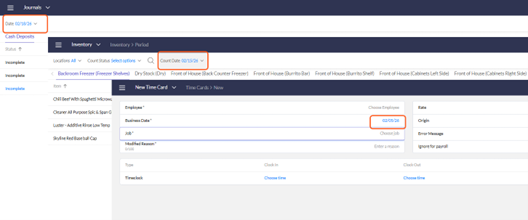
STORE-LEVEL UPDATES
ACCOUNTING
FORECASTING
- Prep: The ML forecasting system has been extended to include prep forecasts in addition to sales, enabling more accurate data-driven prep planning for operators using ML forecasting. 175500
SAFE COUNTS
- Canadian Currency: A new "Add Denomination" configuration has been added to Checkout Settings, allowing Canadian operators to count Loonies and Toonies as part of their drawer, safe, and petty cash counts. The new multi-select option supports both "Each" and "Roll" counts for each denomination and is designed to accommodate additional country-specific denominations in the future. 180454
- Comments: Fixed an issue where saving a safe count with a visible Petty Cash tab incorrectly triggered a variance comment error even when no variance existed, preventing users from completing the count. 190442
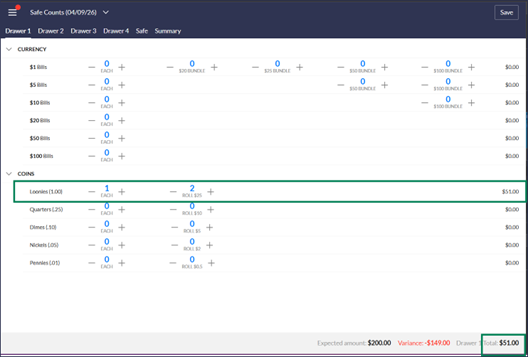
COST OF GOODS
INVENTORY
- Date: Count Date now properly references Business Day End configuration in all cases. 188302
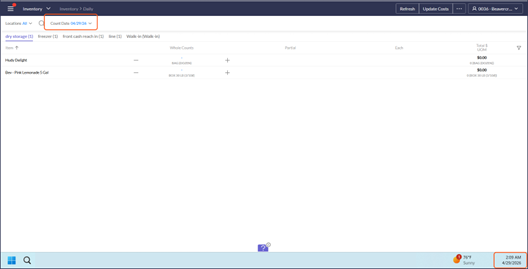
PREP & FREEZER PULLL
- Interval Mode: Fixed an error in Interval mode when an event forecast exists for the unit, so Interval view now loads correctly for units with configured event forecasts. 192185
- ML Forecasting: Predicted quantities from the ML forecasting model are now displayed in the Prep and Freezer Pull activity, giving users a data-driven starting point for their prep planning. 188162
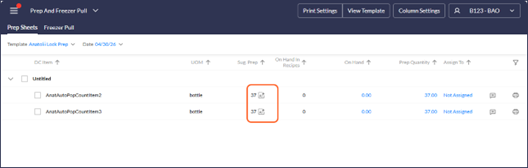
PREPARED ITEMS
- Ingredients: Fixed an issue where a Prepared Items document was not being marked as completed in a single action, so users can now complete documents without additional steps. 192578
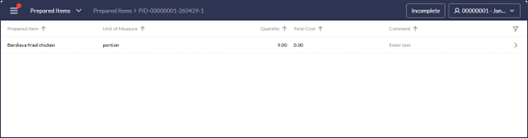
PURCHASE MANAGEMENT
- Delivery Defaults: When reviewing an existing order, the system now validates that the saved order's delivery date is still within the vendor delivery schedule and cutoff time at confirmation, blocking confirmation with a clear message when the delivery date is no longer valid so orders are not sent outside the allowed schedule. 190084
- Acknowledgments: Added a tooltip next to the warning icon when a PO is in Acknowledged status, so users understand the specific condition the warning refers to. 192085
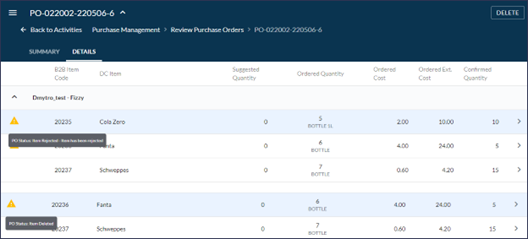
WASTE
- System will now proactively prevent creating or editing templates with duplicate names, making it more clear for the user. 113229
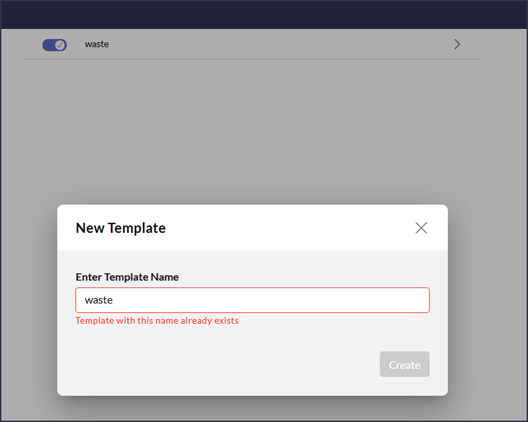
- Items listed in dropdowns are now listed alphabetically in the dropdown list, improving searchability. 115427
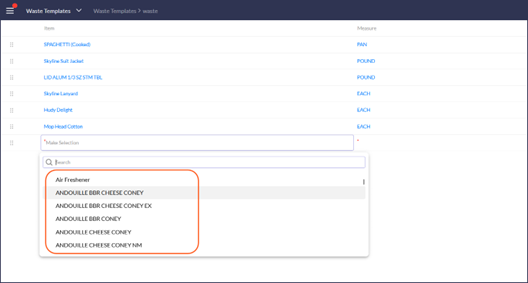
LABOR
EMPLOYEES
- New Employee: When adding a new employee, managers can now assign additional jobs with rates, effective dates, and approval status alongside the primary job within the same modal, reducing repetitive post-creation edits. 190320
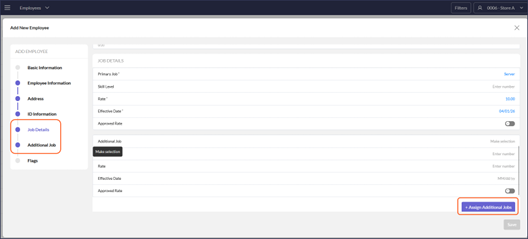
- Update Job Rates: When editing an employee, users can now assign multiple jobs with rates, effective dates, and approval status in a single modal interaction, eliminating the need for repetitive individual edits. 188193
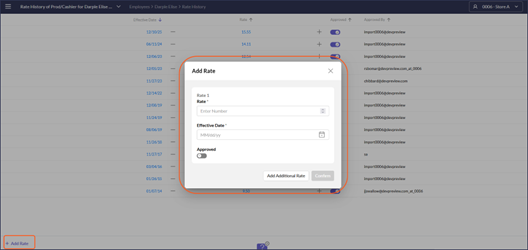
- Email Address: Fixed an issue where the real email address for an employee in a hidden unit was not replaced with a fake email when the same address was already used by another global employee in a non-hidden unit, ensuring email uniqueness rules are applied consistently. 184073
LINK EMPLOYEES
- New Employee: When adding an employee from the Link Employees activity, Job and Rate are now prefilled from POS data when available, reducing manual data entry during employee setup. 190277
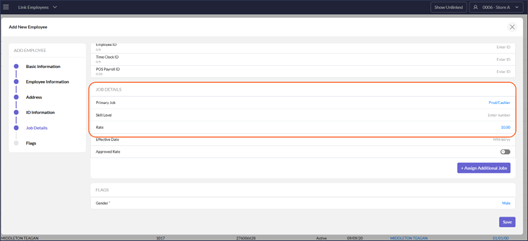
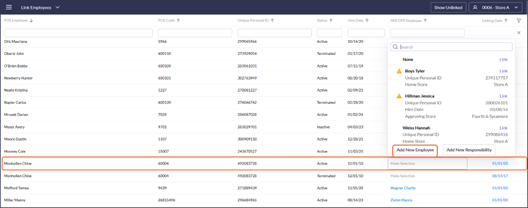
PAYROLL
- Warnings: Payroll warnings no longer include zero-minute placeholder timeclocks used internally to track POS-imported breaks, reducing noise in payroll error reports and making real warnings easier to spot. 183988

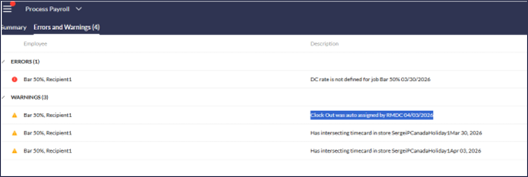
SCHEUDLING
- Multiple Templates: When an employee has a shift on a different template, the intersection warning now identifies the specific template the conflicting shift is on, helping managers and support find and resolve the scheduling conflict without guesswork. 146327
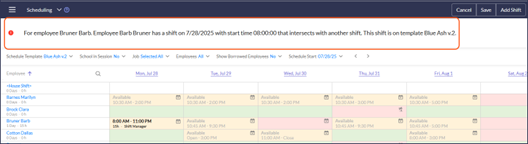
- Availability: Fixed an issue on the Availability and Time Off page where a previously rejected request would briefly flash before opening the schedule, creating visual noise for the manager. 190463
- Breaks: Fixed an issue where a break added while copying a previous schedule was not fully visible in the schedule grid, making it difficult for the manager to confirm the break was applied correctly. 190464
ADD ON MODULES
SSO
- Fixed an issue where the correct Default Connection Name was not being sent to Auth0, ensuring SSO users are routed to the proper identity connection during login. 192302
EVENT FORECAST
- Corrected navigation when adding new groups in Event Forecast Administration, so users are taken to the expected screen after completing the add action. 192226
- Fixed the search bar in Event Forecast Administration when adding a target smart group, restoring the ability to search for groups instead of scrolling through the full list. 192225
- Fixed an error that appeared when deleting a store from an event forecast, allowing stores to be removed cleanly without disrupting the forecast configuration. 192076
- Fixed an issue where a target common smart group could not be deleted from a source event, restoring the ability to adjust event forecast configurations. 192109
MOBILE APP
PREP & FREEZER PULL
- Filters: Users can now filter Prep and Freezer Pull by shift and date on the mobile app, making it easier to focus on the relevant prep work for the current period. 173799
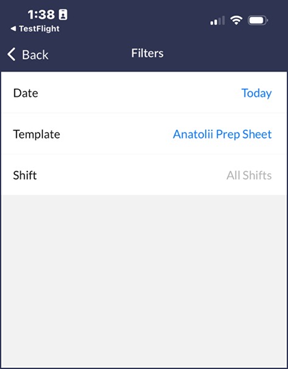
- RDC_PrepSheetActivity_Rpt: The Prep Sheet Activity report now calculates suggested prep quantities on demand when no current values exist, so users no longer need to schedule or manually run a separate Prep Sheet Calculate report before running prep. 190015
ADMIN/ABOVE-STORE UPDATES
ACCOUNTS
- ML Forecasting: Added flag to indicate to users which accounts are included in their training model for forecasting.
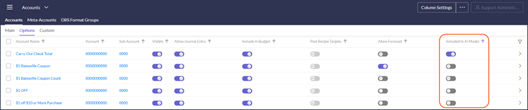
[SMART CLIENT] DATA SOURCES
- Checkout Settings: A new "Add Denomination" configuration has been added, allowing Canadian operators to count Loonies and Toonies as part of their drawer, safe, and petty cash counts. The new multi-select option supports both "Each" and "Roll" counts for each denomination and is designed to accommodate additional country-specific denominations in the future. 180454
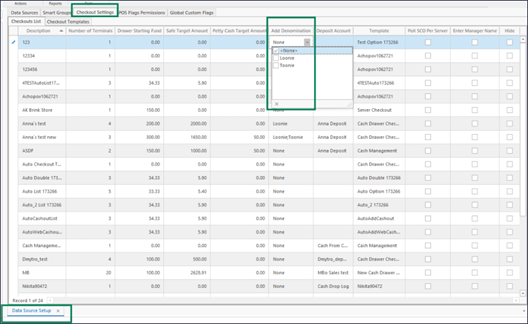
- PAR POS Flags: [Import Service Charges as Revenues]=list of codes to be imported as Revenues into Sales in addition to being imported as Service Charges. 192106
- POS Flags Permissions: Added a new flag [Historical Import]. This flag is read-only, it is designed to force import of master tables for historical import for master tables that are dependent on transactions like Items and Discounts. 189834
[SMART CLIENT] FORECASTING
- Configurable Sales Accounts: These account types included in the forecast format are now populated by the ML forecasting model, ensuring these accounts used for scheduling and custom forecasting receive predicted values alongside category accounts. 190085
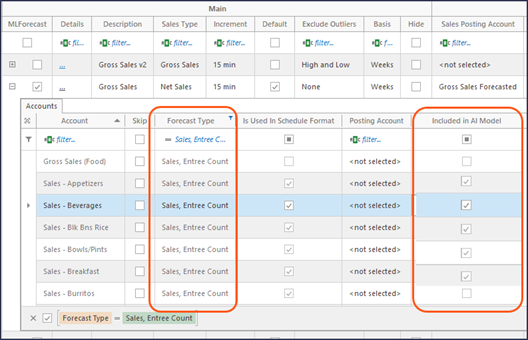
ITEM MASTER
- Prepared Items: To prevent recursion in their ingredient structure, blocking configurations where a prepared item references itself either directly or through a chain of other prepared items, avoiding circular cost calculations. 185017
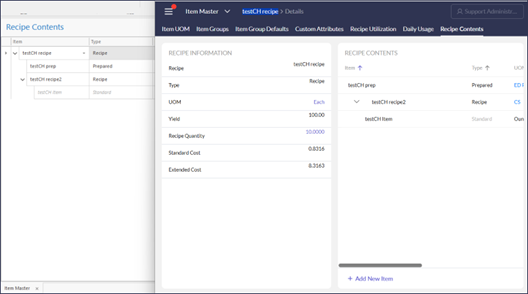
LINK VENDOR ITEMS
- Alphabetized: Items listed in dropdowns are now listed alphabetically in the dropdown list improving searchability. 115427
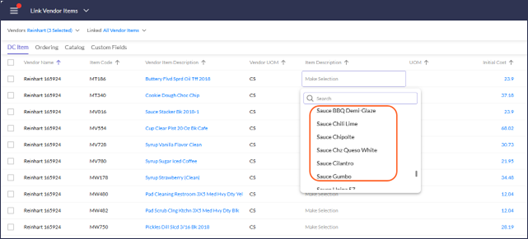
[SMART CLIENT] PAYROLL EXPORT
- Payroll Processors: A new 'Sub Period Start Date' export field is now available for Time Cards and Pay Memos, enabling payroll exports to systems such as ADP Next Gen that require sub period dates to be associated with time card records. 190440
- The Hours Export Code field for Earning Aliases now accepts additional characters, allowing longer export codes required by external payroll processors. 192236
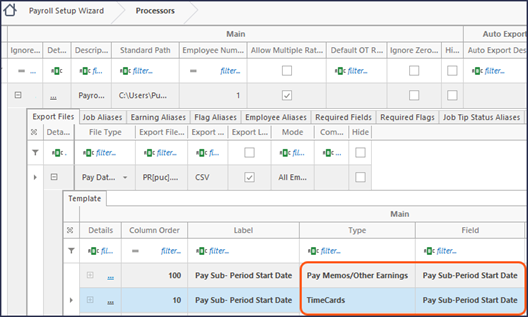
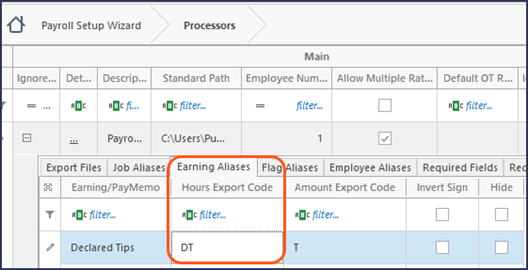
RESTAURANTS
- Schedule & Payroll: A new 'Enable App Messaging' setting has been added to the Restaurants activity, allowing administrators to turn messaging on or off per unit. Broadcast messaging remains accessible for above store users regardless of unit-level messaging settings. 190478

[SMART CLIENT] SUBSCRIPTIONS
- Subscription Groups: Added DelagetClientID and CalendarID fields allowing administrators to enable Delaget sync directly in the UI instead of running a script. 192215
API, EDI, WAREHOUSE, REPORTS
API
- /v2/CashBalancing/CashOut endpoint: New cashouts can now be added via POST, restoring full API parity between the Portal UI and API for third-party integrations. 188183
EDI
- Sysco: Updated PO number to remove dashes when Short Document Number is used for PopeyesCanada. 192102
- QCC: Added PO export for vendor QCC. 190366
- Ferraro Foods: Updated invoice import to read Vendor Branch ID from DC Warehouse number. 192134
CLICKHOUSE & DATA WAREHOUSE
- Warning: Improved the warning message shown when a table structure has changed, directing the user to contact Support for next steps. 192038
- RMDC_DW_Jobs ETL: Added the PayrollJob ScheduleDepartment field making scheduling department data available in Data Warehouse and ClickHouse for use in custom labor reports. 190364
REPORTING
- Parameters: Removed duplicate ParmType values and improved the dropdown presentation, making parameter type selection clearer and less error-prone. 192082
- Parameters: Report parameter search now returns matching child unit groups in addition to parents, making it easier to find the group needed without scrolling through the full hierarchy. 190360
- RDC_LineCheck2vActivityDetailsMG_Rpt: Fixed an issue in the Line Check Status v2 (MU) report where step numbering was incorrect when the report was run with Unit set to All Units, so step numbers now display correctly regardless of unit selection. 109201
- RDC_OvertimeWarningScheduled_Rpt: Updated to use the First Week Day from the Payroll Setup Wizard instead of pay period dates, producing accurate overtime warnings for bimonthly and other non-weekly payroll groups. 192415
- RDC_ReportSchedulerExportLog_Rpt: Updated to show delivery failure in case of attachments above allowed size. 192198
- RDC_SuggestOrders_Rpt: Updated to filter the delivery date parameter by delivery schedule, making it easier to review purchase orders without the need to memorize store delivery schedules. 189823
- RDC_VendorDeliveryScheduleByStore_Rpt: Reports that reference delivery schedules have been updated to consider the new cutoff time field, so calculated delivery dates and delivery schedule output accurately reflect the vendor's cutoff configuration. 190185
POS
POS INTEGRATION UPDATES
- Lifelenz: New Integration importing employees, jobs and timecards. 190235
- PJI POS: Added 'Test import' functionality so that the user can inspect the files we import data from. 188510
- PJI POS: Removed tips from Voids for Refunds. 192019
- PJI POS: Added import of Online Order ID and Focus Order Number into POS Check Header. 192663
- PJI POS: Added import of service charges as a new revenue category of Sales, in addition to Service Charges. 192105
- PAR POS: Correct import of discounts when custom flag [Import zero price Discounts and Promotions] is used. 190450
- IQTouch: Corrected import to read revenue category code instead of taking first 20 characters of description. 190420
- Toast: Added export of Payroll ID as Passcode for new employees based on custom flag [Write Payroll ID as Passcode]. 192107
DELAGET EXPORT
- Delaget export now batches billing groups that share the same DelagetClientID into a single consolidated export rather than exporting each billing group separately. This prevents later exports from overwriting earlier ones and delivers a complete dataset per client. 192142
April 2026
26.08 Release Notes
PAR OPS 26.08 Release Notes
April 2026
*PAR OPS App updates mentioned in these notes will be released on April 16th, 2026.
Some functionality requires additional configuration for use.
Please contact paropssupport@partech.com with any questions.
General Improvements & Fixed Issues
Reports
- The RDC_LockForecast_0000_Rpt Stored Procedure is added to enable bulk forecast locking by store or store group. (188429)
Store Manager Improvements & Fixed Issues
Activity Feed
- The missing shift count alert has been updated to alert users more frequently, after each shift has ended, rather than the next day. (180455)
- The Unlinked Invoice Items notification is updated to alert immediately when a new invoice has an unlinked item, enabling quicker resolutions. (188142)
- The Forecasting notification is updated to raise a notification for yesterday each morning, rather than at midday on the current day, so that users can see a full day's sales compared to forecasted sales. (190159)
Cash Management
- In Cash Balancing, adjusted midnight is now considered when determining business date for server/till cashouts. (188595)
- In Safe Counts, a bug is fixed so an occasional incorrect variance message is no longer displayed when there is no actual variance. (190272)
Checklists/Scan Assist/Waste
- Filters are updated to display items in alphabetical order, making it easier for users to search for the item they need. (112826)
Inventory/On-Hand
- Inventory estimation, including on-hand counts, are updated, for items set to Period frequency, to properly estimate values based on the last actual count. (186420)
Reporting
- Item Count is added to the Discounts and Voids report to show number of items a particular discount was applied for in the same check. (189910)
- The Real Time Spot Check report is updated to distinguish between paid and unpaid breaks so labor hours are correct and match other reporting. (189908)
Admin Improvements & Fixed Issues
B2B
- In the Sysco integration, utilizing the Short Document Number configuration removes dashes from PO numbers to reduce their length due to Sysco document length limitations. (190006)
Payroll
- A "Required" option column is added to payroll flags to require users to enter employee flags upon employee creation. (186278)
- Auto Export Payroll capabilities have been expanded to include daily payroll exports. Daily payroll data can be exported and validated incrementally while still producing a complete payroll batch for the full payroll period. (190126)
POS
- In the Toast Employee export integration, Employee Payroll ID is now exported when export mode = 'Payroll ID'. (188496)
- In the Micros Simphony import integration, datetime in the check header is now set equal to check close time rather than check open time. (188006)
Reporting
- A new Journals ETL has been added so accounting journal entry data, including deposits, is available in data warehouse. (190174)
- A new “ETL Timecards” export option is added in payroll groups. When configured, employee salary hours are included in the Payroll Hours data warehouse ETL dataset. (188058)
- Support for 'MS Fabric SQL' is added as a destination option for Data Warehouse ETLs. (186550)
- A new [IsPaid] field is added to the POS Breaks ETL to indicate whether a break is paid or unpaid. (189909)
- Support for Google Cloud Storage (GCS) is added as a destination option for Data Warehouse ETLs. (190125)
Restaurants
- The default time zone for Arizona is changed to 'MST-Arizona' to separate it from 'MST - Mountain Time' and to reduce incorrect configurations. (190247)
Vendor Administration
- Cutoff time has been added to delivery schedules, allowing for more control over delivery settings, preventing users from sending orders that are not allowed by the vendor. (178607)
- Default Order Preference has been added so that new items can automatically be assigned a preference, making order management easier. (188001)
26.08 Release Feature Guide
GENERAL
FILTERS
- Filters are updated to display items in alphabetical order, making it easier for users to search for the item they need. 112826
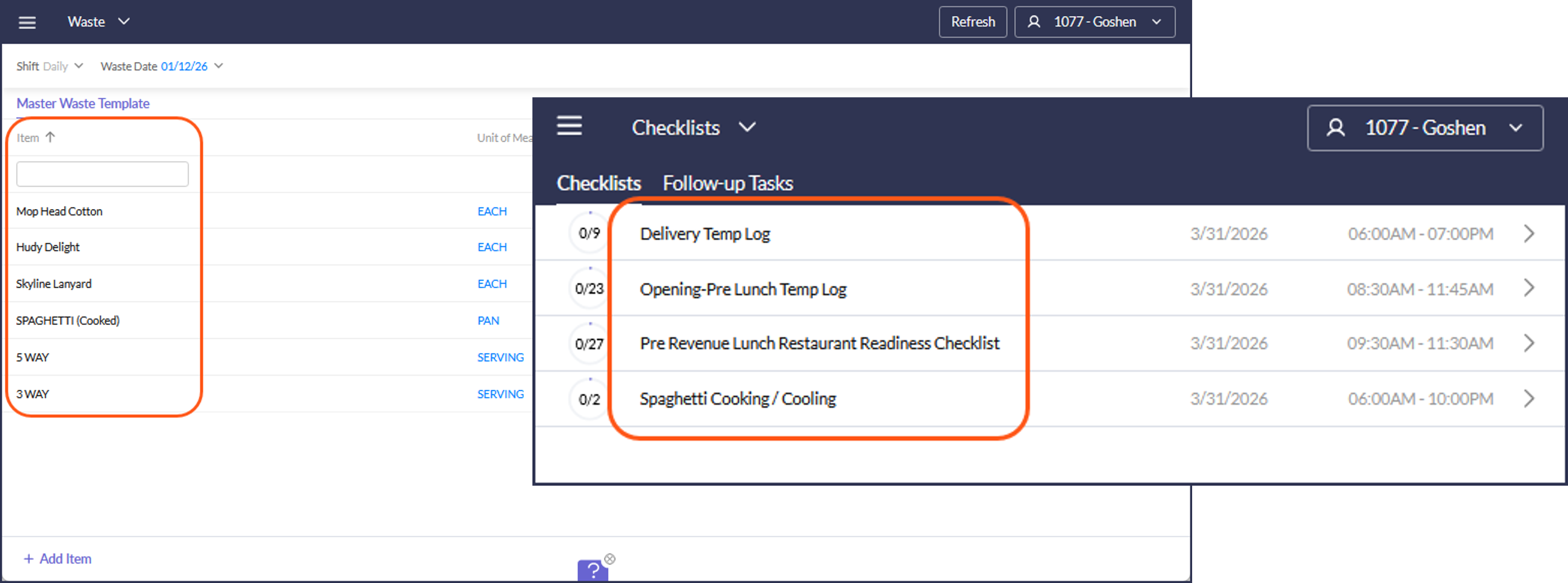
NOTIFICATIONS
- Forecasting: Updated to alert daily instead of mid-day so that users can see a full day's sales compared to forecasted sales on a specified day. 190159
- Missing Shift Count: Updated to alert users more frequently, after each shift has ended, rather than the next day. 180455
- Unlinked Invoice Items: Updated to alert immediately when a new invoice has an unlinked item, enabling quicker resolutions. 188142
STORE-LEVEL UPDATES
[SMART CLIENT] * MANUAL IMPORT
- Added more tabs in smart client POS import form to preview data being imported. 188666
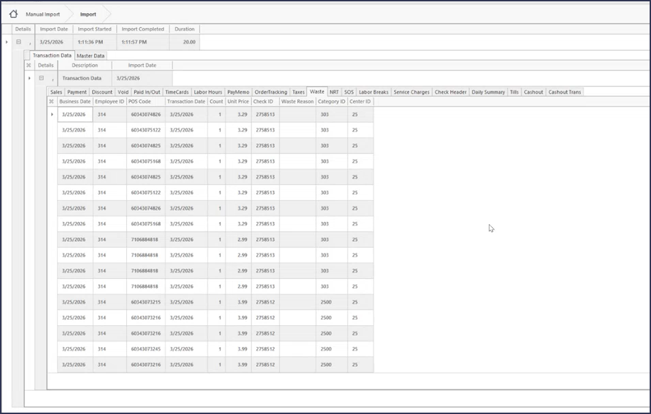
ACCOUNTING
CASH BALANCING
- Take adjusted midnight into account when defining Cashout Business Date. 188595
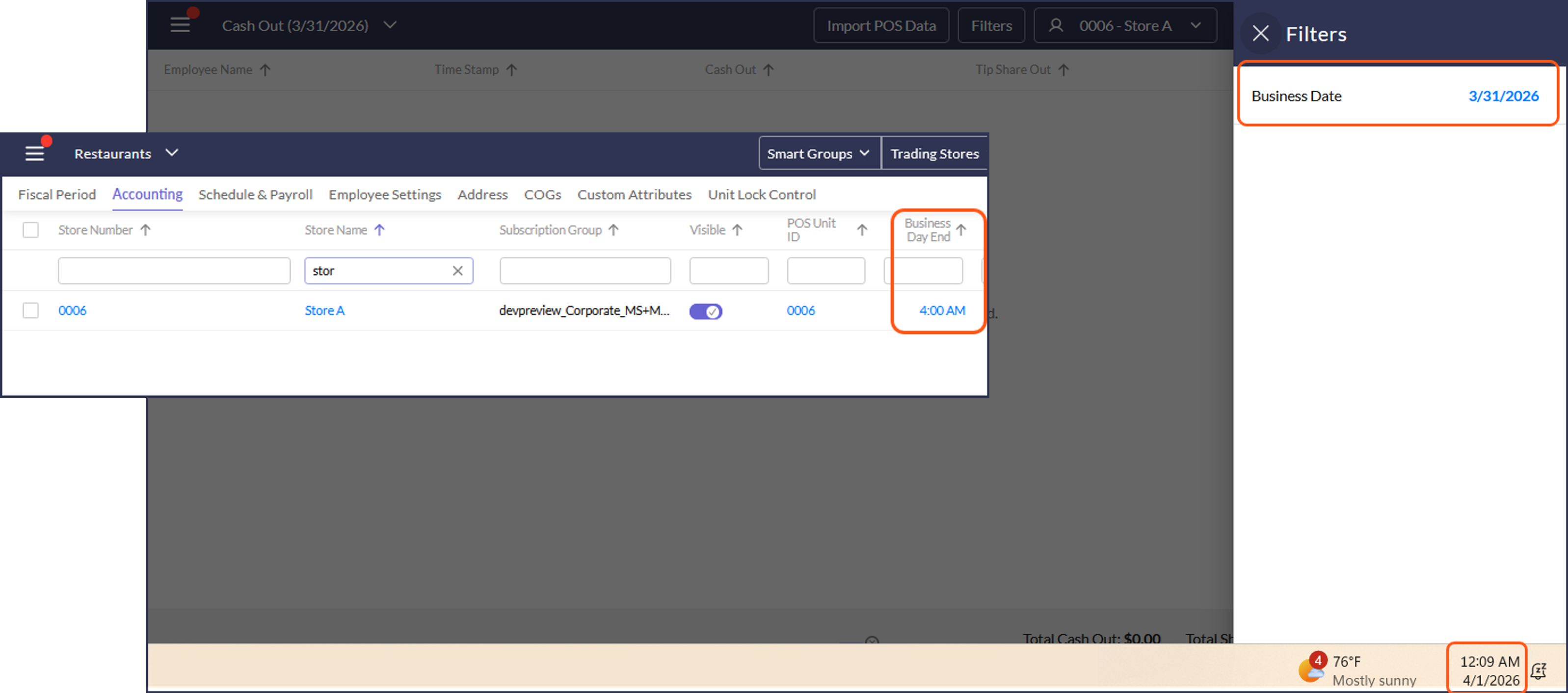
SAFE COUNTS
- A bug is fixed so an occasional incorrect variance message is no longer displayed when there is no actual variance. 190272
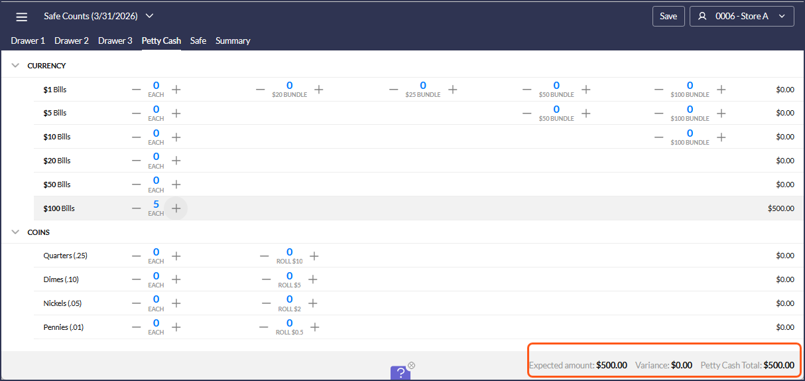
COST OF GOODS
INVENTORY
- Estimation and On-Hand: Updated for items set to Period frequency to properly estimate values based on the last actual count. 186420
LABOR
PAYROLL
- Flags: A "Required" option column has been added to payroll flags. This will require users to enter employee flags upon employee creation. 186278
ADMIN/ABOVE-STORE UPDATES
* LOGIN MANAGEMENT
- Added the Ability to Link Manager and Employee Login Context. 167878
[SMART CLIENT] PAYROLL
- Flags: A "Required" option column has been added to payroll flags. This will require users to enter employee flags upon employee creation. 186278
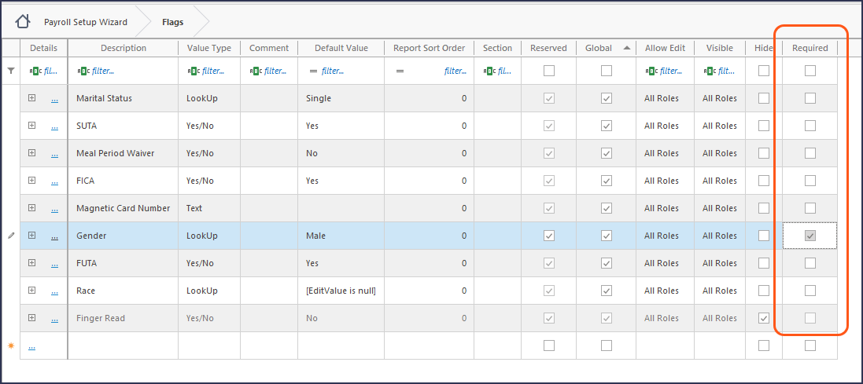
- Daily Exports: The Auto Export Payroll capabilities have been expanded to include daily payroll exports. Daily payroll data can be exported and validated incrementally while still producing a complete payroll batch for the full payroll period. 190126
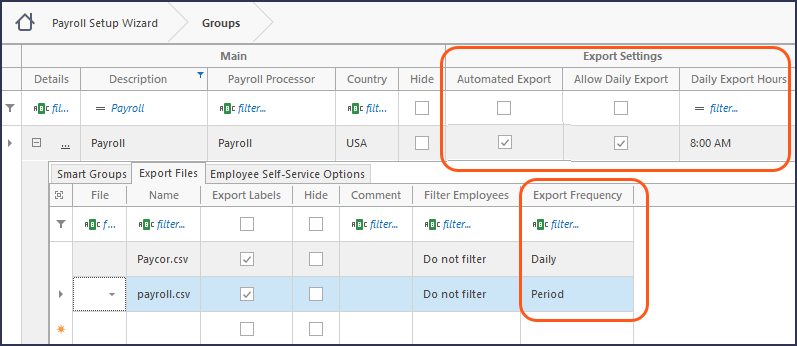
RESTAURANTS
- Updated default time zone for Arizona to 'MST-Arizona' to separate it from 'MST - Mountain Time,' as Arizona does not observe Daylight Savings. 190247
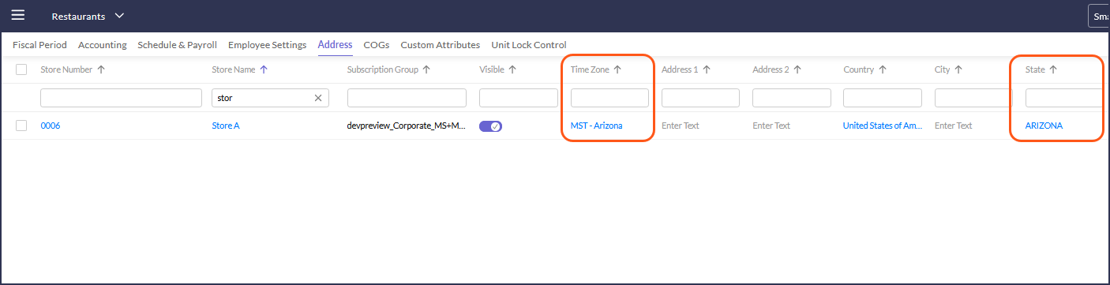
VENDORS
- Cutoff time has been added to delivery schedules, allowing for more control over delivery settings, preventing users from sending orders that are not allowed by the vendor. 178607
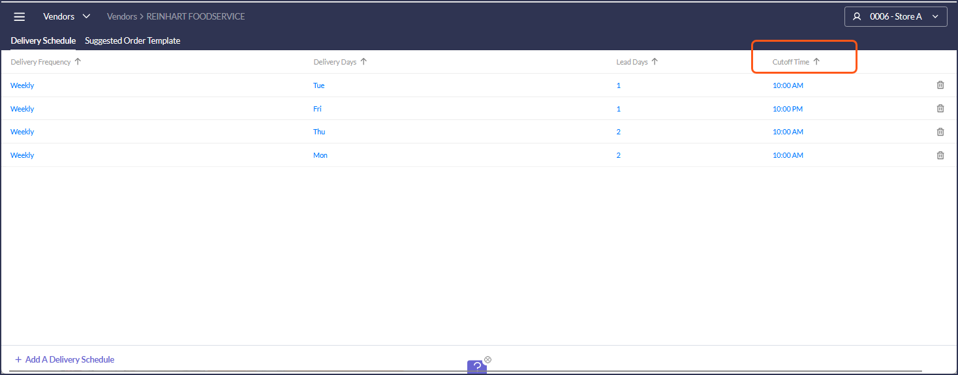
- Default Order Preference has been added so that new items can automatically be assigned a preference, making order management easier. 188001
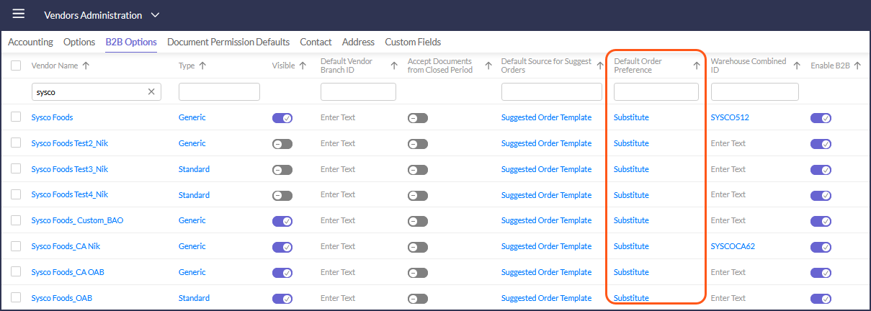
API, EDI, WAREHOUSE, REPORTS
CLICKHOUSE & DATA WAREHOUSE
- Breaks ETL: Added a field [IsPaid] to indicate paid/unpaid break type 189909
- Business Journals ETL: New ETL 190174
- Google Cloud Storage: Added support for allowing connection to storage such as AWS S3 or Blob 190125
- MS Fabric SQL: Added support for this destination 186550
- Timecards ETL: Added export of Salary employees’ hours based on setting 'ETL Timecards' in Export Salary Employees area. 188058
EDI
- Sysco: PO number - remove dashes when Short Document Number is used. 190006
REPORTING - NEW REPORT
- RDC_LockForecast_0000_Rpt: Added to allow central locking of forecast by store or a group of stores. 188429
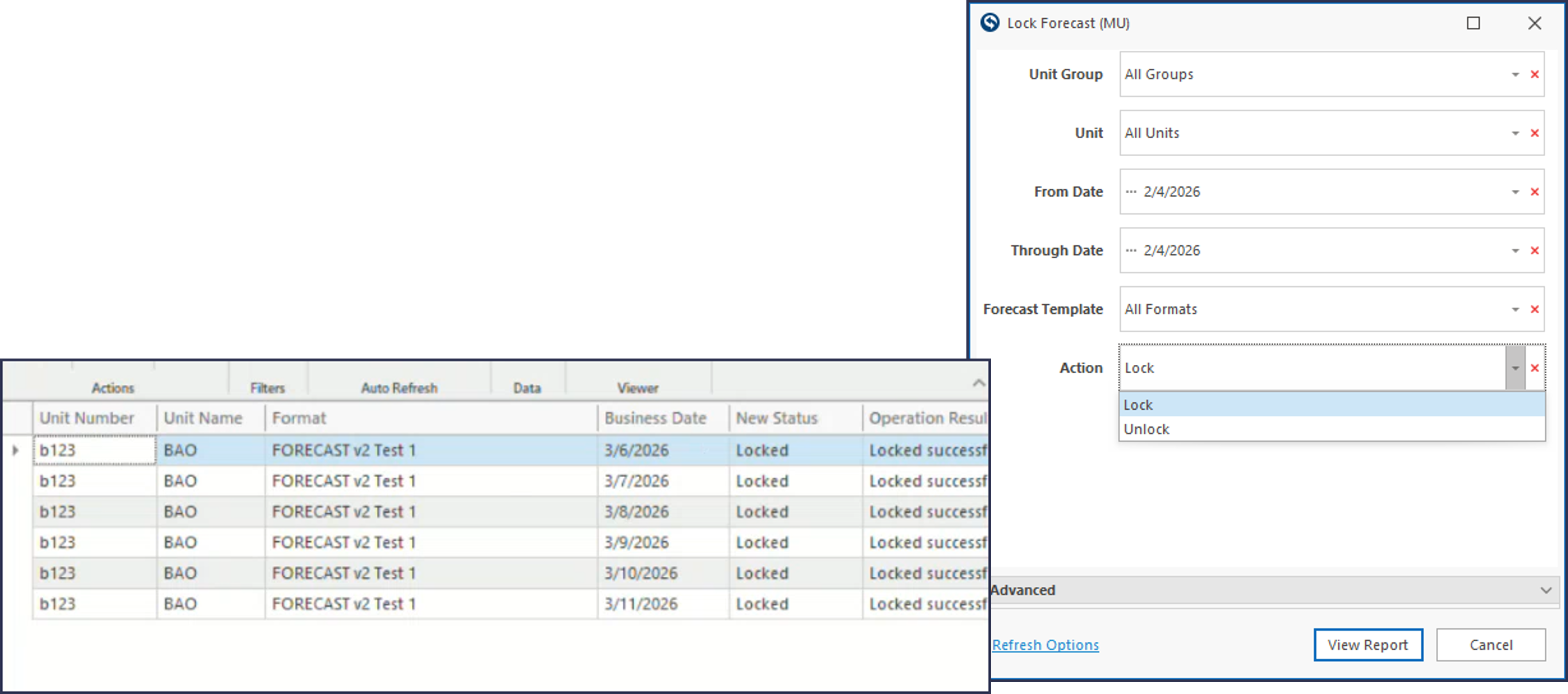
REPORTING
- RDC_ForecastPivot_Rpt: Added a new parameter [Accounts List]. 190016
- *RDC_PnLCompareP_Rpt: Optimized performance. 188636
- RDC_SpotCheck_0000_Rpt: Take breaks into account when reporting labor. 189908
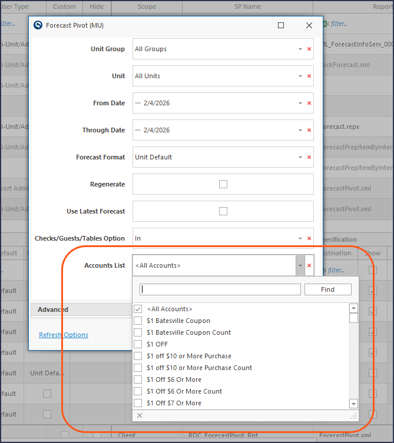
- RDC_UPOSDiscountAndVoid_Rpt: Added Item Count to show number of items a particular discount was applied in the same check. 189910
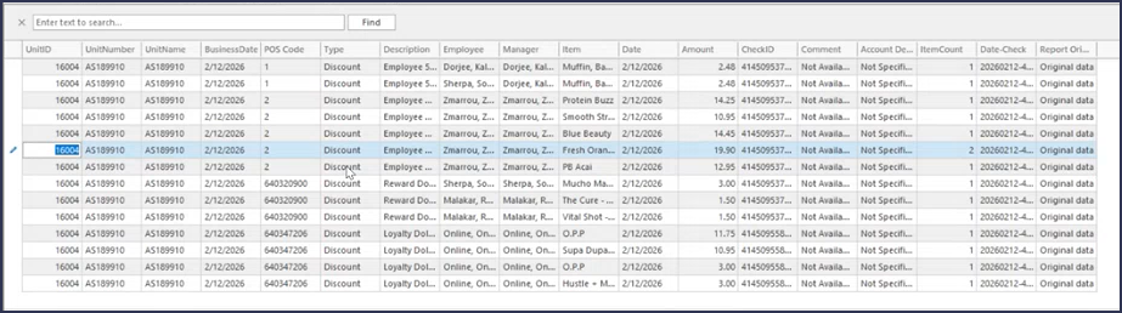
POS
POS INTEGRATION UPDATES
- MICROS SYMPHONY: Changed the datetime field of check header to equal check close time (before it was check open time.) 188006
- TOAST: Employee export added export of Employee Payroll ID when export mode = 'Payroll ID'. 188496
March 2026
26.06 Release Notes
PAR OPS 26.06 Release Notes
March 2026
*PAR OPS App updates mentioned in these notes will be released on March 19th, 2026.
Some functionality requires additional configuration for use.
Please contact paropssupport@partech.com with any questions.
General Improvements & Fixed Issues
Commissary/Purchase Management
- Vendors set up to use a commissary can now set the integration type to "Invoice and Credit Memo" to convert Production Sales Orders directly to invoice and create credit memos without requiring the receiving process by store managers. (186493)
Employee Acknowledgments
- This feature has been enhanced to allow for additional frequency options. Timecard Acknowledgements can be configured to be sent to the employee at the end of the payroll period or daily. (184146)
Reports
- The RDC_LineCheck2vActivityDetailsMG_rpt has been updated to display the time stamp for each individual step, allowing for more accurate tracking in case of audits. (186553)
Store Manager Improvements & Fixed Issues
Activity Feed
- A new Activity Feed alert "Item Count Suggestions" has been added to alert users of which items should be considered for daily counts based on the most recent count variance. (184702)
Employees
- The Employee creation process has been updated. Managers can now add new employees using a single, guided modal pop‑up instead of navigating across multiple pages. This streamlined experience reduces context switching and makes employee setup faster and more intuitive. (184036)
- In Portal Employees activity added a new option "Export all active employees" only for stores that export employees to Aloha. (186421)
*Mobile App – Forecasting
- Forecasting is now available in the PAR OPS app, making it easier for managers to complete their forecasting tasks on the go. (178965)
POS
- In Aloha schedule export, two files are now created - one for the current week and a second for the coming week. (186679)
Purchase Management
- The minimum and maximum quantity display has been enhanced. When there is a minimum/maximum setting, users now see a clear warning and messaging to better understand the requirement. (188483)
Trades
- The trades activity has been corrected so that items can be deleted from a rejected trade prior to re-initialization. (186790)
Multi-Unit Improvements & Fixed Issues
Restaurants
- Account Mapping is now available in the Restaurants activity for multi-unit users to allow for easier administration of accounting export mappings. (186552)
Admin Improvements & Fixed Issues
B2B
- Created custom PO export format for Ferraro Foods. (185102)
Payroll Rules
- Overtime Payroll rules have been enhanced with optional configurations to accommodate labor laws that apply different overtime requirements to minor employees. (188336)
POS
- In Revel POS added import of additional Order Types and Payment Codes (codes 100 and above - all other codes are optional). (186620)
- In Aloha import changed the logic for importing datetime field of check header from check close time to time when the first item on check was ordered. (188007)
- In Panasonic IQ Touch, fixed Tax import and added import of PLU. (188009)
- In Aloha tax import added import of fee surcharge (type 17 in GNDSALE.DBF). (188155)
- In Panasonic IQTouch added import of predefined Discount Codes (188463)
- In Panasonic IQTouch import added import of Returns Amount and Count into "POS Other". (188464)
Reporting
- In Discount ETL, added Count for ClickHouse and Data Warehouse. (186242)
- Count Frequency has been added to the Daily and Flash COGS ETLs to allow users to quickly identify items based on count days. (186332)
- In POS Sales Header ETL, added a new field [Fire Time] which populates from Check Header Datetime field. The change is for ClickHouse and Data Warehouse. (188005)
Schedule Settings Administration
- A "Created By" Column has been added so admin users know in which unit "Private" templates, stations, or breaks have been created. (186616)
- An "Admin Managed" Column has been added so the admin user can make "Public" templates that are shared across databases and editable only by admin users. These templates can still be utilized and copied by Multi-Unit and Unit users, but the original cannot be edited by anyone other than an admin user. (186621)
Vendor Administration
- A new setting "Minimum Order Quantity Warning" has been added to allow admins to configure a minimum purchase alert to be displayed while placing suggested orders, in order to help avoid vendor fees and fines. (186364)
Vendor Item Linking
- A new setting, "Order Alert Threshold", has been added to the Vendor Item Linking activity to allow admins to set an ordering threshold. When utilized, managers placing orders will receive a warning when violating the threshold, allowing them to double check ordered quantities before sending to the vendor. (186283)
26.06 Release Feature Guide
GENERAL
ACTIVITY FEED
- A new Activity Feed alert "Item Count Suggestions" has been added to alert users of which items should be considered for daily counts based on the most recent count variance. 184702
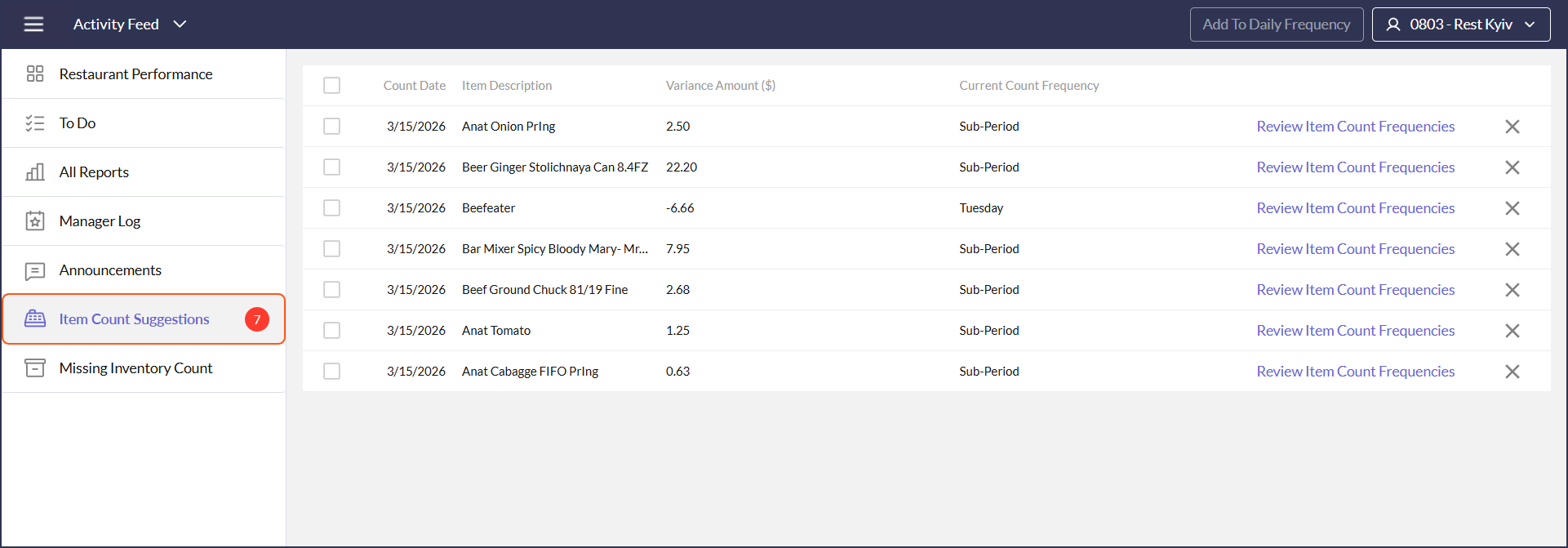
COST OF GOODS
COMMISSARY
- Vendors set up to use a commissary can now set the integration type to "Invoice and Credit Memo" in order to convert Production Sales Orders directly to invoice and create credit memos without requiring the receiving process by store managers. 186493
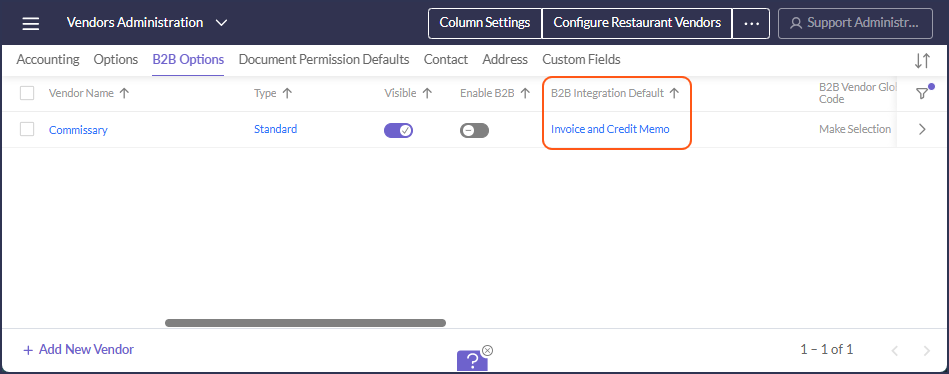
LINK VENDOR ITEMS
- A new setting "Order Alert Threshold" has been added to the Link Vendor Items activity to allow admins to set an ordering threshold. When utilized, managers placing orders will receive a warning when violating the threshold, allowing them to double check ordered quantities before sending to the vendor. 186283
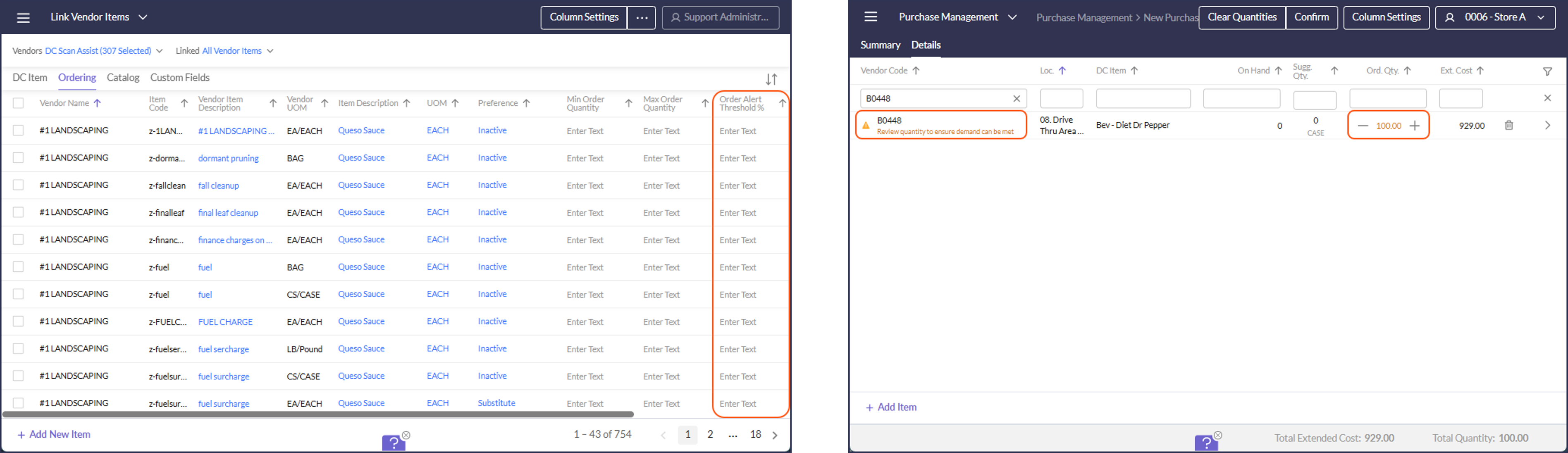
PURCHASE MANAGEMENT
- The minimum and maximum quantity display has been enhanced. When there is a minimum/maximum setting, users will now see a clear warning and messaging to better understand the requirement. 188483
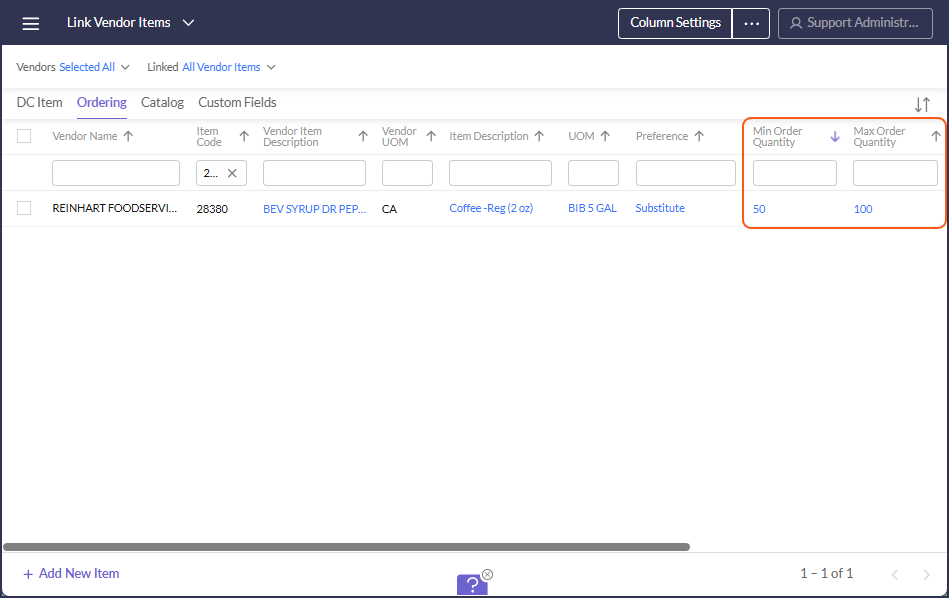
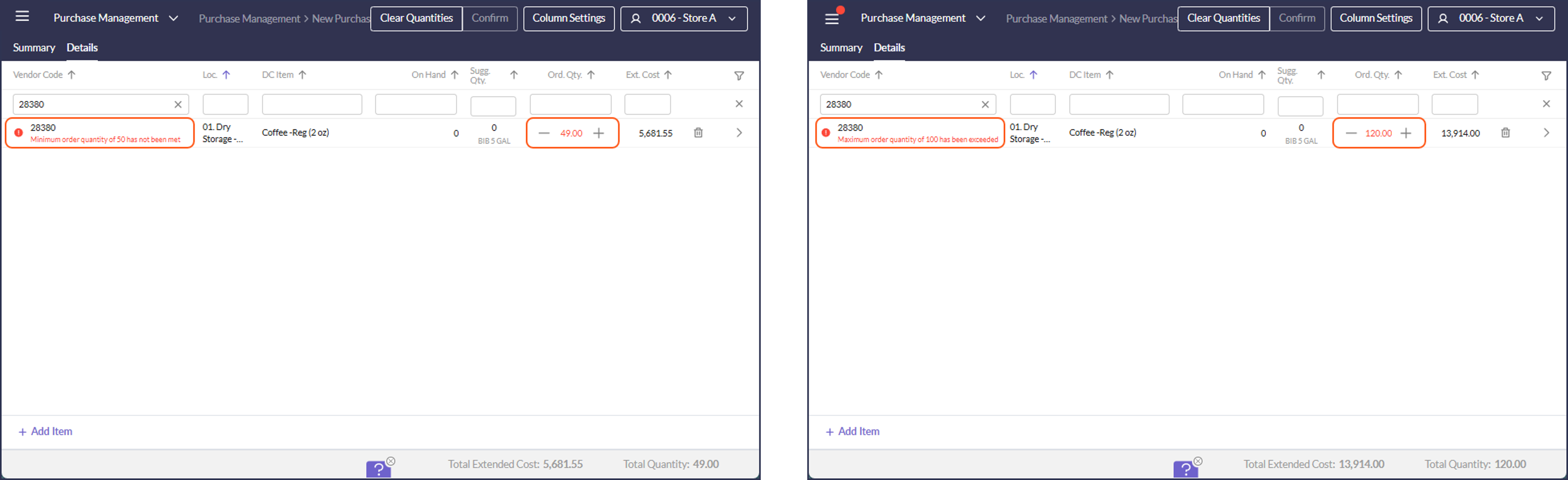
TRADES
- The trades activity has been corrected so that items can be deleted from a disputed trade prior to re-initialization. 186790
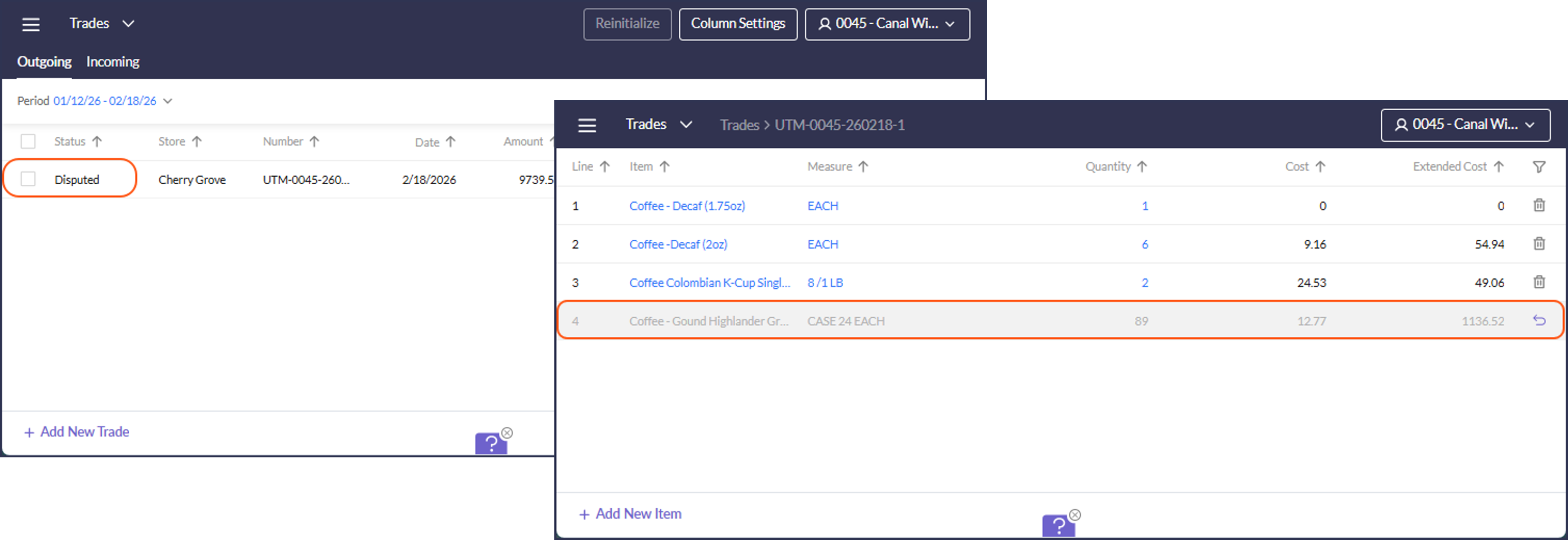
LABOR
EMPLOYEES
- The Employee creation process has been updated. Managers can now add new employees using a single, guided modal pop‑up instead of navigating across multiple pages. This streamlined experience reduces context switching and makes employee setup faster and more intuitive. 184036
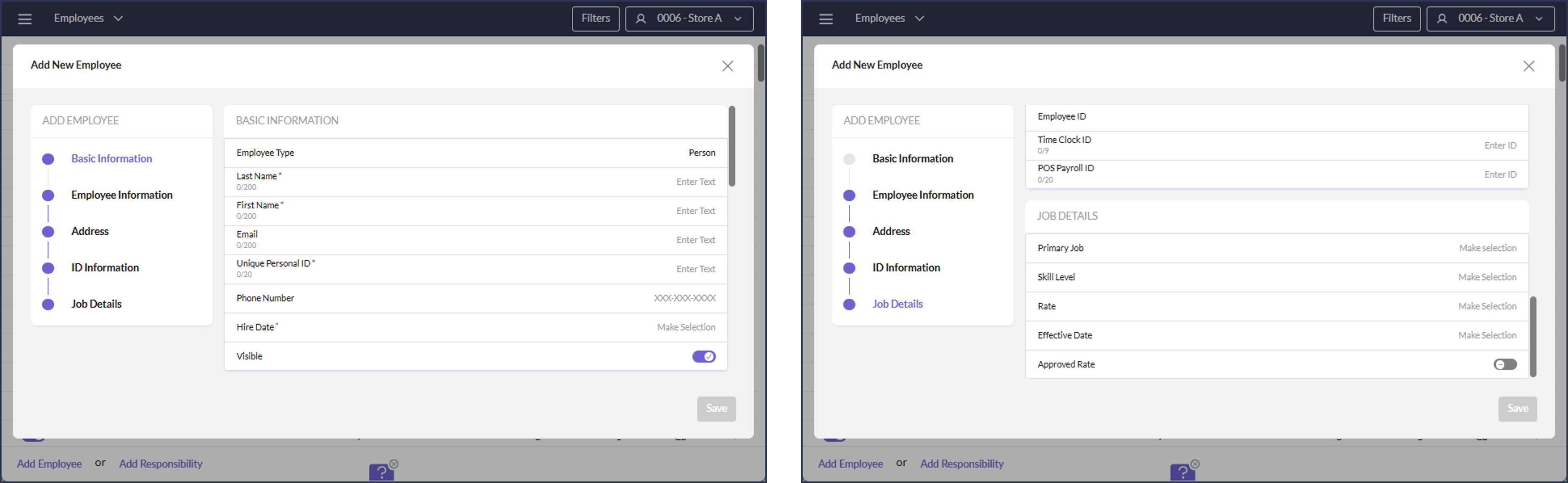
SCHEDULING
- Admins are now able to configure full time and part time hour thresholds for employees. These thresholds will be presented in the schedule activity as either warnings that can be overridden or errors that prevent scheduling. 184530
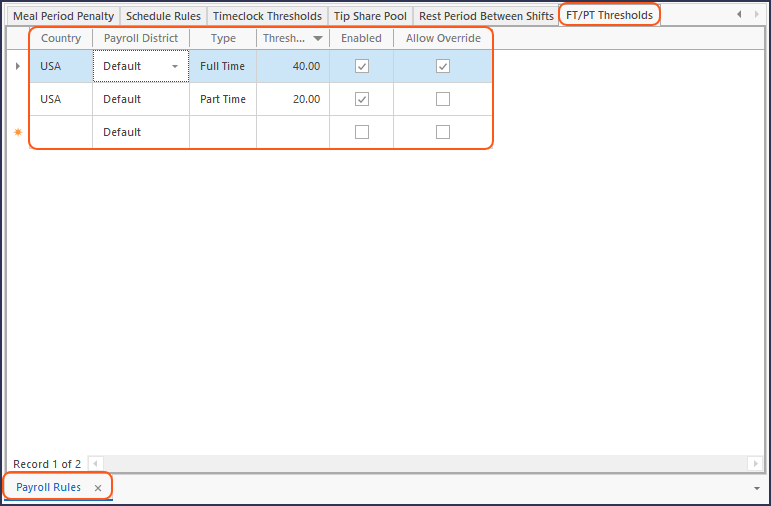
FT/PT Threshold Configuration in the Smart Client
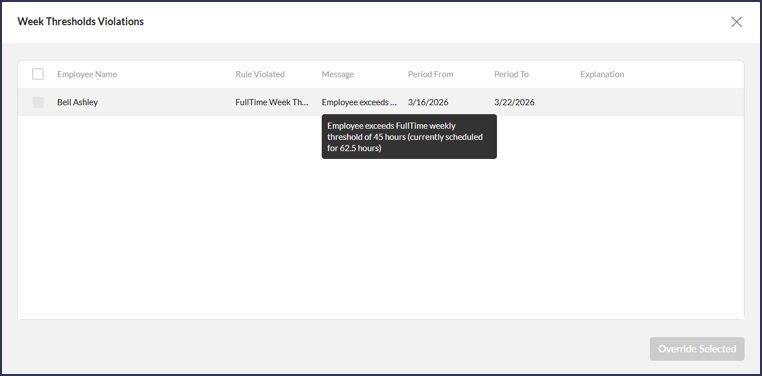
MOBILE APP
FORECASTING
- Forecasting is now available in the PAR OPS app, making it easier for managers to complete their forecasting tasks on the go. 178965
ADMIN/ABOVE-STORE UPDATES
[SMART CLIENT] EMPLOYEE FIELD MAPPING
- The Enable and Allow Edit toggles in Employee Field Mapping now behave as described below. This will help keep managers from incorrectly entering employee information when creating or editing an employee. 149494
- Enable: If unchecked, the field will not be visible during employee creation
- Allow Edit: If unchecked, the field will be editable during employee creation, but no longer editable once the new employee is saved.
- Required: If checked, the field will be marked as required (*) during employee creation.
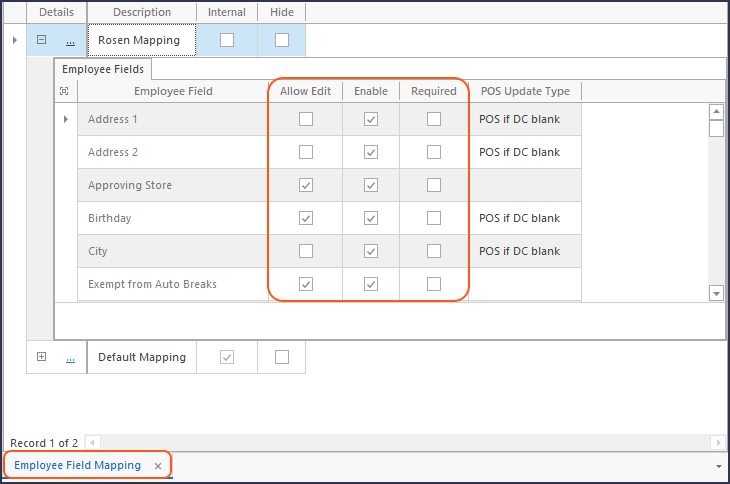
[SMART CLIENT] PAYROLL RULES
- Overtime Payroll rules have been enhanced with optional configurations to accommodate labor laws that apply different daily overtime requirements to employees who are minors. 188336
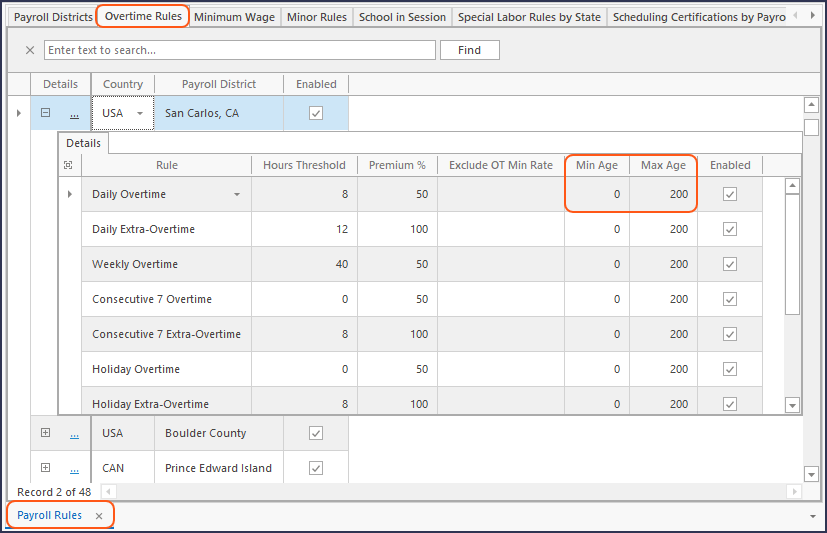
- The feature has been enhanced to allow for additional frequency options. Timecard Acknowledgements can be configured to be sent to the employee at the end of the payroll period or daily. 184146
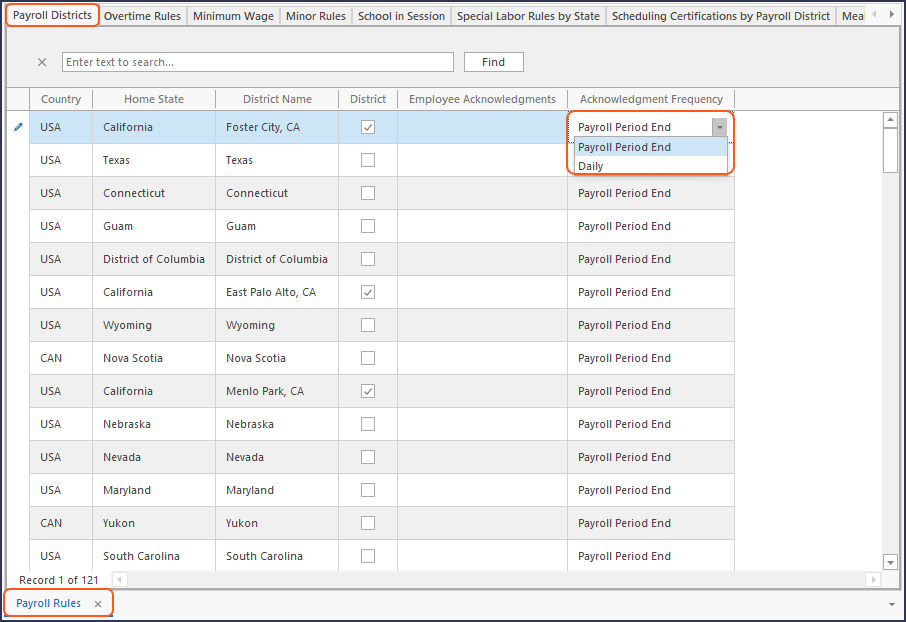
RESTAURANTS
- Account Mapping is now available in the Restaurants activity for Above-Store users to allow for easier administration of accounting export mappings. 186552
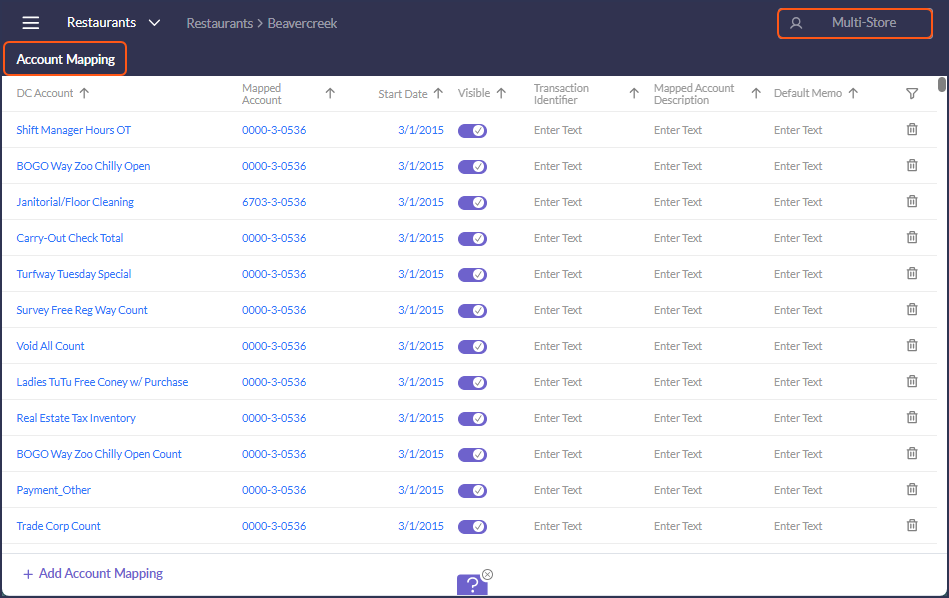
SCHEDULE SETTINGS ADMINISTRATION
- A "Created By" Column has been added so that the Admin user will know in which store "Private" templates, stations, or breaks have been created. 186616
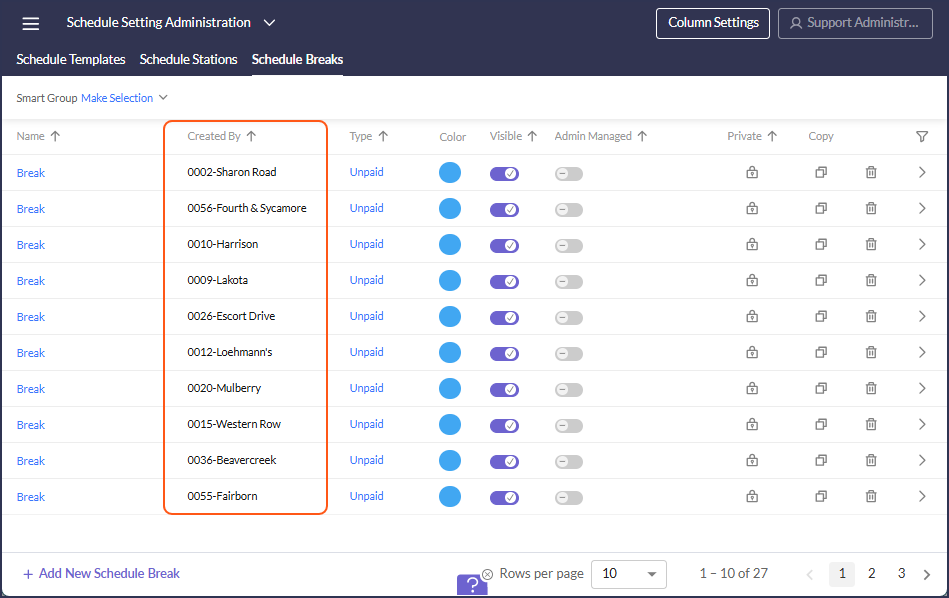
- An "Admin Managed" Column has been added so that the admin user can make "Public" templates, that are shared across databases, editable by only Admin users. These templates can still be utilized and copied by Above-Store and Store-Level users, but the original cannot be edited by anyone besides and Admin user. 186621
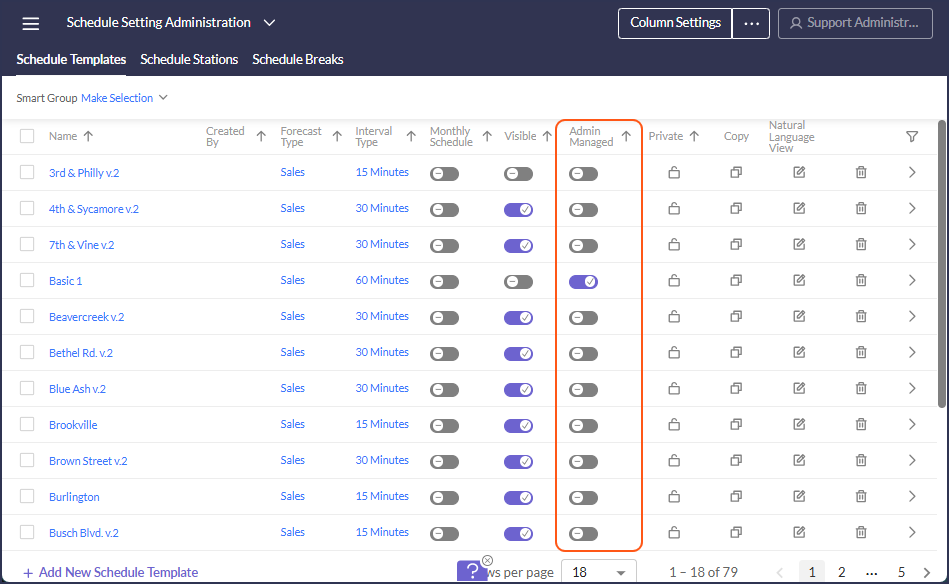
VENDOR ADMINISTRATION
- A new setting "Minimum Order Quantity Warning" has been added to allow admins to configure a minimum purchase alert to be displayed while placing suggested orders, in order to help avoid vendor fees and fines. 186364
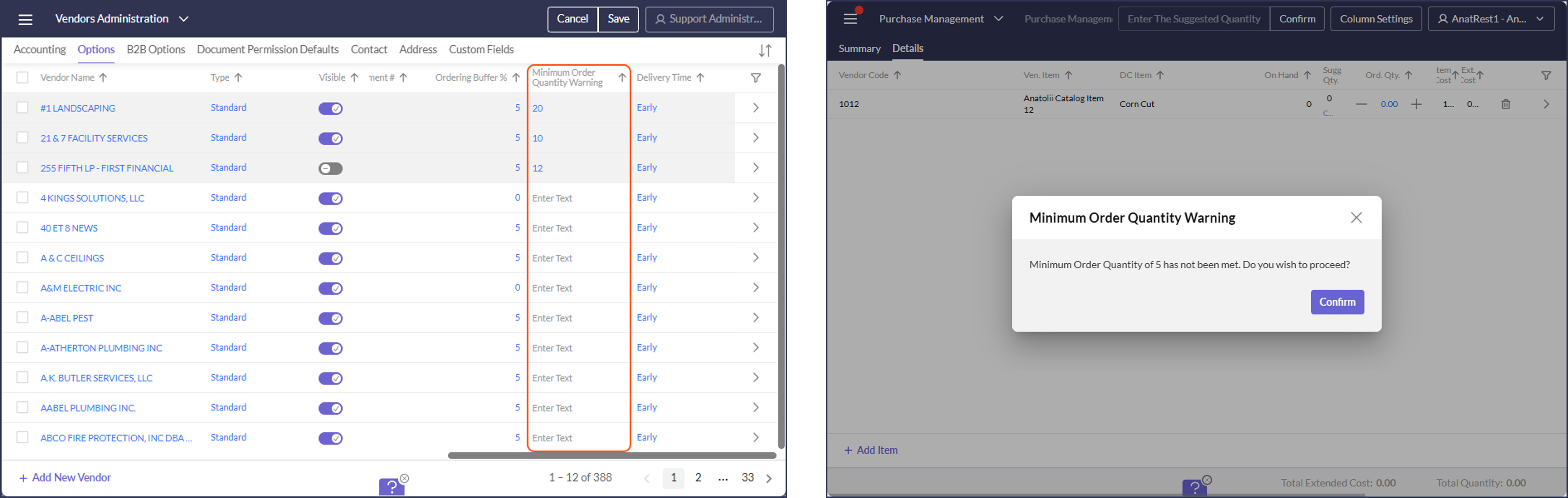
API, EDI, WAREHOUSE, REPORTS
CLICKHOUSE & DATA WAREHOUSE
- Daily and Flash COGS ETLs: Count Frequency has been added, in order to allow users to quickly identify items based on count days. 186332
- Discount ETL: Added Count for CH and DW. 186242
- Payroll Hours ETL: Added export of Salary employees hours based on setting 'ETL Timecards' in Export Salary Employees area. This affects DW and CH ETL. 188058
- POS Sales Header ETL: Added a new field [Fire Time] which populates from Check Header Datetime field. The change is for ClickHouse and Data Warehouse. 188005
EDI
- Created custom PO export format for Ferraro Foods. 185102
REPORTING
- RDC_LineCheck2vActivityDetailsMG_rpt: Updated to display the time stamp for each individual step, allowing for more accurate tracking in case of audits. 186553
POS
POS INTEGRATION UPDATES
-
ALOHA:
- In the Portal Employees activity, added a new option 'Export all active employees' only for stores that export employees to Aloha. 186421
- In schedule export, two files are now created - one for the current week and a second for the coming week. 186679
- Changed the logic for importing datetime field of check header from check close time to time when the first item on check was ordered. 188007
- In tax import, added import of fee surcharge (type 17 in GNDSALE.DBF). 188155
-
PANASONIC IQTOUCH:
- Fixed Tax import and added import of PLU. 188009
- Updated logic to take restaurant adjusted midnight into account when importing data past midnight. 188010
- In Panasonic IQTouch added import of predefined Discount Codes. 188463
- In Panasonic IQTouch import added import of Returns Amount and Count into "POS Other". 188464
-
REVEL: Added import of additional order types and payment codes. (codes 100 and above - all other codes are optional). 186620
-
TOAST: In Employee export, added export of Employee Payroll ID when export mode = 'Payroll ID’. 188496